Changelog
What's new in Eloqra
New features, improvements, and fixes as we build in the open. Browse the features to see where each one lives.
September 2026
The widget starts taking instructions — from your page, your schedule, and your rules about where it belongs — and learns to speak your visitors' language. Connecting Telegram gets easier too.
The widget now speaks 10 languages
Pick a language per project under Chat Widget → Content: English, German, French, Spanish, Italian, Portuguese, Polish, Dutch, Ukrainian or Russian. Buttons, labels, the pre-chat form, timestamps and the default messages all switch; anything you wrote yourself stays exactly as you wrote it. Existing projects stay in English.
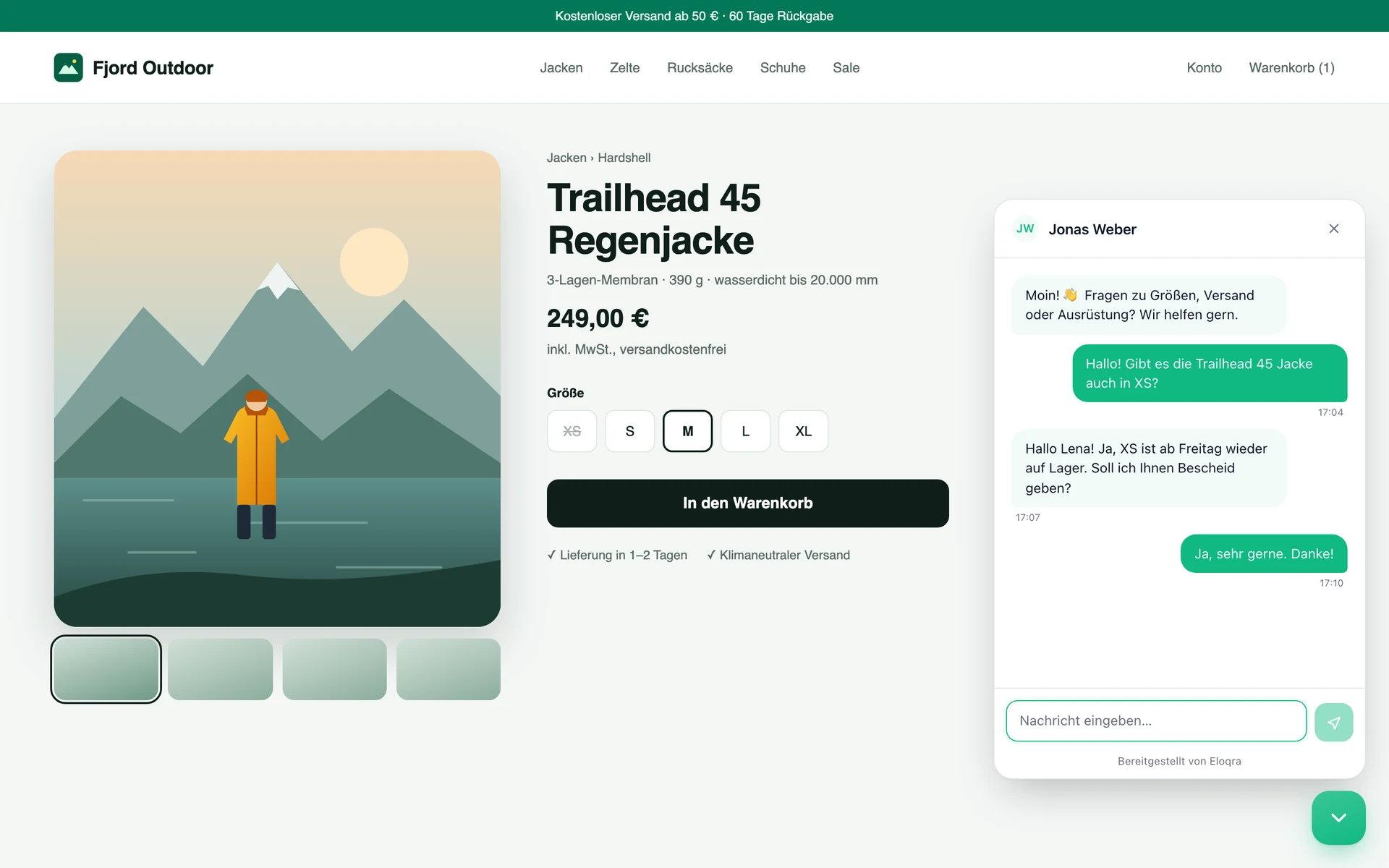
Connect Telegram with a short code
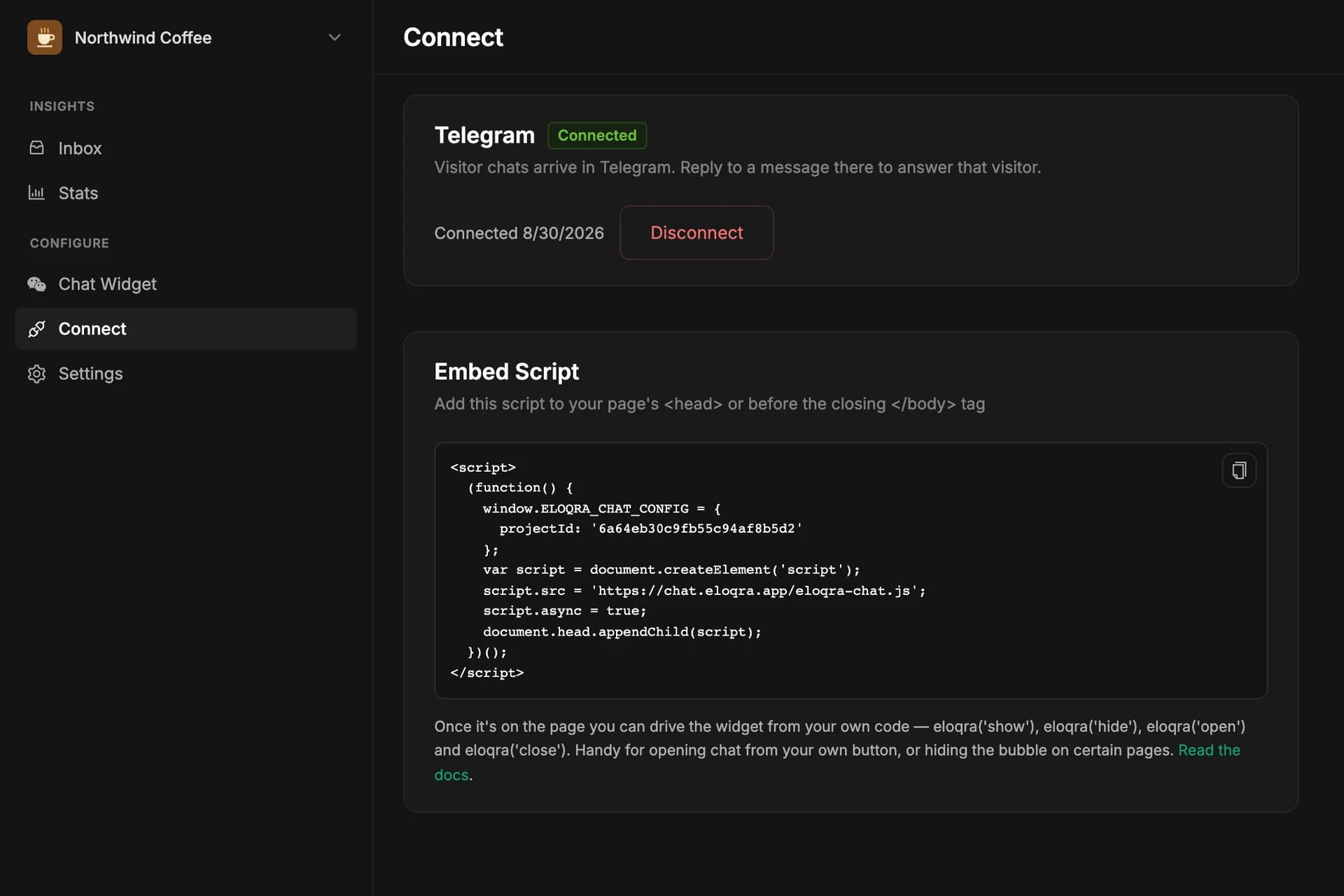
Your dashboard now shows a short code under Connect → Telegram. Open the bot, send it the code, and that project is linked — no deep links to wrestle with, and it works the same from the Telegram Mini App. Codes last 15 minutes.
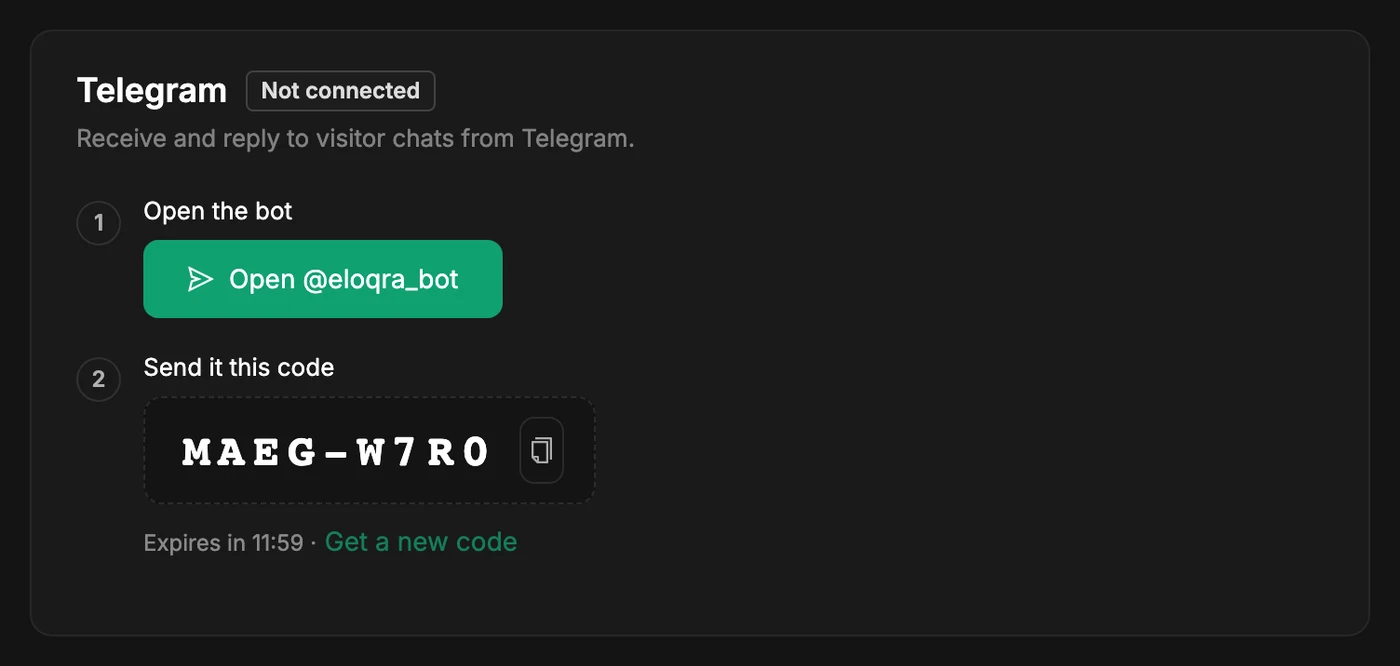
Restrict your widget to your own domains
Add the domains your chat is allowed to run on and the snippet stops working anywhere else — useful if someone copies it onto their site. Leave the list empty and nothing changes. localhost and preview hosts are always allowed, so staging never goes dark.
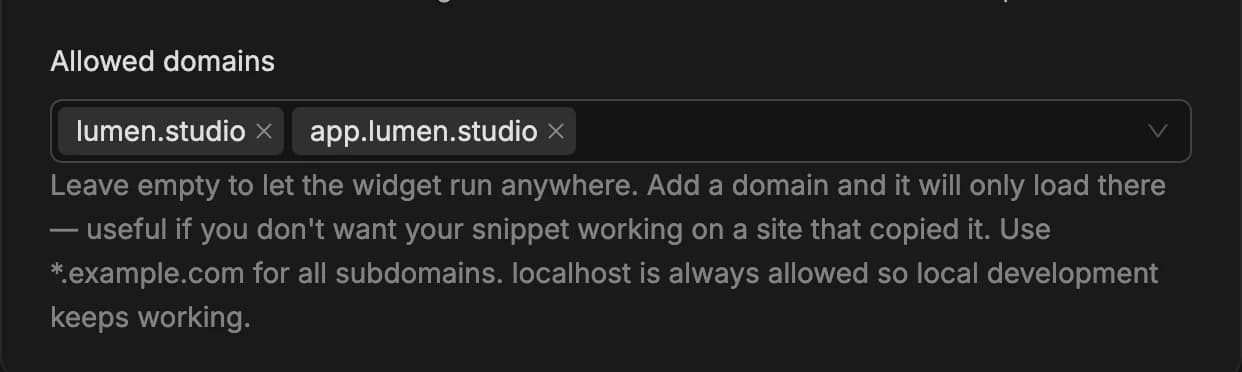
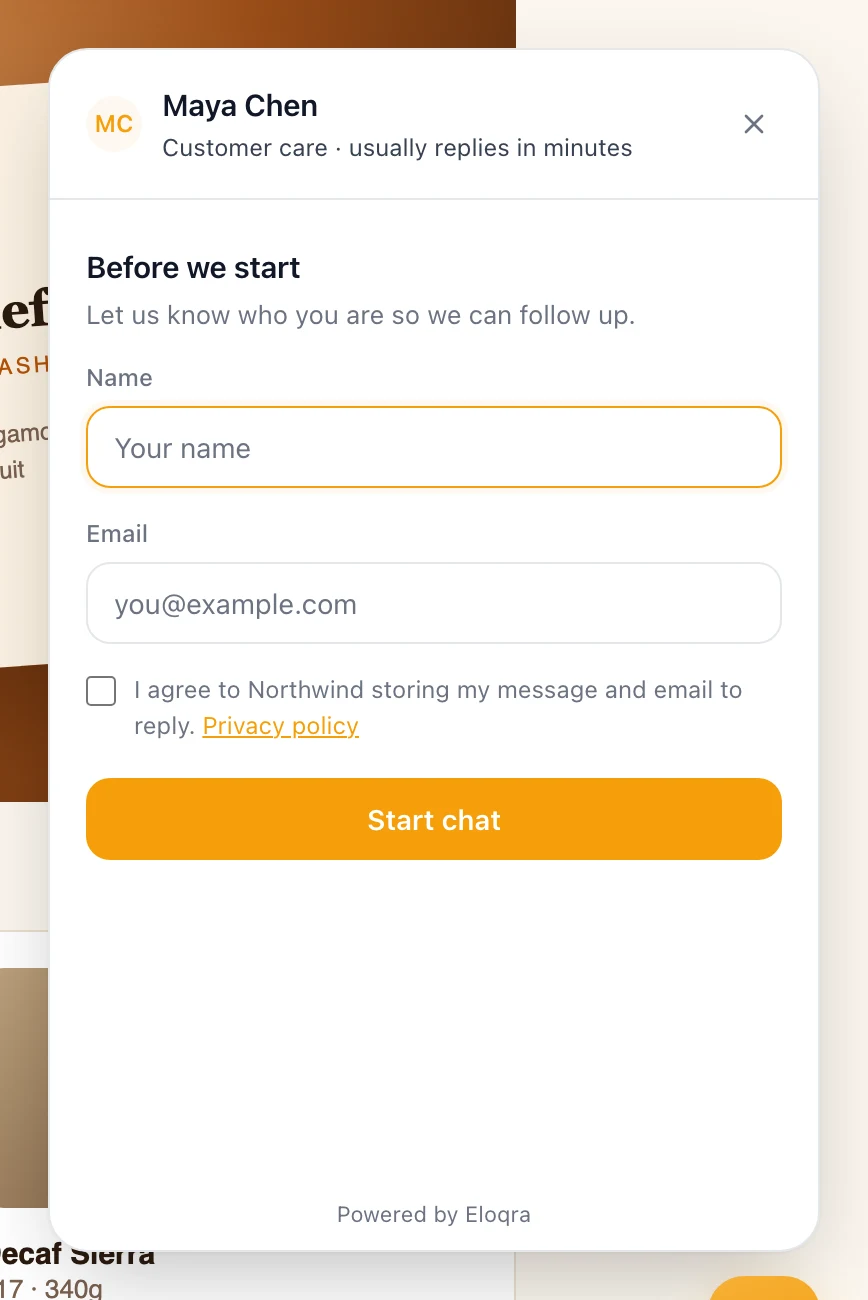
Ask visitors for consent before they chat
Turn on the consent checkbox and visitors agree — in your words, with a link to your privacy policy — before their first message. Nothing is recorded until they do: opening the panel captures no IP, location or device data while the prompt is up.
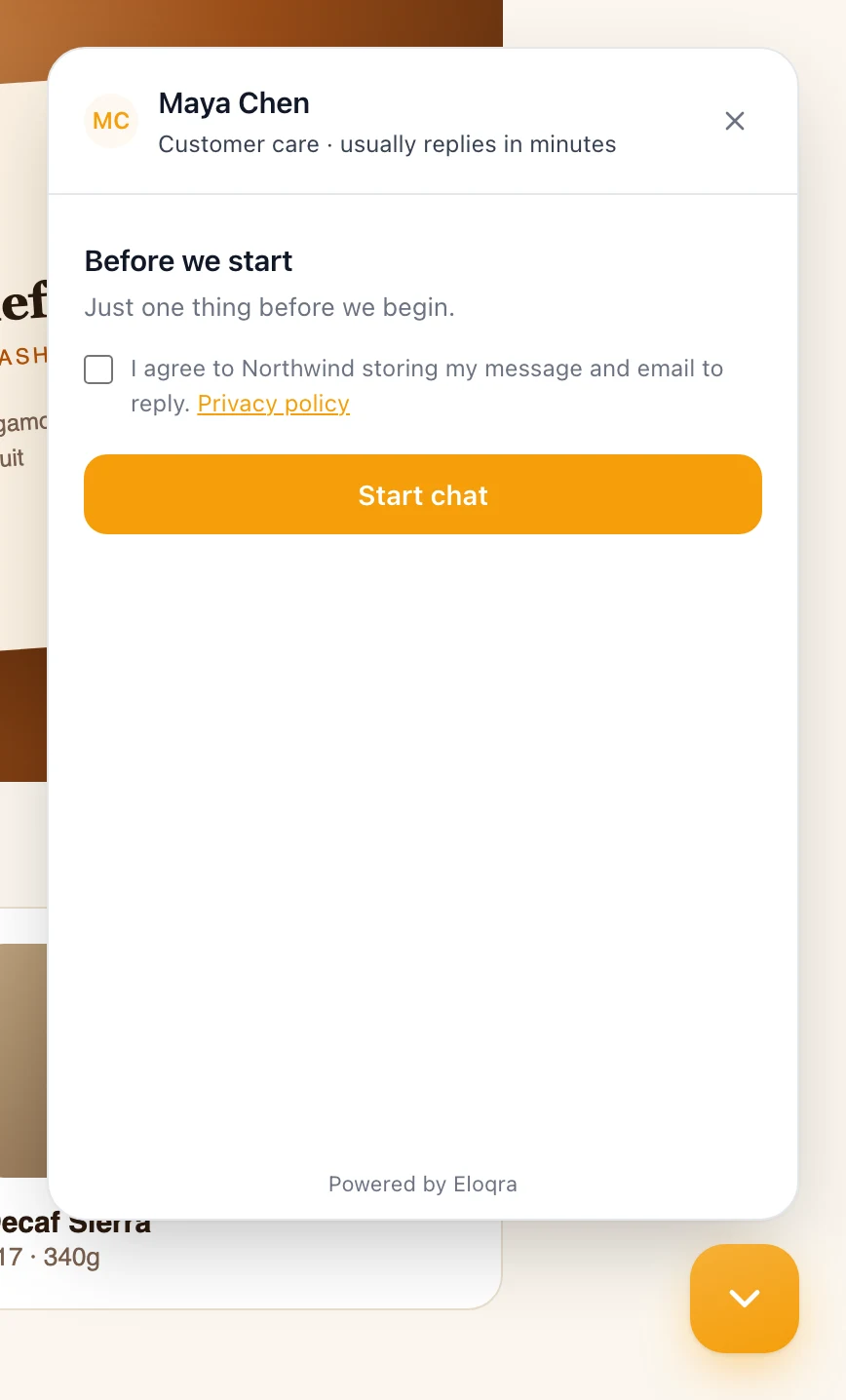
Online hours, and an away message that finally shows
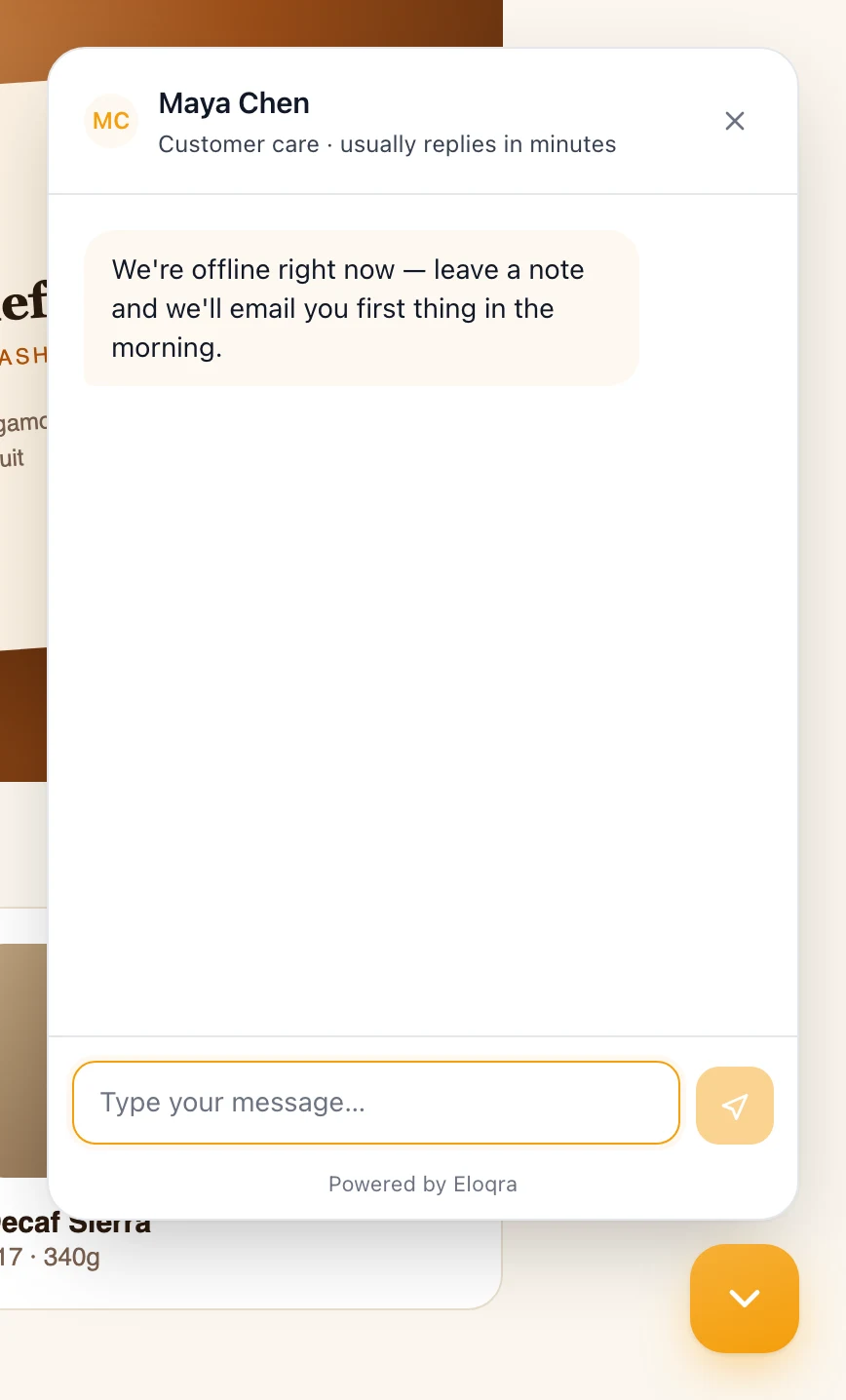
Set the days, times and timezone you're reachable. Outside them the panel opens with your offline message instead of the greeting — visitors can still write, they just know when to expect you. Overnight windows and DST are handled.
Choose which pages show the bubble
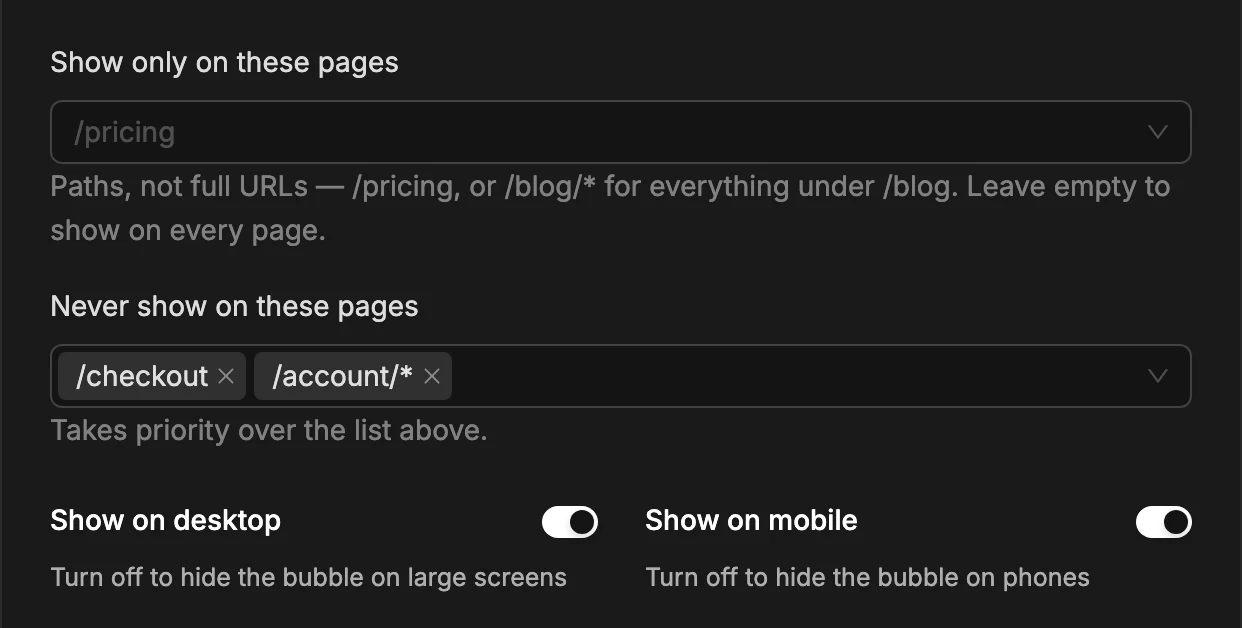
Limit the launcher to certain paths, exclude others, or hide it on mobile or desktop. Handy for keeping chat off checkout, or offering it only where people get stuck.
Reminders for messages you missed
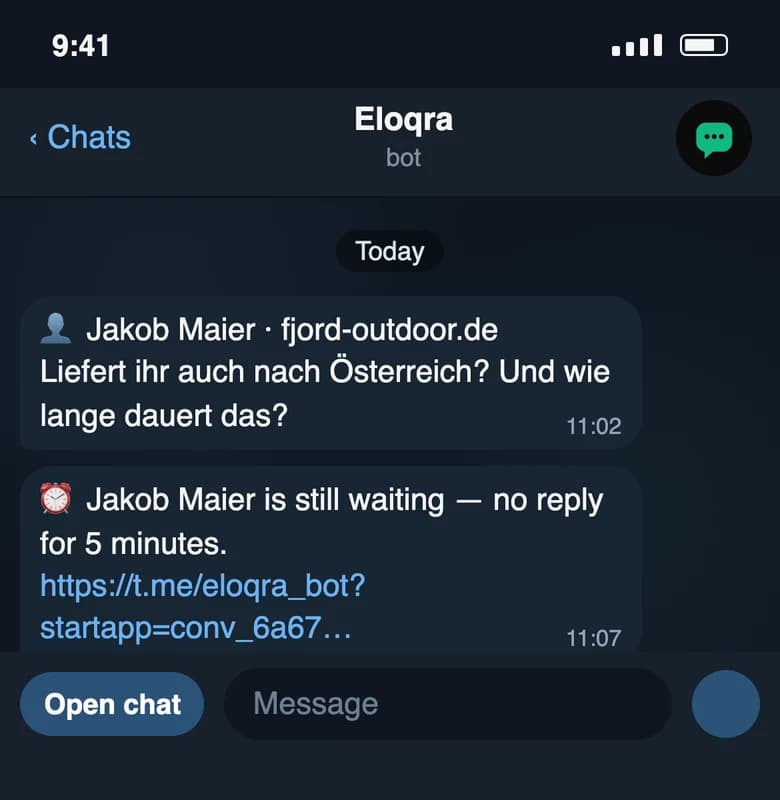
Telegram is easy to scroll past. Set a number of minutes and Eloqra pings you again if a visitor is still waiting — cancelled the moment you reply, with a link straight to the conversation.
Clearer privacy and cookie policies
Both pages now name the exact cookies we set, the browser storage the chat widget uses, and every provider that processes data on our behalf — including what each one receives. Fewer generalities, more specifics.
Control the chat widget from your own JavaScript
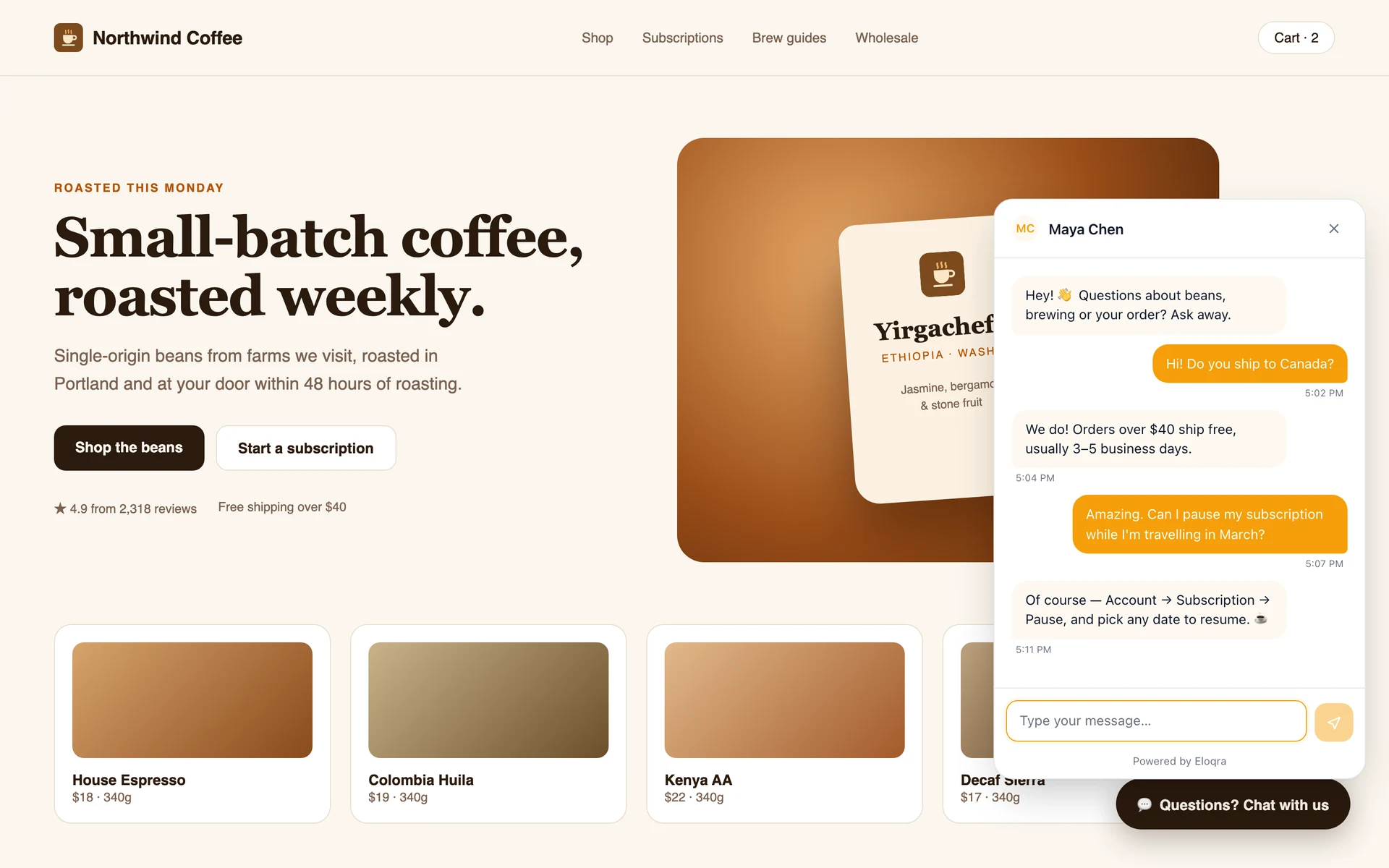
The snippet now gives your page a function: eloqra('show'), eloqra('hide'), eloqra('open') and eloqra('close'). Open the chat from your own “Contact us” button, or hide the bubble on the pages you’d rather keep clean — the two are independent, so you can do both at once.
June 2026
A proper operator experience inside Telegram and richer context.
Telegram Mini App for operators
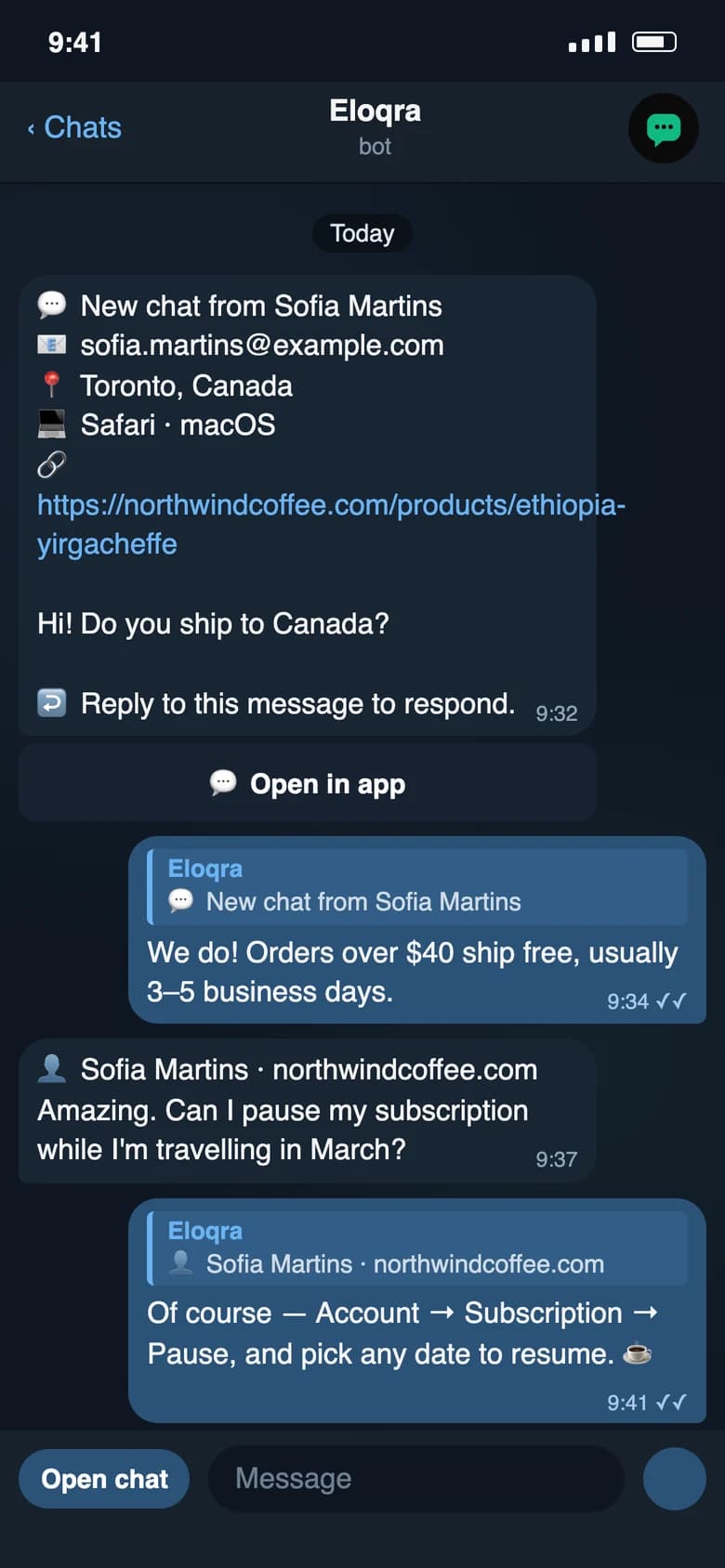
Open a full conversation view inside Telegram — scroll history, switch between visitors, and reply with context. Every new conversation now includes an "Open in app" button that deep-links straight to it.
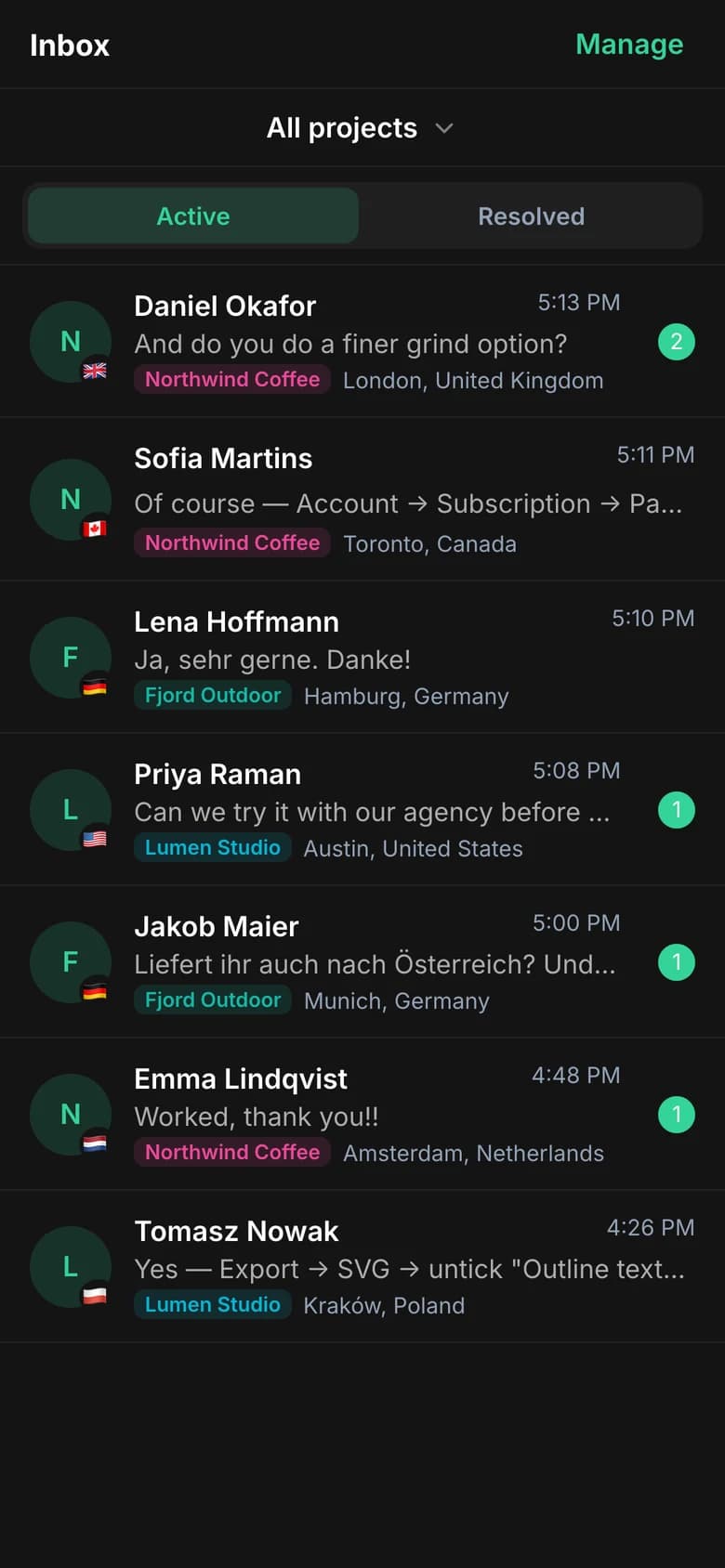
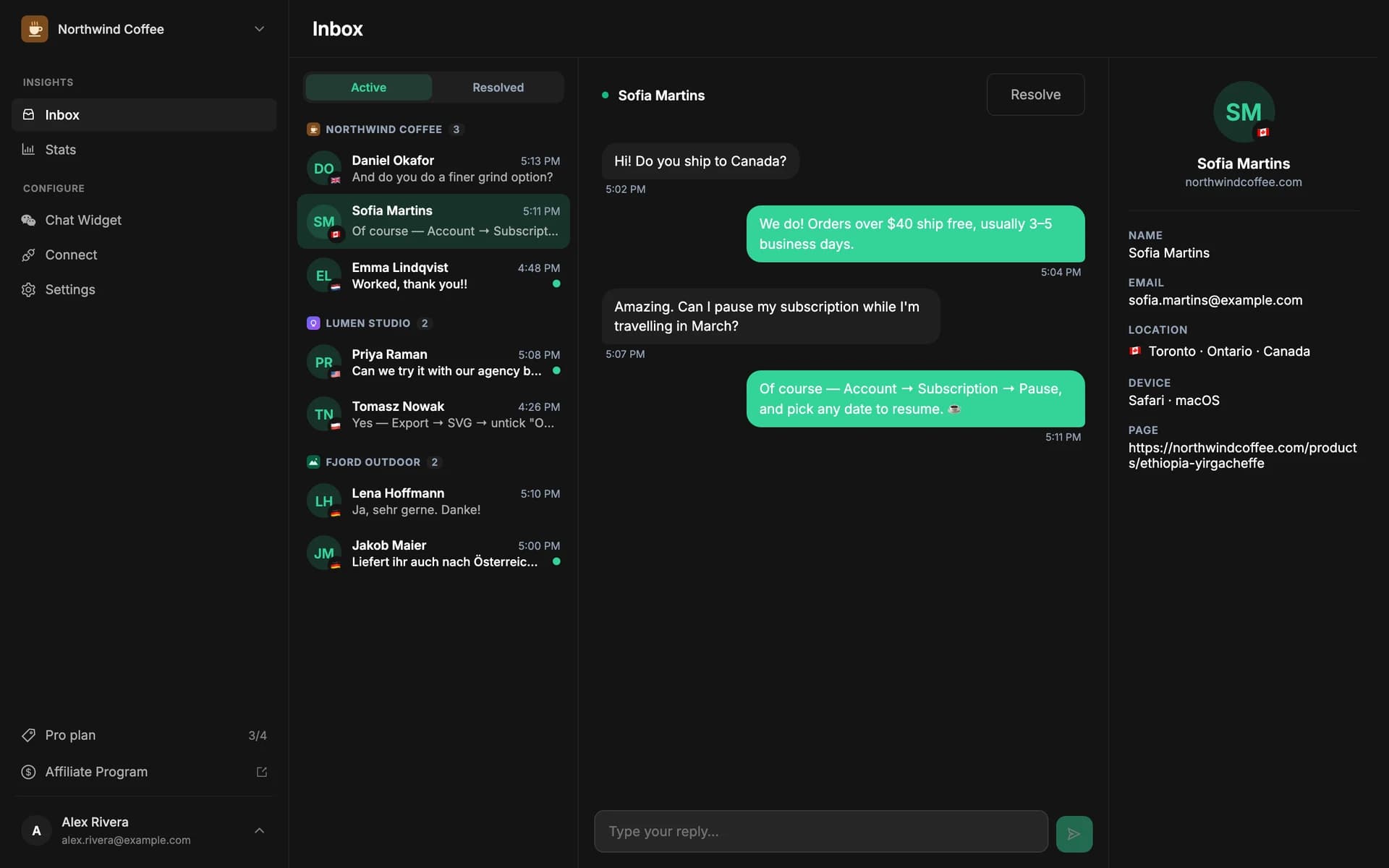
Full visitor context on every message
Messages now arrive with the page, device, browser, and country attached, so you reply already knowing who's asking and from where.
Pre-chat form for lead capture
Turn on an optional name and email field before the chat starts, so a stray question becomes a lead you can follow up.
May 2026
Multi-site projects and a faster, lighter widget.
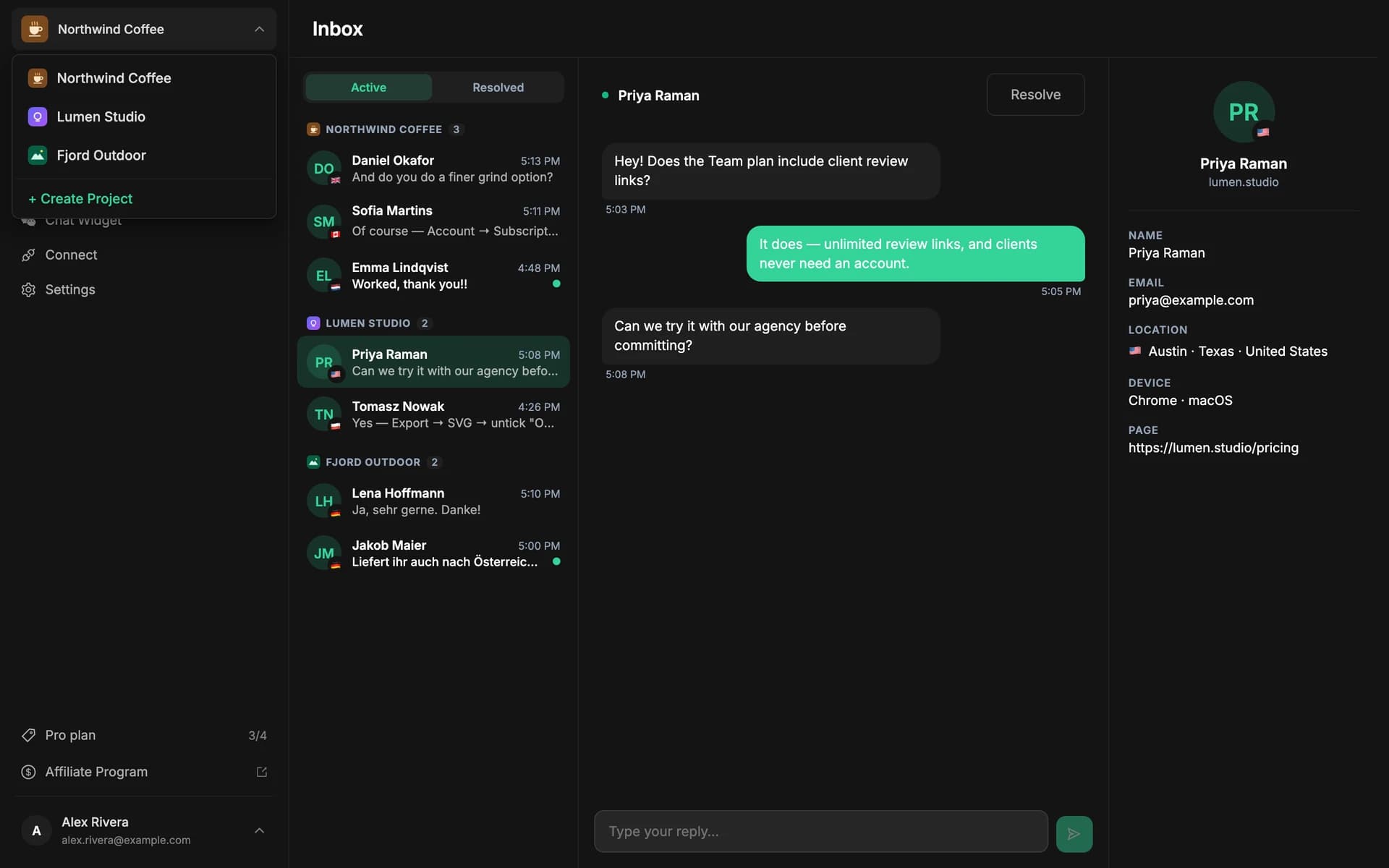
Run chat across multiple sites
Create a project per site, each with its own widget settings and its own Telegram destination — built for agencies and multi-product founders.
Widget trimmed to under ~5kb
The launcher now loads after your page and inherits your fonts and colors, with no iframe and no third-party badge — so it won't drag down Core Web Vitals.
Lightweight widget →Steadier delivery to Telegram
Reworked the message queue so replies and notifications stay in order and retry cleanly under load.
April 2026
The foundation: one-line install and a two-way Telegram inbox.
Install with an AI coding agent
Because Eloqra is a single self-injecting script, you can hand the install to your AI agent — it places the snippet for your framework and you're live in seconds.
AI agent install →One-line install, live in 30 seconds
Drop a single script tag on your site and a clean chat bubble appears on every page — no build step, no backend, no container element.
A two-way inbox inside Telegram
Every visitor message lands in the Telegram you already check, and your reply goes straight back to their chat in real time. No dashboard to babysit.
Try the latest
1 project free forever — no card to start. Add the widget and reply to your first visitor from Telegram in minutes.