Optional pre-chat form to capture leads
Turn on a name and email field before the chat starts, so a stray question becomes a lead you can follow up.
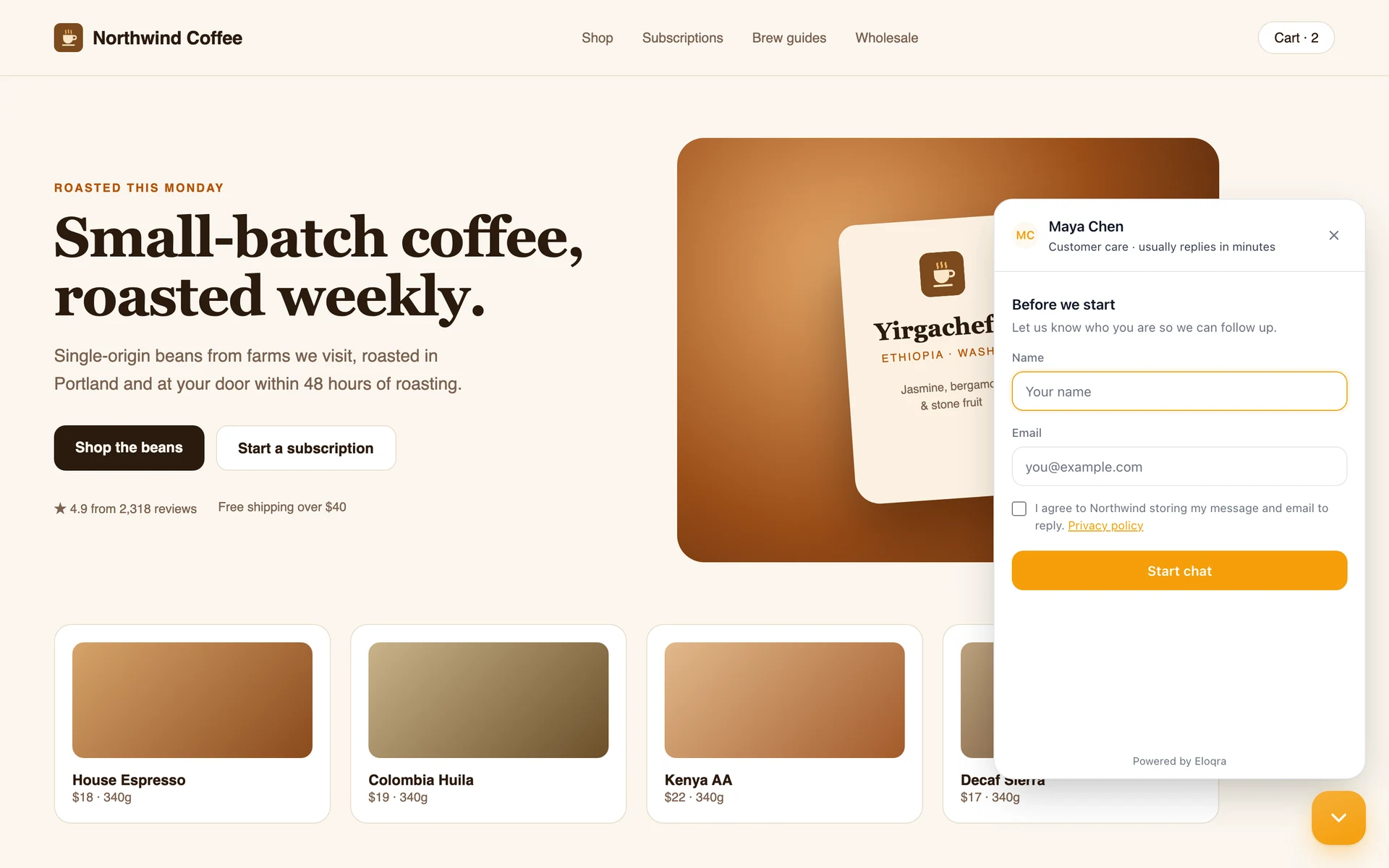
Not every visitor message needs an instant answer — some are leads worth keeping. Eloqra's optional pre-chat form collects a name and email before the conversation begins.
Leave it off for frictionless chat, or turn it on when you'd rather capture who you're talking to.
The problem
A great pre-sales conversation is worthless if the visitor leaves and you have no way to reach them again.
How it works
Toggle it on
Enable the pre-chat form in your chat widget settings — it's off by default.
Collect name and email
Visitors enter a name and email before the chat opens.
Follow up later
You keep the contact details, so a one-off question can become a lead you re-engage.
What you get
Capture a name and email before chatting
Optional — keep chat frictionless when you want
Turn pre-sales questions into leads
Pairs with full visitor context
In the docs:
Getting startedFAQs
Can I capture a name and email?
Yes. Turn on the optional pre-chat form to collect a name and email before the chat starts. Every message also arrives with the page, device, and country attached, so you always have context.
Related features
Full visitor context with every message
Each message arrives with the page, device, browser, and country attached — so you reply already knowing who's asking.
A two-way inbox inside Telegram
Every visitor message lands in the Telegram you already check all day — and your reply goes straight back to their chat.
A ~5kb widget that matches your site
Under ~5kb, loads after your page, and inherits your fonts and colors — no clunky iframe, no Core Web Vitals hit.
Add live chat in 30 seconds
One script tag, connect Telegram, and reply from your phone. 1 project free forever — no card to start.