A two-way inbox inside Telegram
Every visitor message lands in the Telegram you already check all day — and your reply goes straight back to their chat.
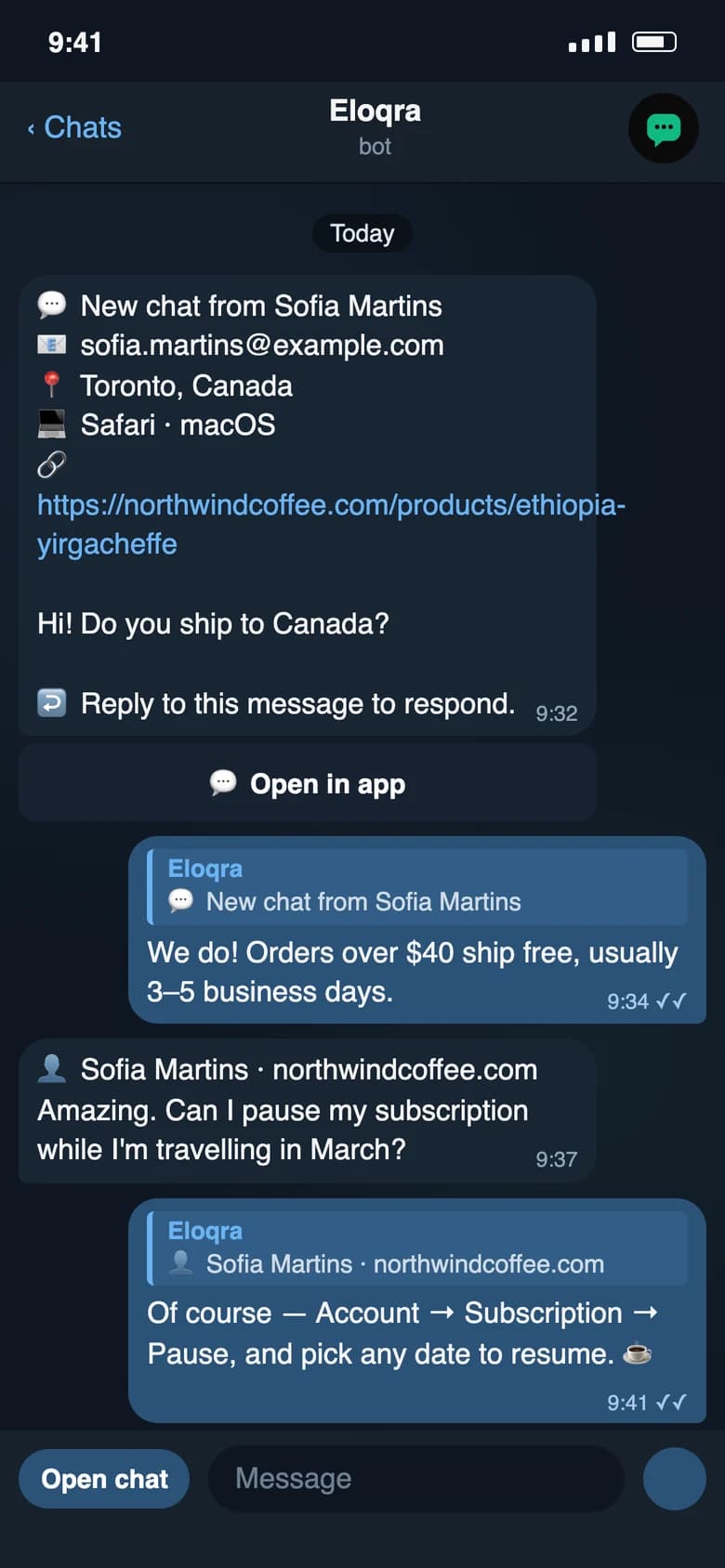
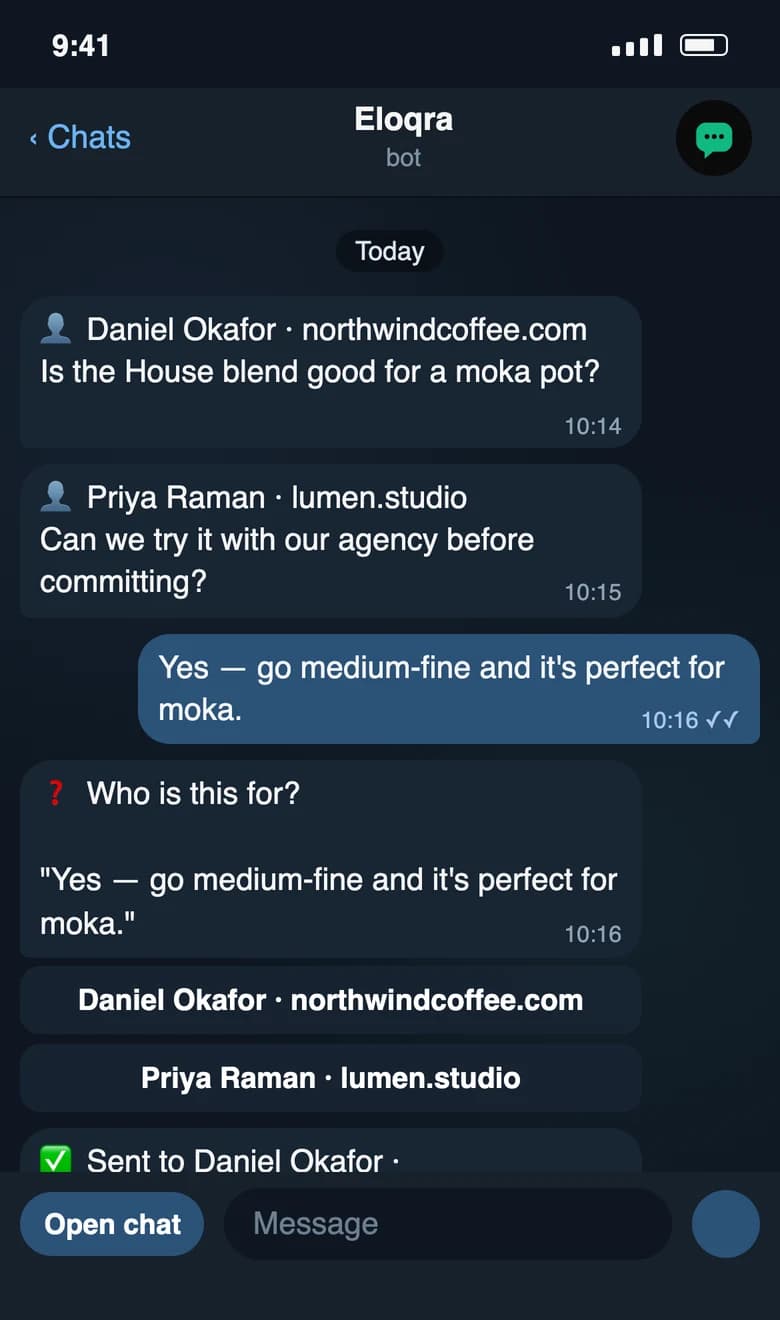
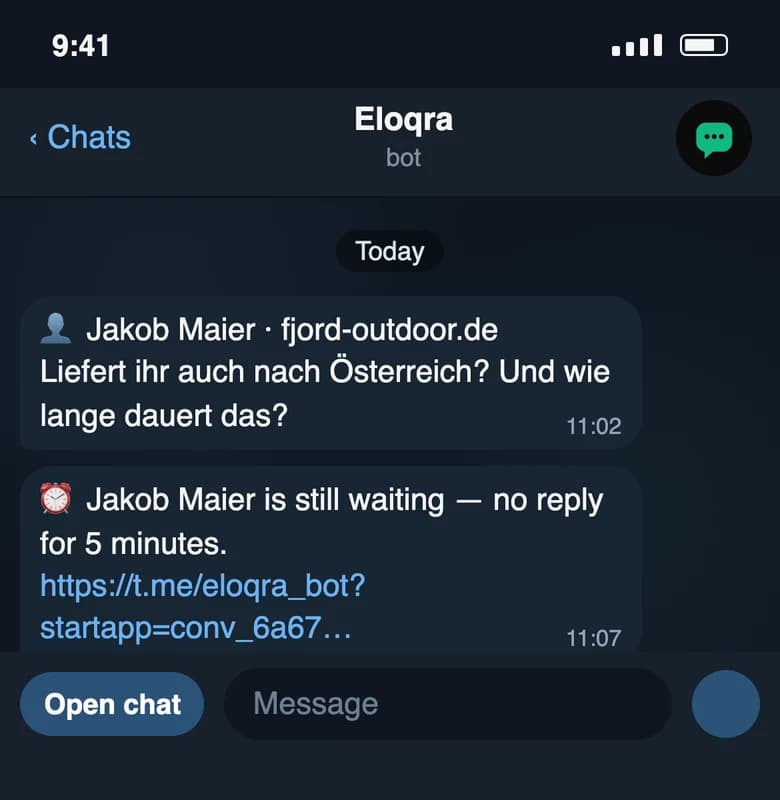
Most live chat tools give you one more inbox to keep open. Eloqra doesn't. When a visitor types on your site, the message is delivered to your Telegram, and when you reply in Telegram it appears in the visitor's chat in real time.
It's not just a notification — it's a genuine two-way conversation. You answer from wherever you already are, and the visitor never knows you're chatting from your phone.
The problem
Dedicated support inboxes only work if you sit in them. For a small team or a solo founder, that tab stays closed and questions go stale — so visitors bounce before you ever see them.
How it works
Connect Telegram once
Open Connect → Telegram in the dashboard and press Start in the bot. Your project is linked from then on.
Messages arrive as a chat
Each visitor conversation comes through with the page, device, and country attached, so you have context before you reply.
Reply in Telegram, it lands on-site
Swipe-reply to their message — or just type, and Eloqra sends it to the chat you're in (or asks which one). Your answer shows up in the visitor's widget instantly.
What you get
No separate inbox or app to keep open
Replies reach visitors in real time
Each thread carries full visitor context
Works from your phone, tablet, or desktop Telegram
FAQs
How do replies actually reach me?
Through Telegram. You connect once, and from then on every visitor message is forwarded to you there. You reply in Telegram like a normal chat, and your answer appears in the visitor's chat on your site instantly.
Do I need to log into a dashboard to chat?
No. A small web dashboard exists for configuration, but you don't need it open to talk to visitors — you live in the Telegram you already check all day.
Related features
Operator Mini App, right inside Telegram
Open a full conversation view without leaving Telegram — manage chats, scroll history, and reply with proper context.
Full visitor context with every message
Each message arrives with the page, device, browser, and country attached — so you reply already knowing who's asking.
Run chat across every site you own
Create a project per site, each routing to its own Telegram — perfect for agencies and anyone juggling multiple products.
Add live chat in 30 seconds
One script tag, connect Telegram, and reply from your phone. 1 project free forever — no card to start.