Make the widget look like yours
Light or dark theme, six accent palettes, launcher position, icon and animation, custom greeting and copy in 10 languages — all with a live preview as you edit.
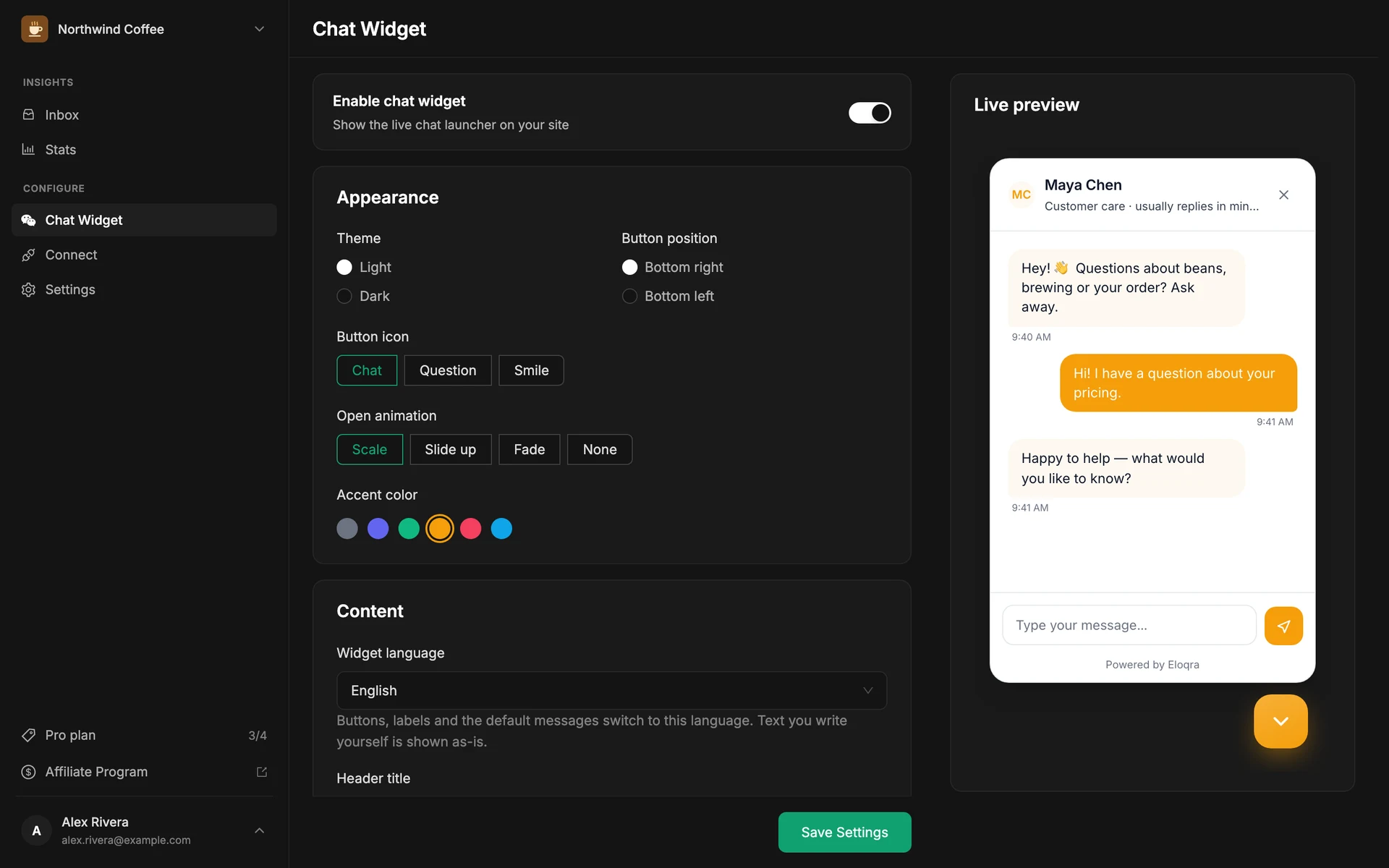
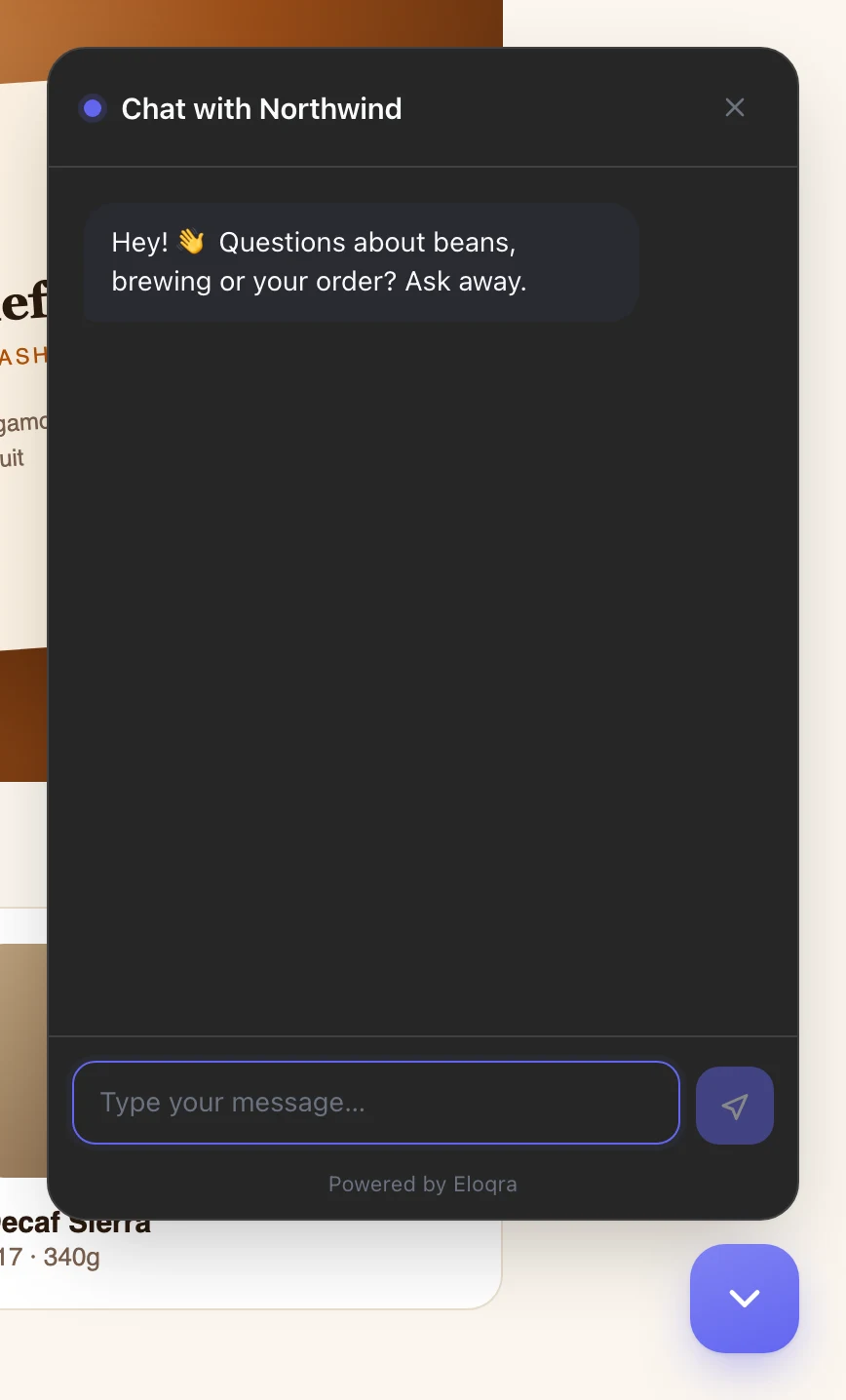
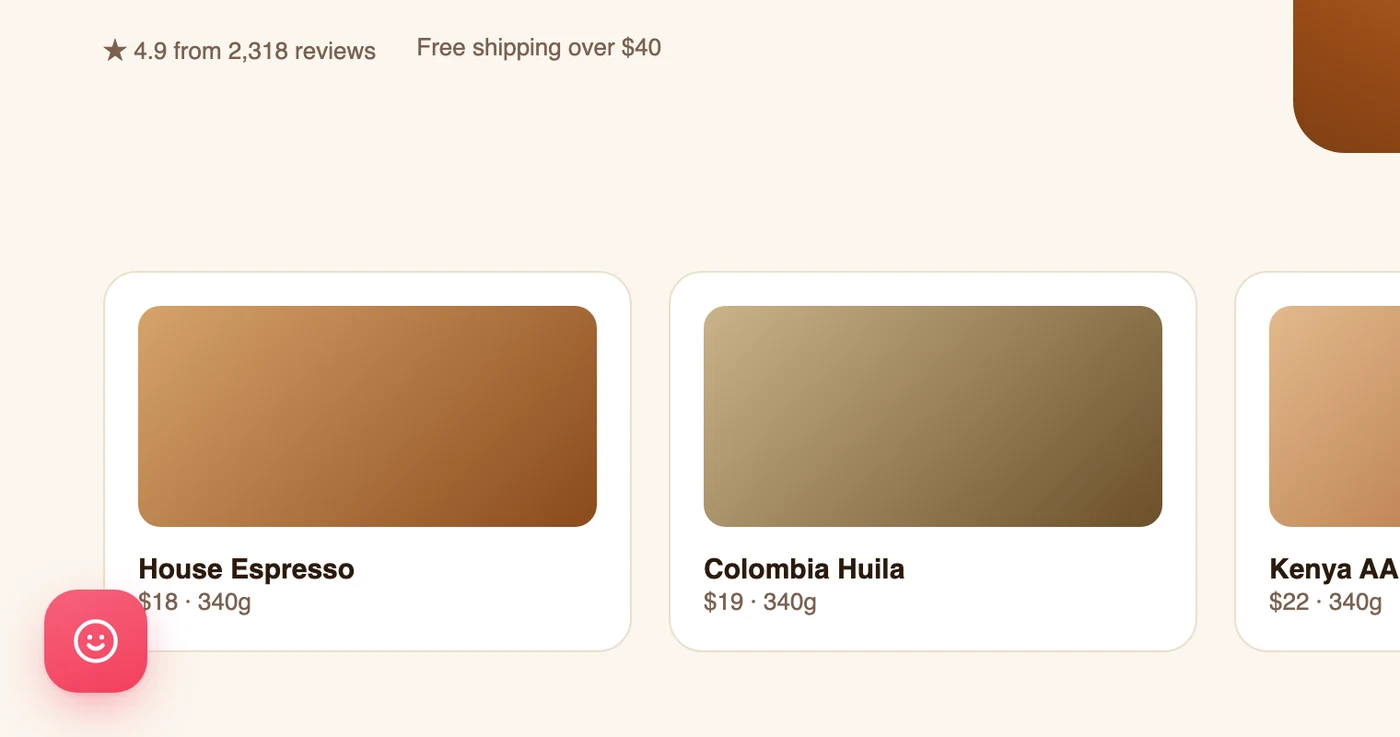
A chat bubble sits on every page of your site, so it should feel like part of your brand — not a vendor's. Eloqra gives you real control: theme, accent palette, launcher position and icon, open animation, and every line of copy the visitor reads.
You edit everything in the dashboard next to a live preview that updates as you type, and most settings are also editable from the Telegram Mini App. Changes apply on the next page load — the snippet on your site never changes.
The problem
Most lightweight chat tools give you a color picker and call it customization. Then the widget greets your visitors with someone else's words, in someone else's style, from the wrong corner of the page.
How it works
Pick a theme and palette
Choose light or dark, then one of six accent palettes — neutral, indigo, emerald, amber, rose, or sky — to match your brand.
Place and animate the launcher
Put the bubble bottom-right or bottom-left, pick its icon, and choose how the chat opens: scale, slide, fade, or no animation.
Write the words yourself
Set the header title, greeting, and composer placeholder, and toggle the pre-chat form and typing indicator. The live preview shows every change as you make it.
What you get
Light and dark themes with six accent palettes
Launcher position, icon, and open animation
Custom header title, greeting, and composer placeholder
Widget text in 10 European languages
Edit from the web dashboard or the Telegram Mini App — no redeploys
In the docs:
Getting startedFAQs
Do I need to touch code to change the widget?
No. Every setting lives in the dashboard (and most in the Telegram Mini App). The snippet on your site stays the same — changes apply on the visitor's next page load. If you do want to drive the widget from code, there's an optional four-command JavaScript API for showing, hiding, opening and closing it.
Can I see changes before visitors do?
Yes. The dashboard shows a real-time preview of the widget that updates as you edit, so you know exactly what visitors will see before you save.
Can I edit widget settings from Telegram?
Yes. The Mini App's project settings let you change the theme, palette, launcher position, greeting, and pre-chat form without opening a browser.
Related features
A chat widget that speaks your visitors' language
Pick one of 10 languages per project, and every button, label, form field and default message in the widget switches with it.
A ~5kb widget that matches your site
Under ~5kb, loads after your page, and inherits your fonts and colors — no clunky iframe, no Core Web Vitals hit.
Live in 30 seconds with one script tag
Drop a single <script> snippet on your site and a clean chat bubble appears on every page. No build step, no backend.
Add live chat in 30 seconds
One script tag, connect Telegram, and reply from your phone. 1 project free forever — no card to start.