Live in 30 seconds with one script tag
Drop a single <script> snippet on your site and a clean chat bubble appears on every page. No build step, no backend.
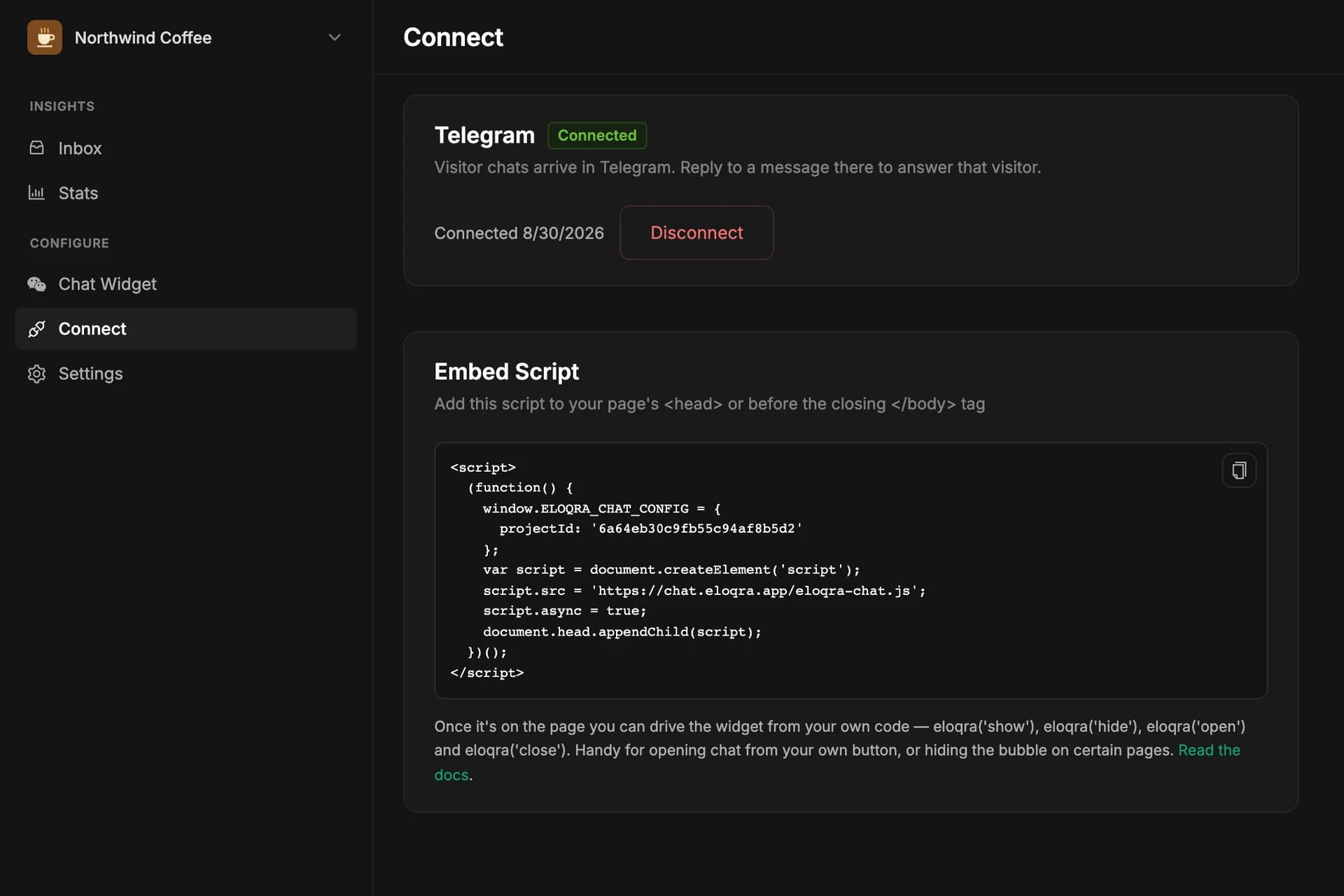
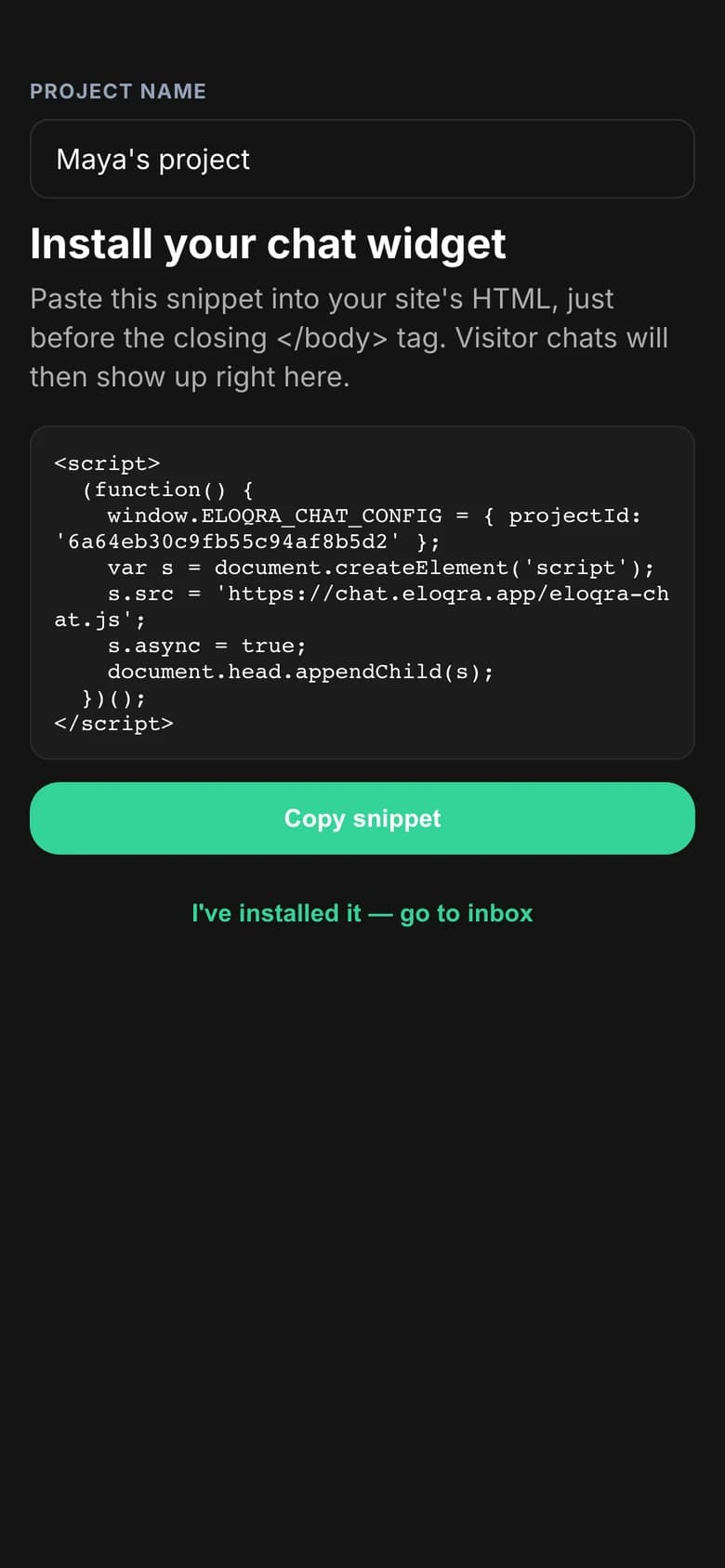
Adding live chat shouldn't be a project. Eloqra is a single script tag: paste it once, and a floating chat launcher appears on every page of your site.
There's no container <div> to position, no build step, and no backend to deploy. If your site renders HTML, Eloqra works on it.
The problem
Most chat tools turn a five-minute job into a setup checklist — SDKs, init code, containers, framework gotchas. That friction is why the widget never ships.
How it works
Copy your snippet
Grab the one-line embed from the Connect tab in your dashboard.
Paste it on your site
Add it to your layout, template, or plain HTML — Next.js, Astro, Webflow, WordPress, or a static file all work.
The bubble injects itself
No container element required. The launcher mounts itself and is live on every page immediately.
What you get
One <script> tag, nothing else to wire up
No build step and no backend
No container element to position
Framework-agnostic — works anywhere HTML renders
FAQs
How fast can I be live?
About 30 seconds. Add one <script> tag to your site, connect Telegram, and the chat bubble is live on every page.
Does it work with Webflow, Next.js, or plain HTML?
If your site renders HTML, Eloqra works. Paste the snippet into Next.js, Webflow, WordPress, Astro, Framer, or a plain HTML file — no framework lock-in.
Related features
A ~5kb widget that matches your site
Under ~5kb, loads after your page, and inherits your fonts and colors — no clunky iframe, no Core Web Vitals hit.
Tell your AI agent to add Eloqra
Hand the install to your coding agent — it drops the snippet in the right place and the chat is live in seconds.
Run chat across every site you own
Create a project per site, each routing to its own Telegram — perfect for agencies and anyone juggling multiple products.
Add live chat in 30 seconds
One script tag, connect Telegram, and reply from your phone. 1 project free forever — no card to start.