A chat widget that speaks your visitors' language
Pick one of 10 languages per project, and every button, label, form field and default message in the widget switches with it.
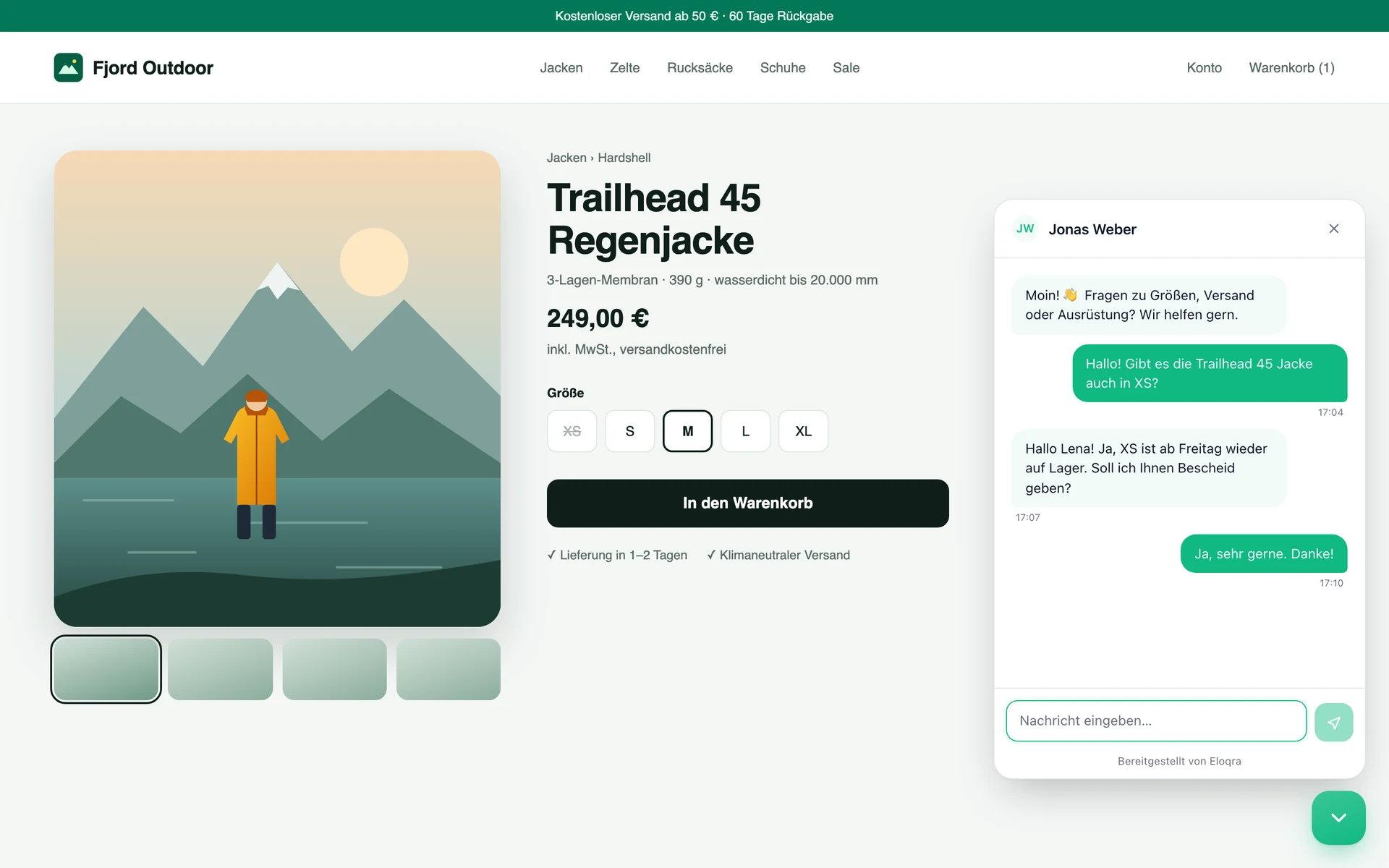
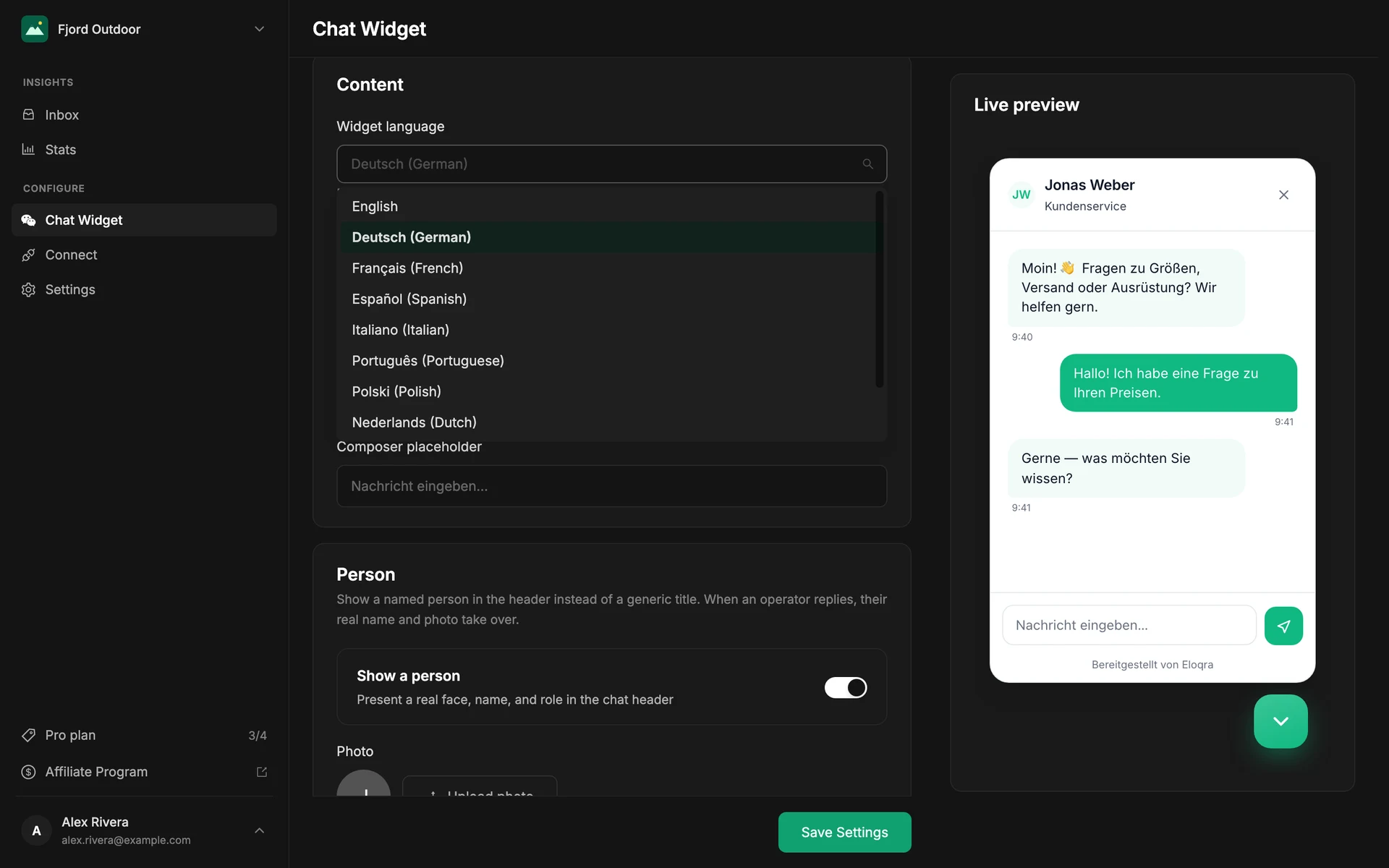
A German shop with an English chat bubble feels bolted on. Eloqra's widget ships in 10 European languages, so the launcher, pre-chat form, composer and every default message read naturally to the people on your site.
Choose the language per project in the dashboard or the Telegram Mini App. Run a German site and a Spanish site side by side, each with its own widget in its own language.
The problem
Most lightweight chat tools are English-only. Visitors who don't read it hesitate over "Start chat" and "Type your message" — or skip the chat entirely.
How it works
Pick a language
Under Chat Widget → Content, choose from English, German, French, Spanish, Italian, Portuguese, Polish, Dutch, Ukrainian or Russian. The live preview switches as you pick.
Everything we ship switches
Buttons, labels, the pre-chat form, screen-reader text, "not sent" notices, timestamps, and the default greeting, title, placeholder and away message all follow the language you chose.
Your own copy stays yours
Anything you typed yourself — a custom greeting, header title or offline message — is shown exactly as written. Nothing is machine-translated.
What you get
10 languages: English, German, French, Spanish, Italian, Portuguese, Polish, Dutch, Ukrainian, Russian
Set per project, so each site gets its own language
Default messages translated, your custom text left untouched
Existing projects stay in English until you change it
In the docs:
Widget configurationFAQs
Which languages does the widget support?
English, German, French, Spanish, Italian, Portuguese, Polish, Dutch, Ukrainian and Russian. English is the default for every project, including ones created before languages were added.
Does Eloqra translate my messages?
No. The language setting translates the widget itself — its buttons, labels, form and default messages. Your custom greeting and your replies from Telegram are sent exactly as you wrote them, so write them in your visitors' language.
Can I use different languages on different sites?
Yes. Language is a per-project setting, so each site you run can have its own widget in its own language.
Related features
Make the widget look like yours
Light or dark theme, six accent palettes, launcher position, icon and animation, custom greeting and copy in 10 languages — all with a live preview as you edit.
Optional pre-chat form to capture leads
Turn on a name and email field before the chat starts, so a stray question becomes a lead you can follow up.
Run chat across every site you own
Create a project per site, each routing to its own Telegram — perfect for agencies and anyone juggling multiple products.
Add live chat in 30 seconds
One script tag, connect Telegram, and reply from your phone. Free while in early access — no card to start.