Telegram integration
Telegram is where you actually run chat in Eloqra. Once you connect it, every message a visitor sends on your site is delivered to your Telegram, and every reply you send in Telegram goes straight back to the visitor — in real time, with no dashboard to keep open. This page explains exactly how that works in both directions.
Connecting Telegram#
From the dashboard at chat.eloqra.app, open your project and go to Connect → Telegram. You'll see a short code:
- Tap Open @eloqra_bot to open the bot in Telegram.
- Send it the code from that page — either type
/link ABCD-EFGHor just paste the code on its own.
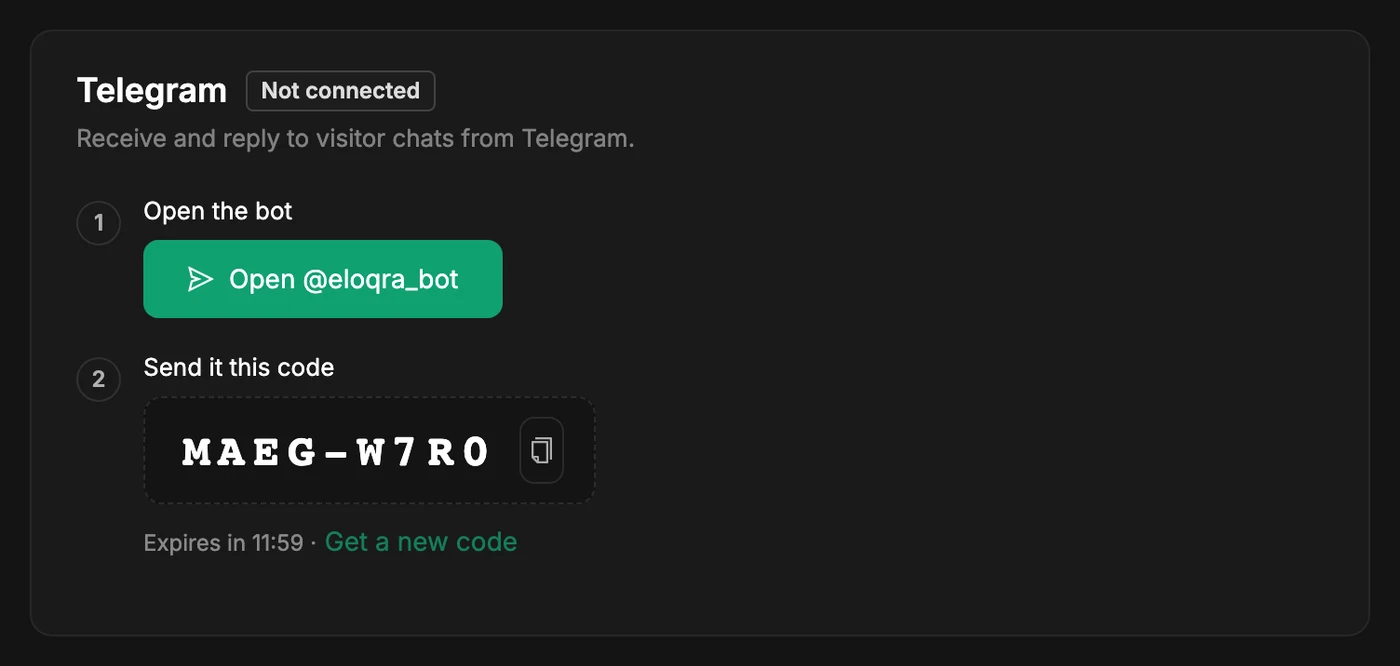
The bot replies to confirm, and the dashboard updates on its own. Codes last 15 minutes; if yours expires, tap Get a new code. Sometimes pressing Start links the project immediately and you can skip the code entirely — that depends on your Telegram app, so the code is always shown as the reliable route.
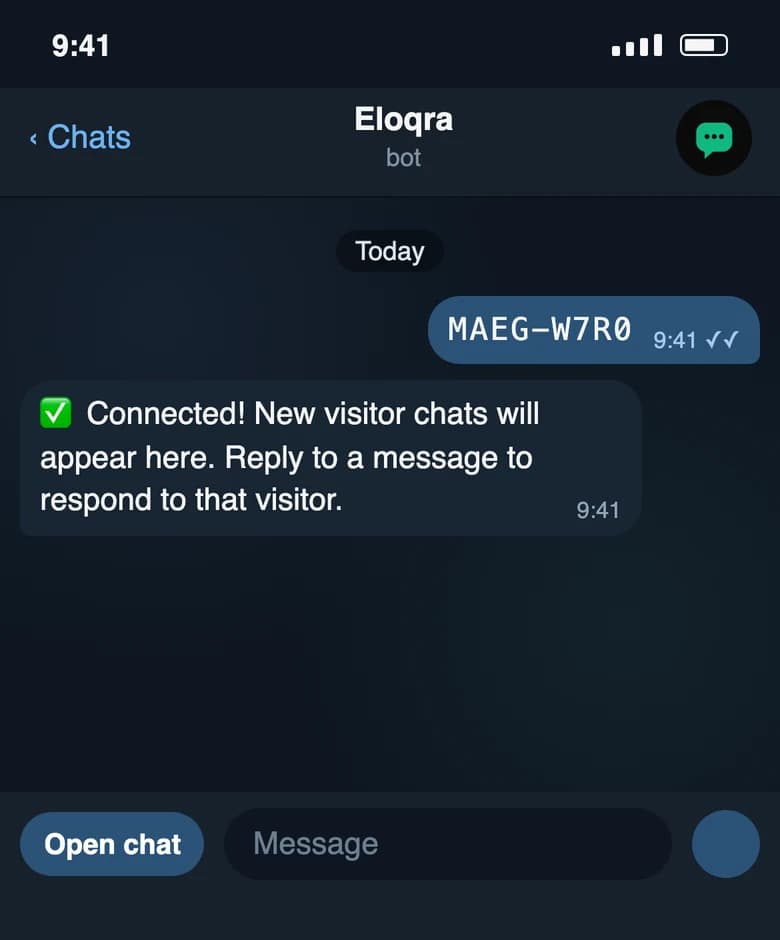
From that point on the connection is persistent: you don't need to reconnect for each conversation, and you don't need the web dashboard open to chat. The dashboard is only for configuration.
To connect a second project to the same Telegram, open that project's Connect page and send its code to the bot in the same chat. A pasted code is only treated as a code while it is live, so an ordinary reply that happens to look like one still reaches your visitor.
When a code doesn't work#
The bot always answers a link attempt, and every failure tells you what to do next: open your dashboard → Connect → Telegram and send the code shown there.
- "That code has expired. Codes last 15 minutes." — get a fresh one with Get a new code.
- "I don't recognise that code." — a typo, or a code from a different page. Copy it again rather than retyping it.
- "Too many incorrect codes. Please wait 15 minutes and try again." — after 5 wrong or expired codes from one Telegram chat, that chat is locked out of linking for 15 minutes, counted from the first miss. A successful link resets the count.
- "⚠️ This Telegram account is already linked to a different Eloqra account." — one Telegram account belongs to one Eloqra account. Sign in to the account it's linked to, disconnect Telegram on every project there, then send the code again.
- "✅ This chat is already connected to that project." — nothing to do; it was linked already.
- "Send the code like this: /link ABCD-EFGH" — you sent
/linkwithout a code after it.
Start from Telegram (no account needed)#
You don't need a web account to begin. Open @eloqra_bot and press Start — an account and your first project are created automatically, with Telegram already connected. The full walkthrough, including grabbing your snippet from the Mini App and adding a web login later, is in Start from Telegram.
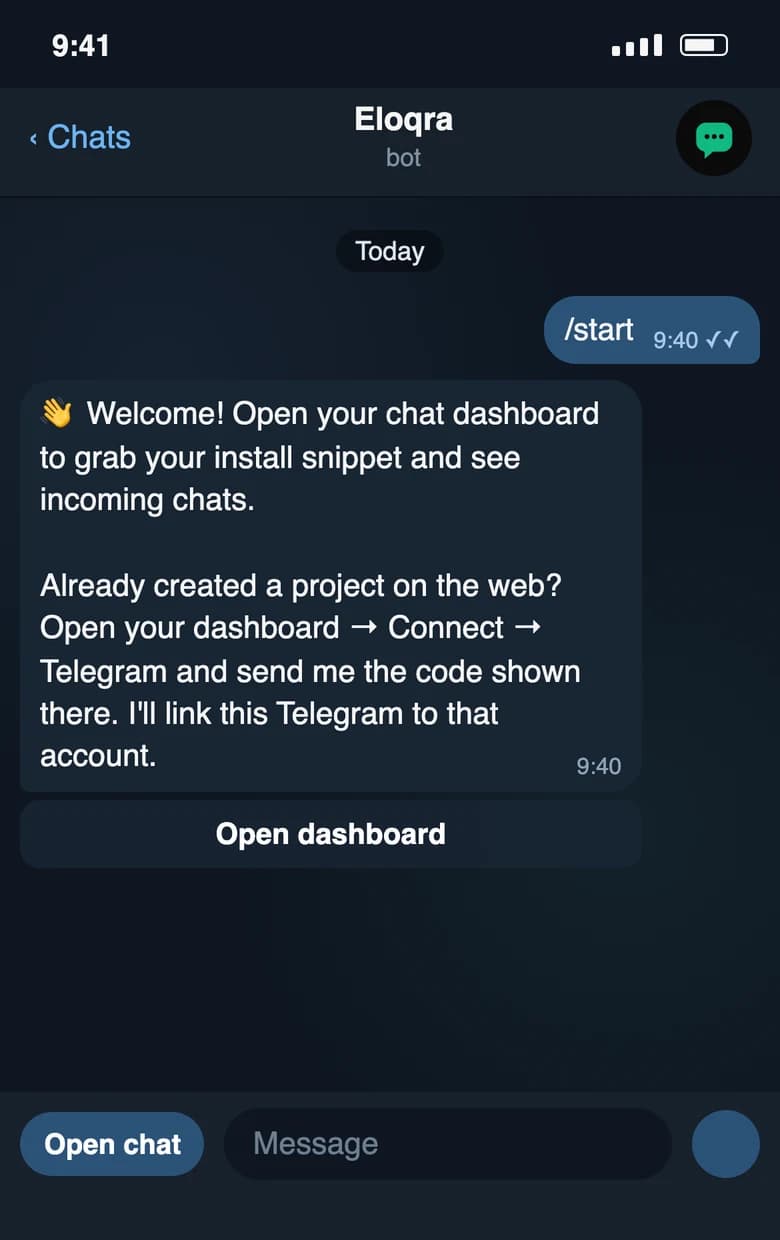
Bot commands and menu#
The bot understands two commands, and both appear in Telegram's command menu (type / in the chat to see them):
/link <code>— connect a project you created on the web, using the code from its Connect page. Pasting the code on its own does the same thing./help— a short reminder of the commands and how to answer a visitor.
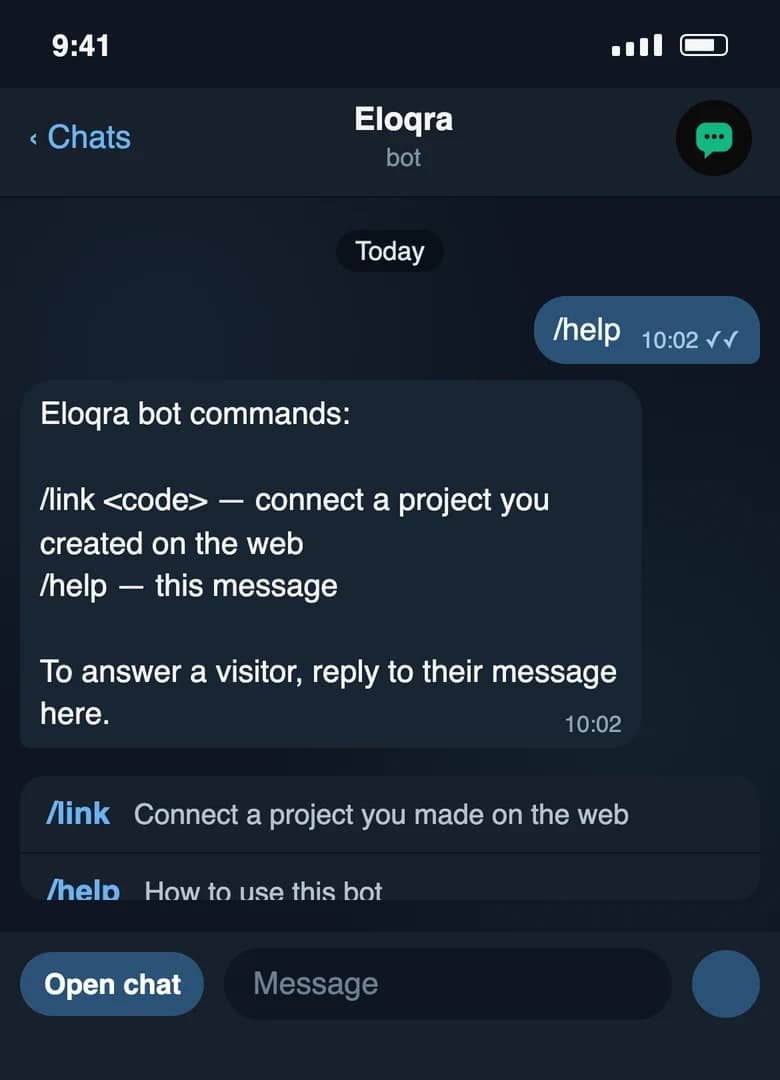
Next to the message box, the Open chat menu button opens the operator Mini App from any point in the chat, so you never need to scroll back for a link.
Visitor → Telegram#
When a visitor sends a message through the chat widget on your site:
- The message is saved to the conversation.
- It's delivered to your connected Telegram. The first message of a new conversation arrives with a header telling you which site it came from, so you instantly know the source.
- That first message includes an Open in app button that deep-links into the Telegram Mini App for that exact conversation.
- Each conversation also carries the page, device, browser, and country it came from, so you have full context before you reply.
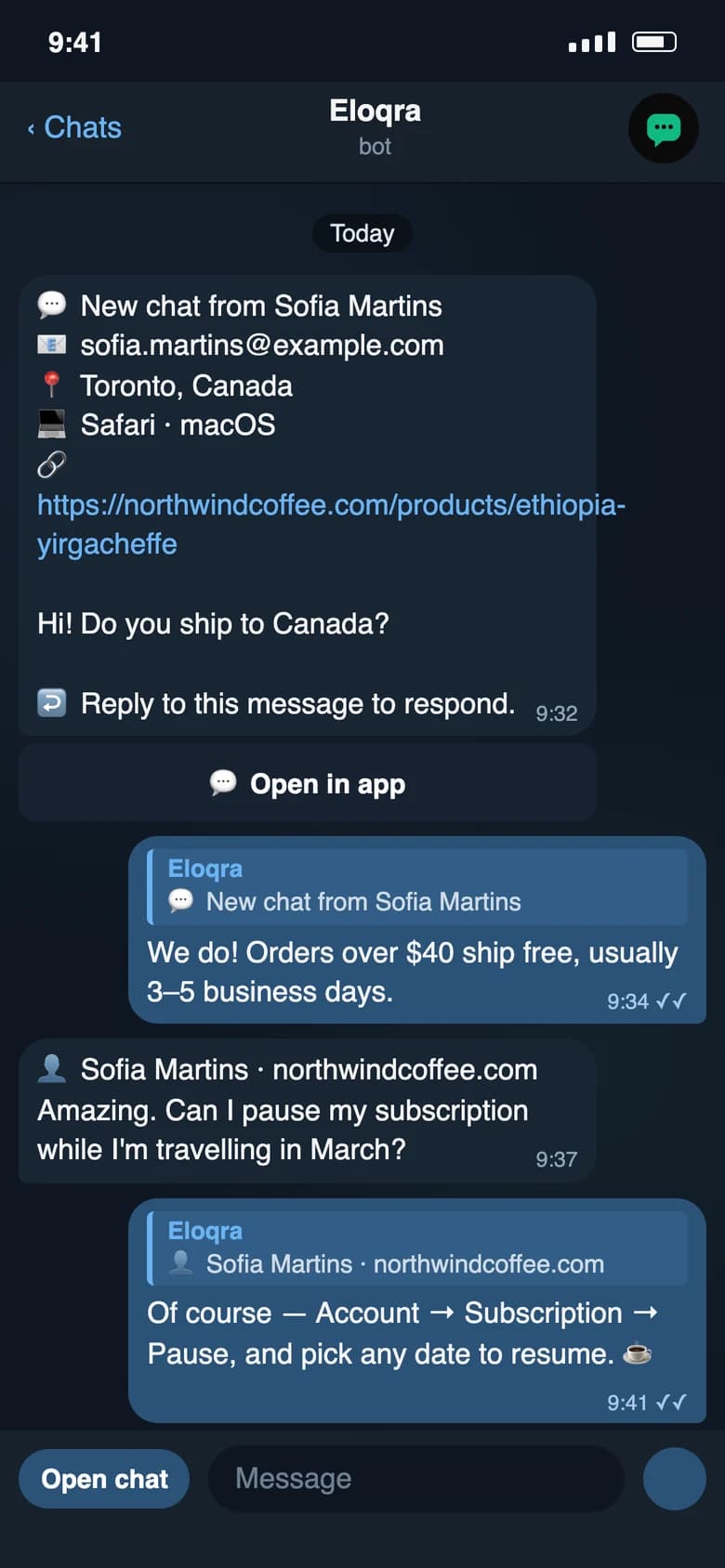
Every later message in that conversation arrives as a short line prefixed with who and where — 👤 Name · site — followed by the text. The name is the one the visitor gave in the pre-chat form (or their email, or just Visitor), and the site is the hostname they wrote from. With several visitors talking at once, that prefix is how you tell them apart.
Telegram → Visitor#
The surest way to answer is to reply to the visitor's message in Telegram (swipe it, or choose Reply) — the same way you'd reply to anyone. Any of that visitor's messages works, not just the latest one, and so does one of your own earlier replies. Eloqra matches your answer back to that exact conversation, then:
- Your reply is recorded as an operator message on the conversation.
- It appears in the visitor's chat widget on your site instantly.
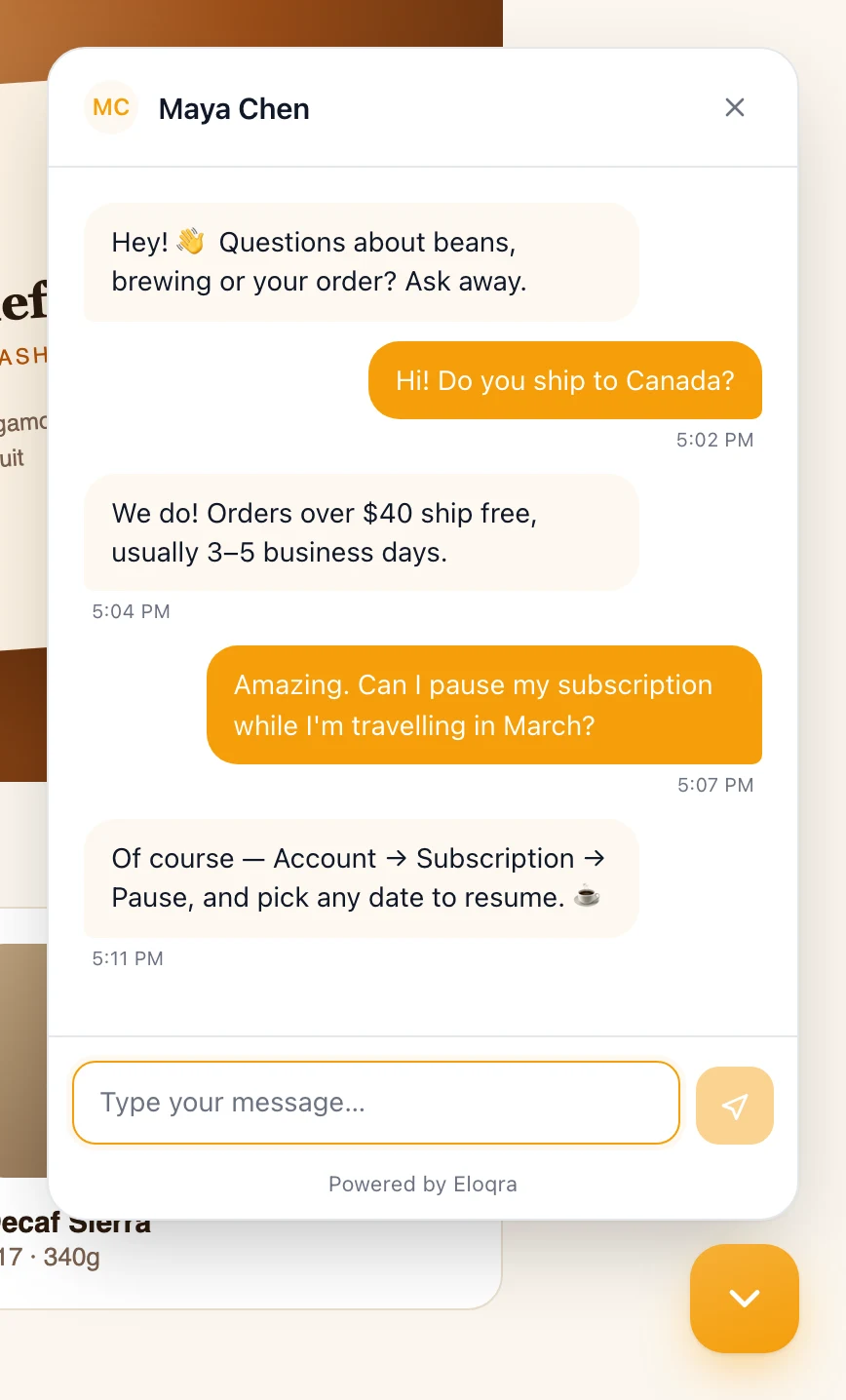
A reply always goes to the conversation you replied to — even one you had resolved, which reopens it. If the message you replied to can't be matched (a bot notice or a reminder, say), nothing is sent and the bot tells you so, instead of guessing another chat.
Typing without Reply#
You don't have to use Reply every time. A plain message — one that isn't a reply to anything — is routed like this:
- To the chat you were last in. Whenever you reply to a visitor's message, pick a chat from the bot's question below, or answer the only open chat, that conversation becomes your current one, and plain messages keep going there while it stays open. A new visitor writing in never changes it, so they can't steal a reply meant for someone else.
- To the only open chat. If you have no current conversation (or it has been resolved) and exactly one conversation is open, the message goes there.
- Otherwise, the bot asks. With several conversations open, the bot answers ❓ Who is this for?, quoting your message, with one button per chat (visitor name and site, most recent first, up to 9). Tap one and the message is delivered; the question changes to ✅ Sent to … and that chat becomes your current one.
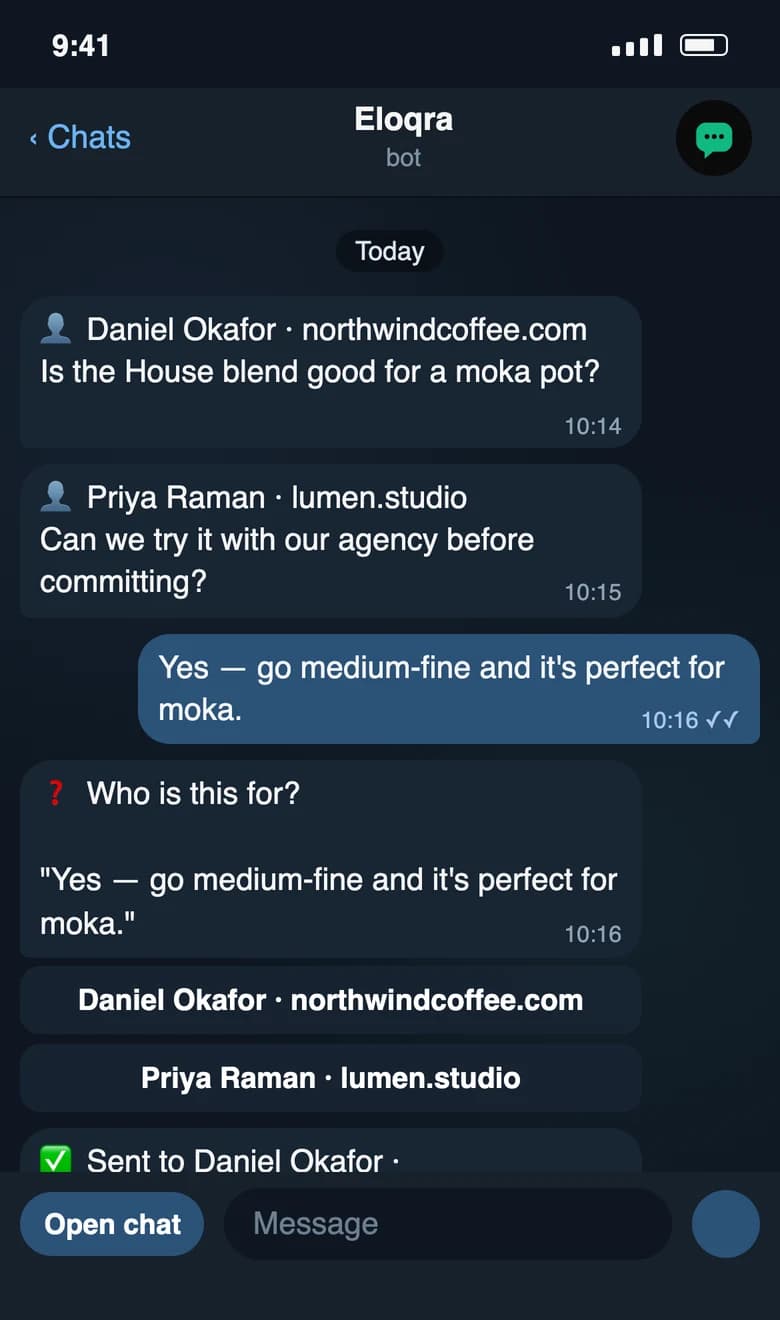
Nothing is sent until you tap. If you type another plain message before choosing, the newer one wins: the old question is marked ❌ Superseded by a newer message. and a fresh one is asked. With no open conversations at all, the bot replies No open conversations right now. and sends nothing. Routing only ever considers conversations of the projects connected to this Telegram chat.
Replies from the dashboard and Mini App#
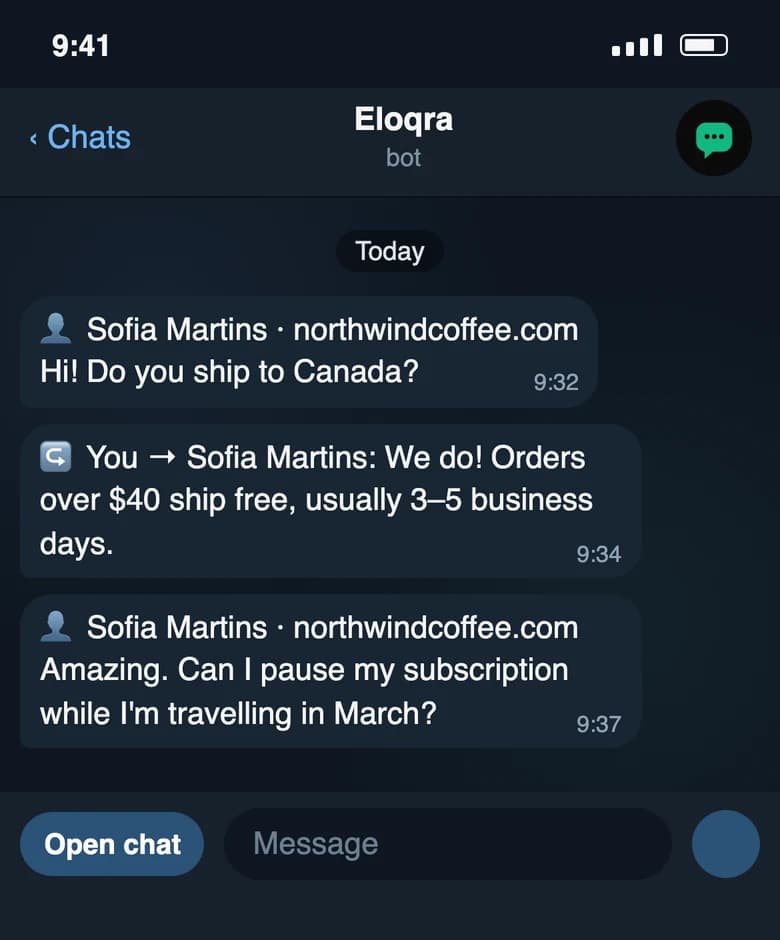
When you answer from the web dashboard or the Mini App instead, the reply is copied into your Telegram chat as ↪️ You → Name: text, so the Telegram thread stays a complete record of the conversation wherever you replied from. It's a copy for your reference — the visitor already has the message — but you can reply to it like any visitor message to keep going in that conversation.
Unanswered reminders#
If you turn on Unanswered reminders, the bot nudges you when a visitor's message has gone unanswered for the number of minutes you chose: ⏰ Name is still waiting — no reply for N minutes. The message includes a link that opens that conversation in the Mini App.
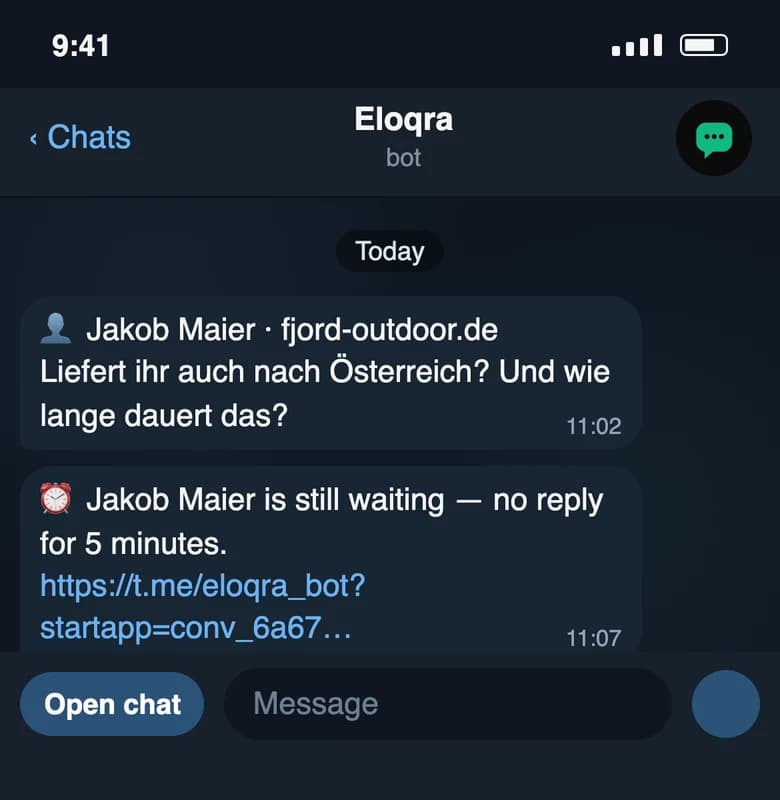
A reminder is sent once per visitor message, and only if nothing has happened since: a reply from you — in Telegram, the dashboard or the Mini App — cancels it, as does resolving the conversation. A newer message from the visitor schedules a reminder of its own instead. Reminders need your Telegram to be connected. To answer, reply to the visitor's message or use the link — replying to the reminder itself can't be matched to the conversation.
The operator Mini App#
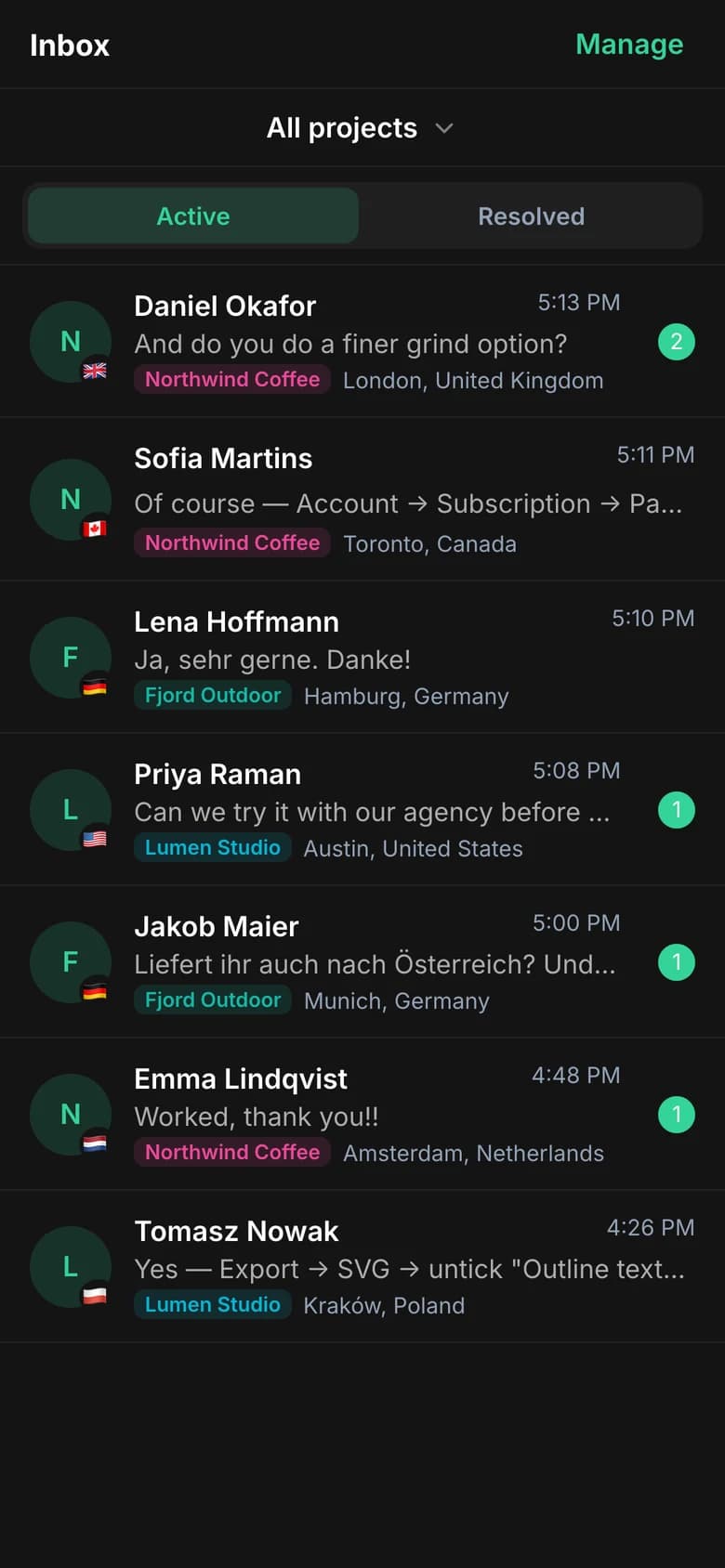
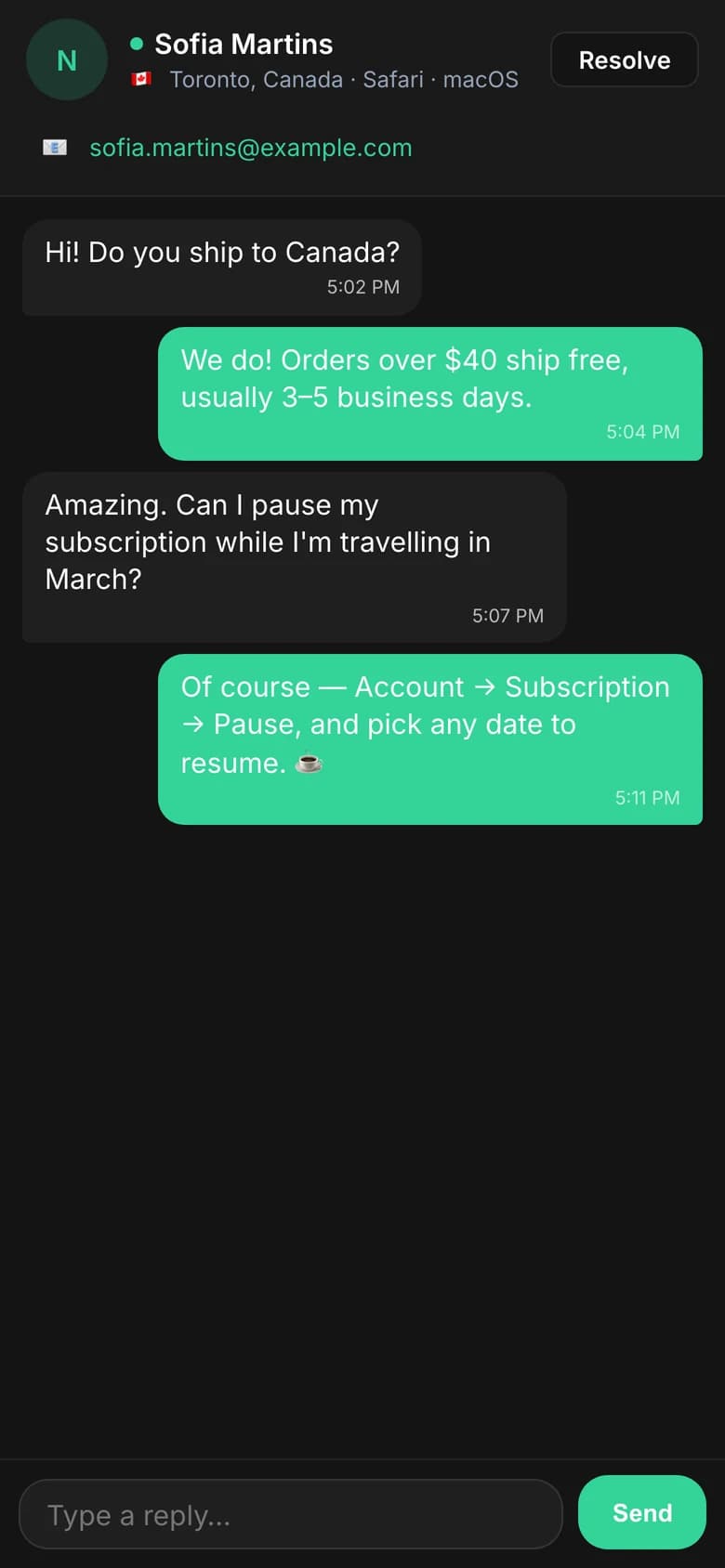
Replying in the thread is perfect for quick answers. When you want the full picture — conversation history, switching between visitors, and more room to work — open the Eloqra Mini App from the Open in app button on any conversation. It runs inside Telegram and signs you in automatically from your Telegram session, so there's no extra login to manage.
Multiple sites and operators#
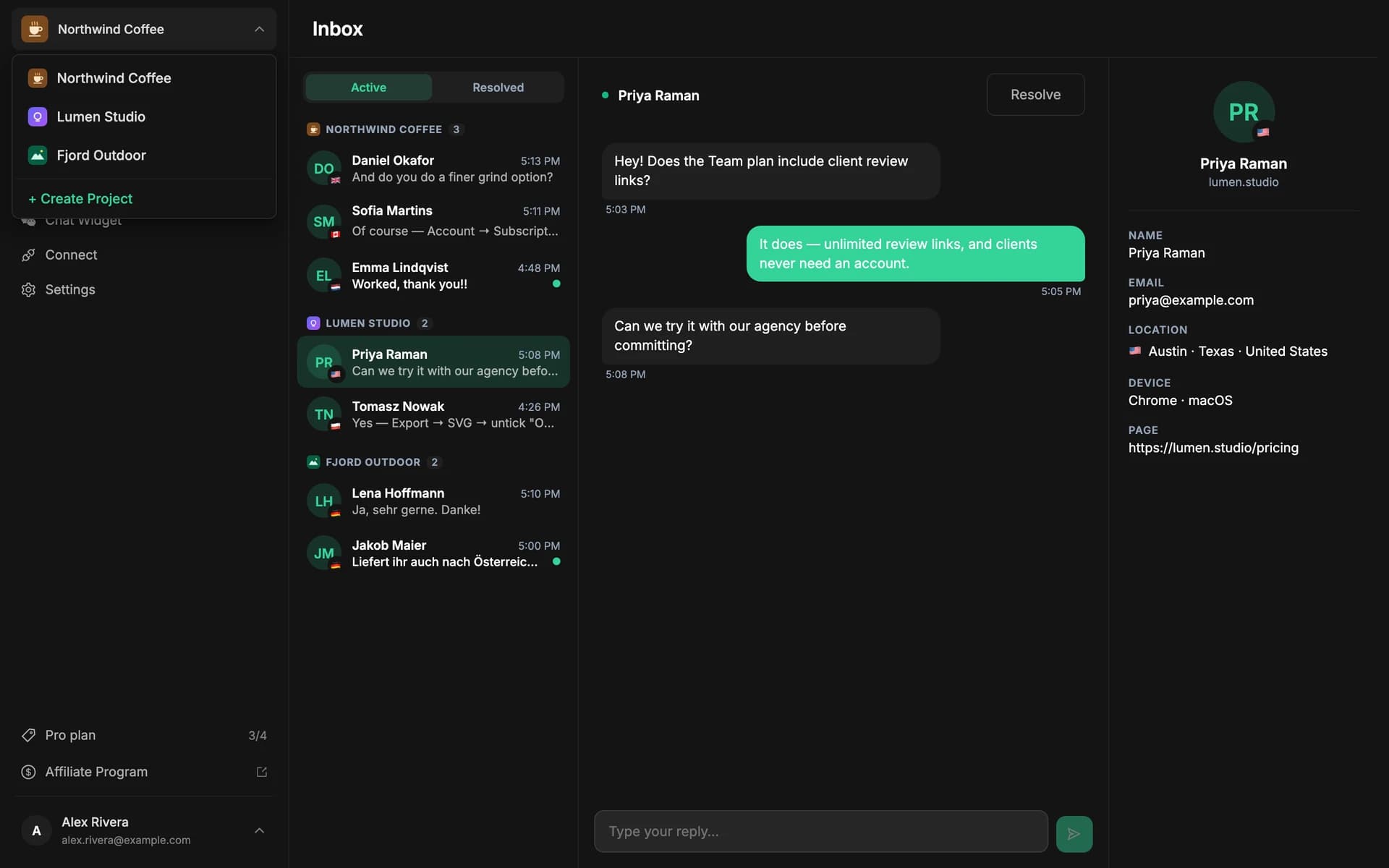
Each project connects its own Telegram destination. If you run several sites, create a project per site and connect each to the right Telegram — messages from each site reach the right person. This is how agencies install Eloqra across client sites, with each client replying from their own Telegram.
Troubleshooting#
- Messages aren't arriving in Telegram. Confirm chat is enabled for the project and that Telegram shows as connected under Connect. If it still says Not connected, the code never reached the bot — send the code shown there again (get a new one if it expired).
- Your reply didn't reach the visitor. Check what the bot said back. If it asked ❓ Who is this for?, the message is waiting for you to tap a chat. If it couldn't match the message you replied to, reply to one of the visitor's own messages instead, or send it as a plain message and pick the chat. See Typing without Reply.
- A plain message went to the wrong visitor. Plain messages go to the chat you were last in until it's resolved. To switch, reply to a message from the visitor you mean — that also makes them your current chat.
- Wrong site is getting the messages. Each project has its own Telegram connection — check you connected the intended project, not a different one.
Still stuck? Email support@eloqra.app and we'll help you get connected.