Getting Started
Eloqra is a live chat widget for your website that answers from your Telegram. You add one small <script> tag to your site, connect your Telegram, and every visitor message lands in the chat you already check all day. Setup takes a few minutes — no backend, no build step.
This guide covers the web-first route. Prefer to skip the website entirely? You can also start from Telegram — press Start in the bot and your account and first project are created for you, no email needed.
Overview#
Every Eloqra account has one or more projects. A project owns its chat widget configuration and the conversations your visitors start. Once a project's chat is enabled and your Telegram is connected, you embed a single <script> tag on your site and a floating chat bubble appears on every page — no container element required.
What you'll need#
A free Eloqra account, a Telegram account on your phone, and a place on your site to paste a script tag. That's it.
Set up your widget#
From the dashboard at chat.eloqra.app:
- Create a project for your site (or open an existing one).
- Open the Chat widget settings, turn chat on, and customize the greeting, accent color, bubble position, and optional pre-chat form.
- Open Connect → Telegram and tap connect. It opens the Eloqra bot in Telegram — press Start and your project is linked. From then on, every visitor message is forwarded to you there, and your replies go straight back to the visitor's chat. For the full picture of how messaging works in both directions, see the Telegram integration guide.
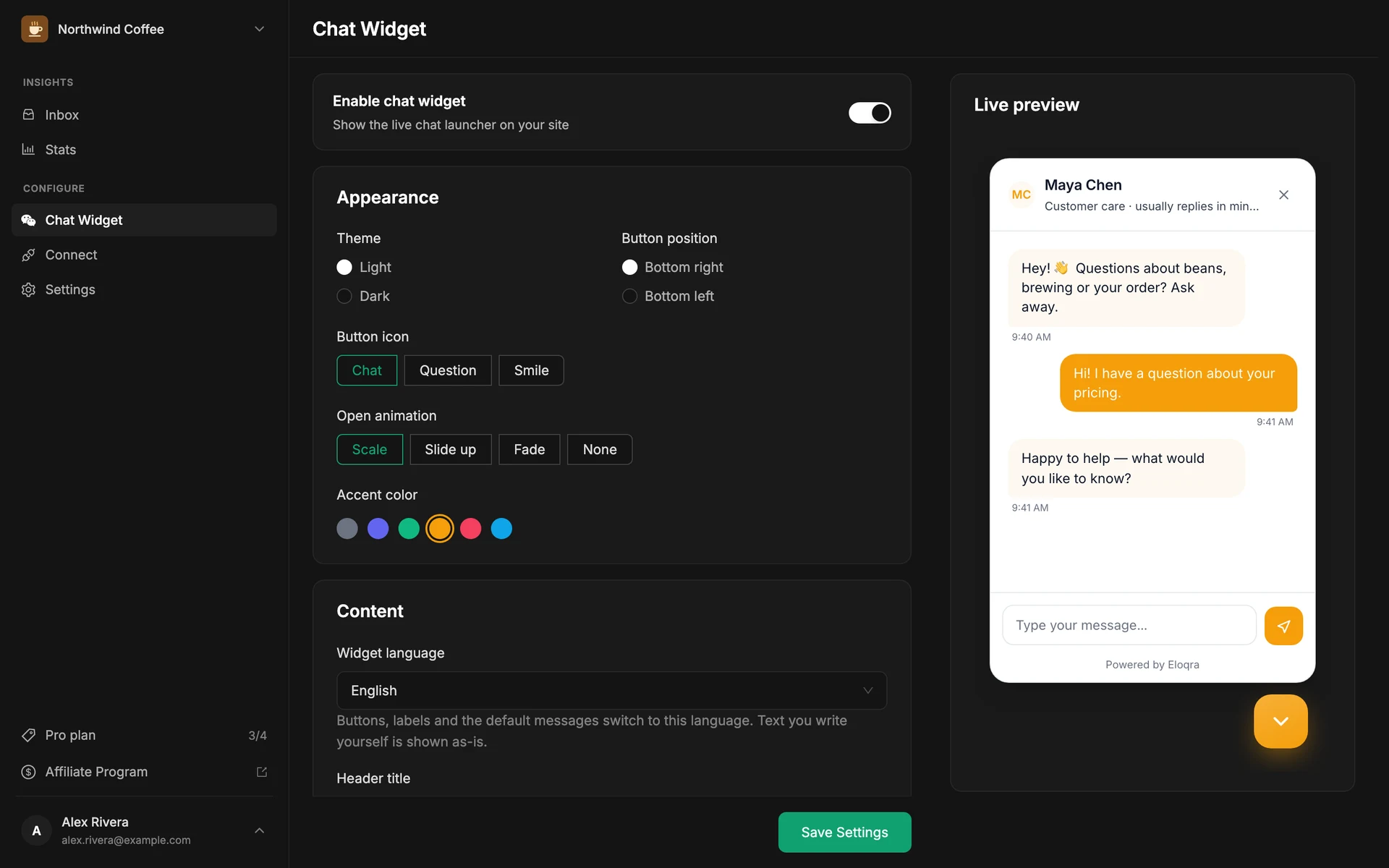
Embed it on your site#
Copy the embed snippet from the Connect tab and paste it into your site:
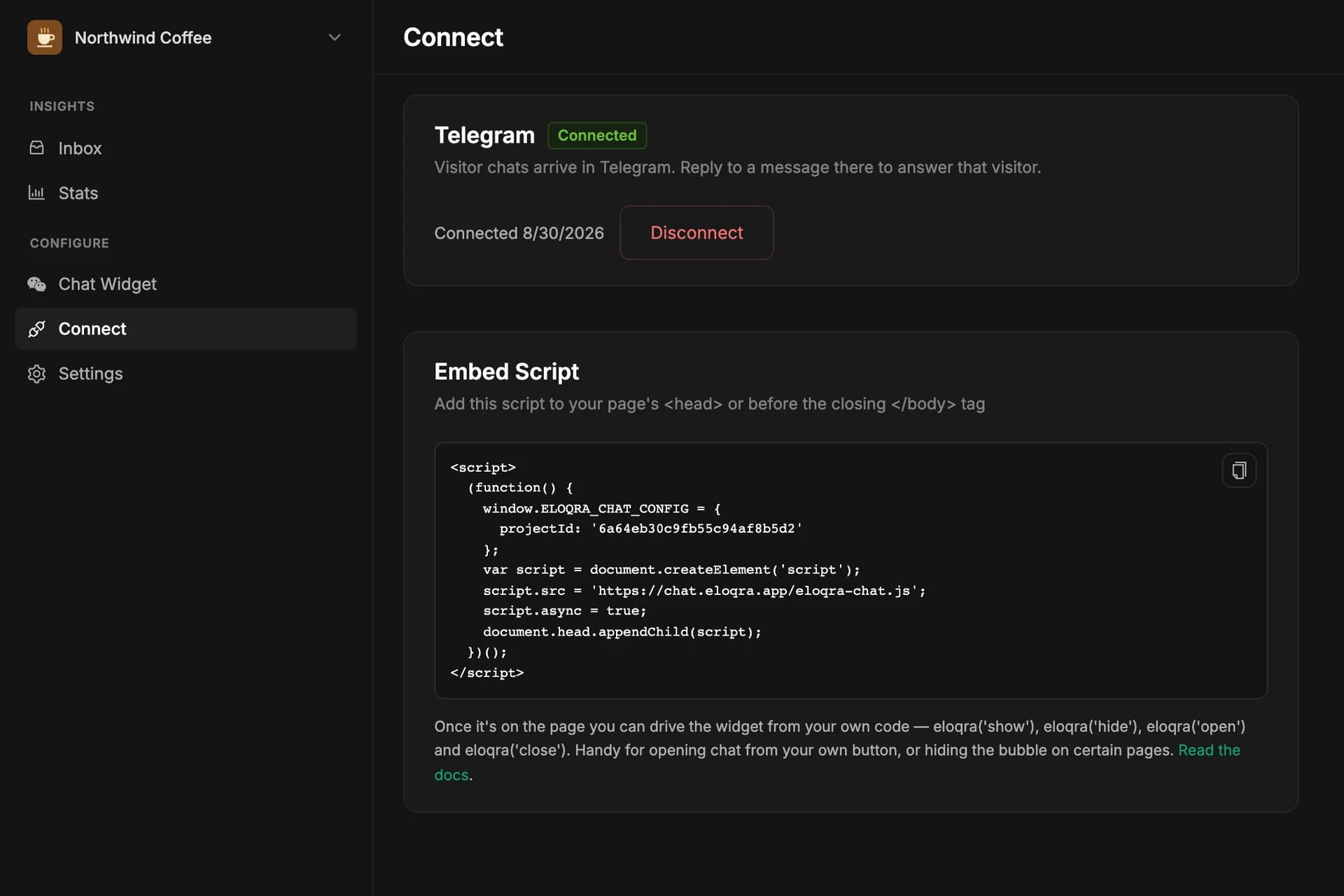
Any form of it works — the shortest is:
Then follow the framework-specific guide that matches your stack — Next.js (App Router), Next.js (Pages), Vite + React, Astro, WordPress, Webflow, or plain HTML. There is no container <div> to add — the chat launcher injects itself. If the bubble doesn't appear, see troubleshooting.
Reload your site and the launcher appears in the corner you chose. Send yourself a test message — it should land in your Telegram within a second or two.
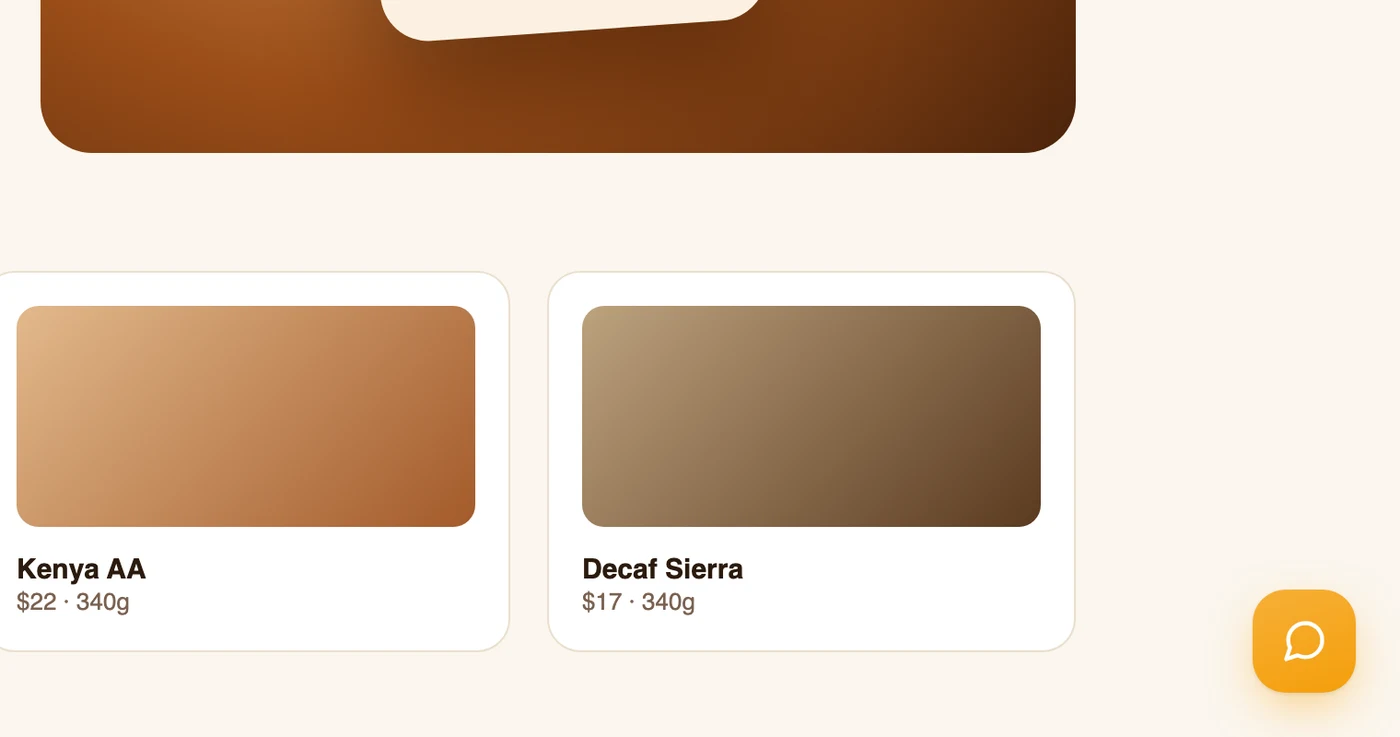
Want the chat to open from a button of your own, or the bubble hidden on certain pages? The snippet also gives you a small JavaScript API — see Control it from JavaScript.