Widget configuration
Everything the visitor sees — colors, position, copy, the pre-chat form — is configurable per project. This page lists every setting, its options, and its default. None of it requires changing the snippet on your site: changes apply on the visitor's next page load.
If you want the widget to react to your own page — hiding the bubble, or opening the chat from a button of your own — see Control it from JavaScript at the bottom of this page.
Where to edit#
Two places to change settings, with the same options underneath:
- Web dashboard — the Chat widget section, with a real-time live preview that updates as you type.
- Telegram Mini App — project settings cover nearly everything: theme, palette, launcher position, icon and open animation, language, header title, greeting, composer placeholder, the person in the header, pre-chat form, typing indicators, consent, online hours, unanswered reminders, desktop/mobile visibility and allowed domains. Two things are web-dashboard only: the page-visibility paths, and picking an online-hours timezone (the Mini App uses your phone's timezone). See the Mini App guide.
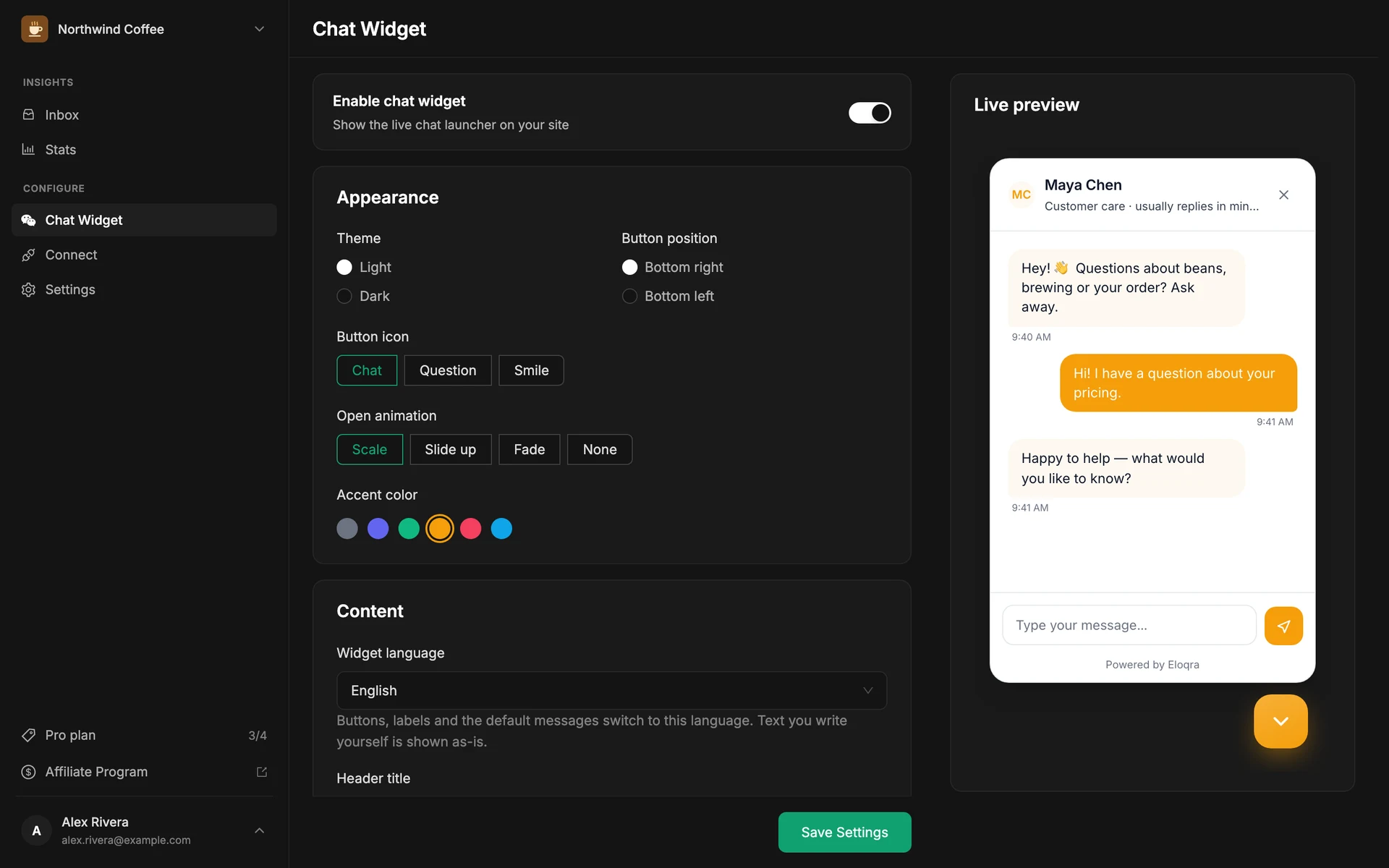
Everything on this page is stored per project and served to the widget, so a change is live for every visitor on their next page load. The JavaScript API is a different thing: it doesn't change any stored setting, it drives the widget on one page, for one visitor, right now.
Appearance#
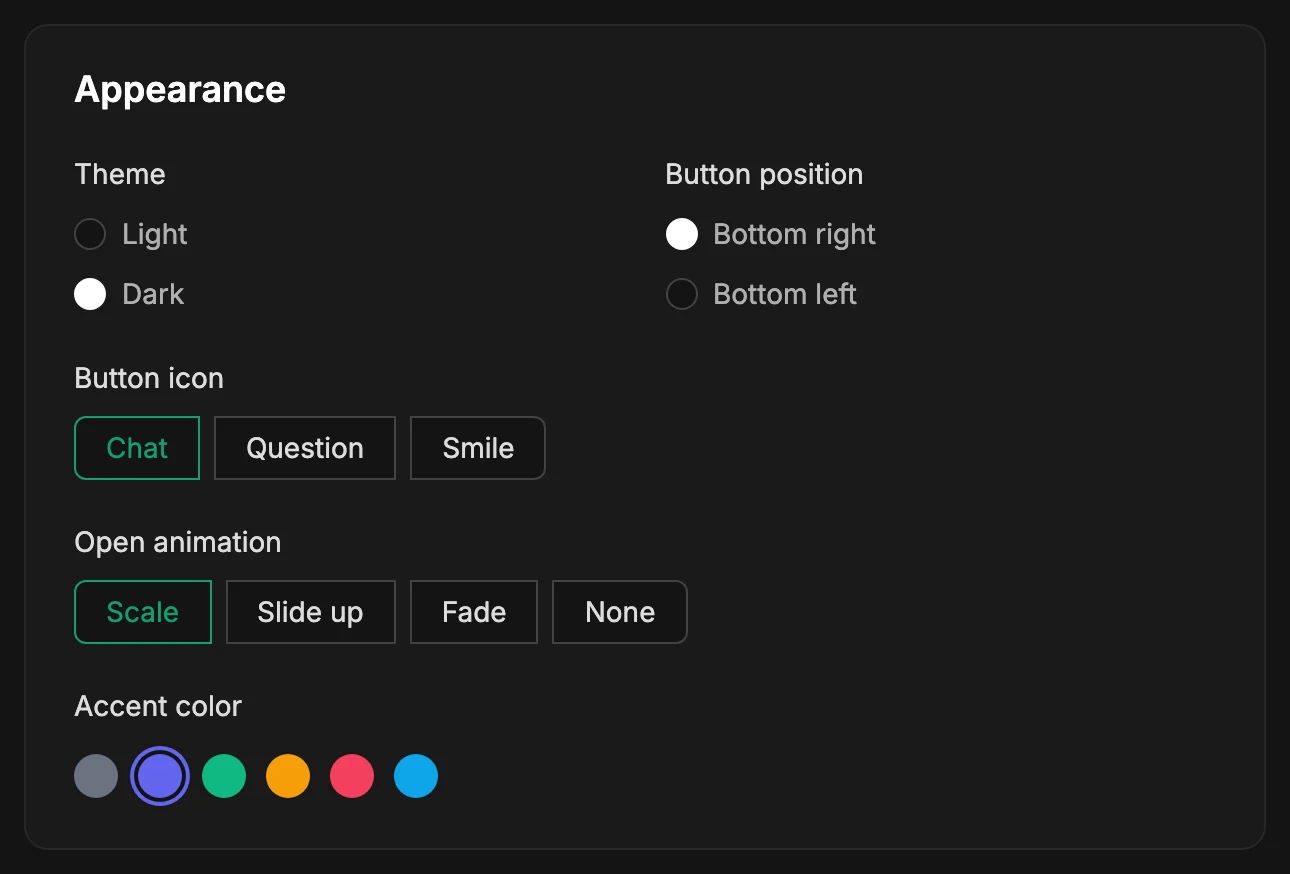
themepositionlauncherIconanimationpaletteText & copy#
Leave any of these blank and the widget falls back to its default text, in the widget's language. The defaults below are the English ones.
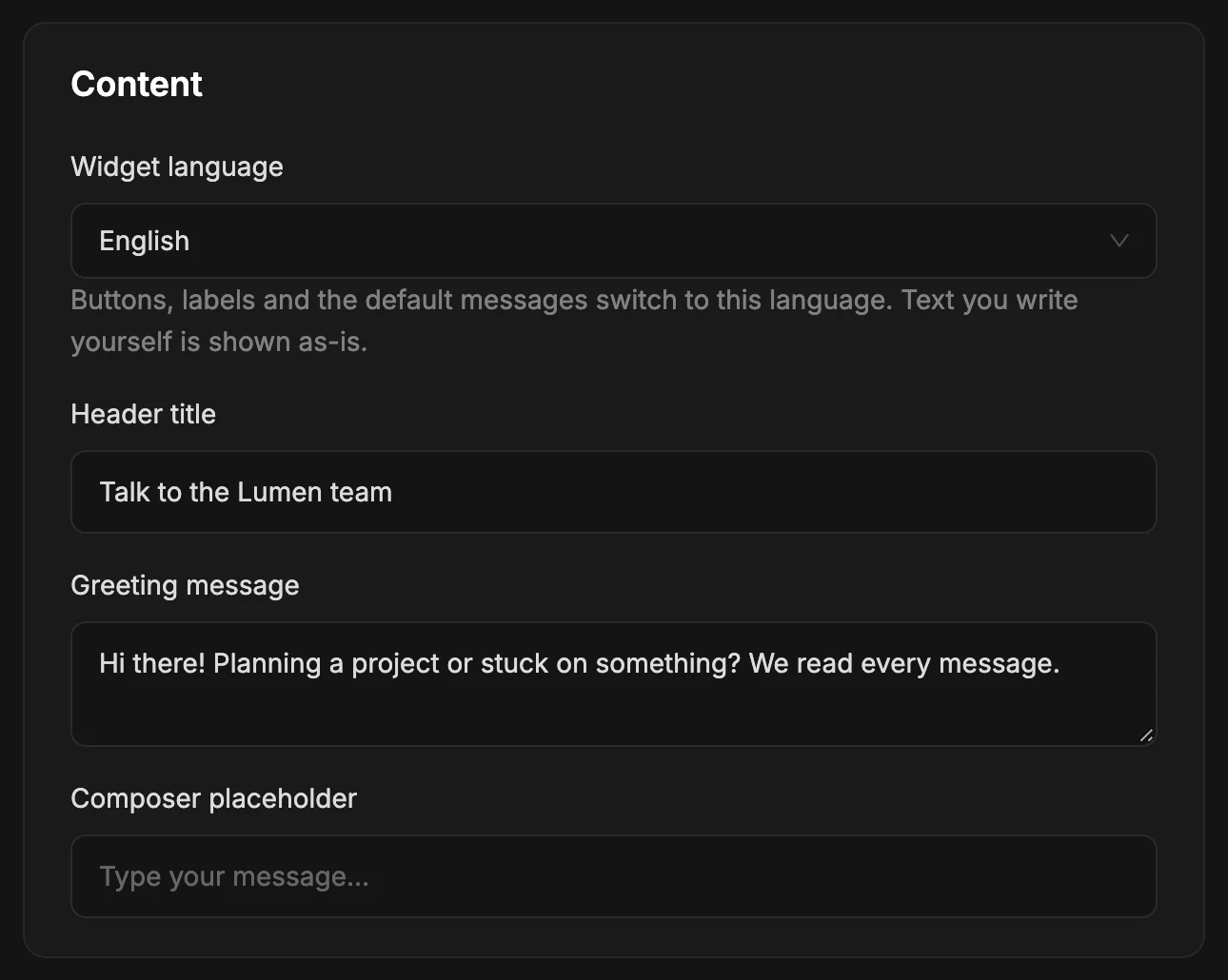
language — sets every built-in string and defaultheaderTitlegreetingplaceholder — blank, so the default showsPerson#
A chat with a face gets more replies than one headed Chat with us. Turn on Show a person and the header shows a photo, a name and a short role instead of the header title. It's a default, not a promise: once a real operator answers, their own name and photo take over for that visitor.
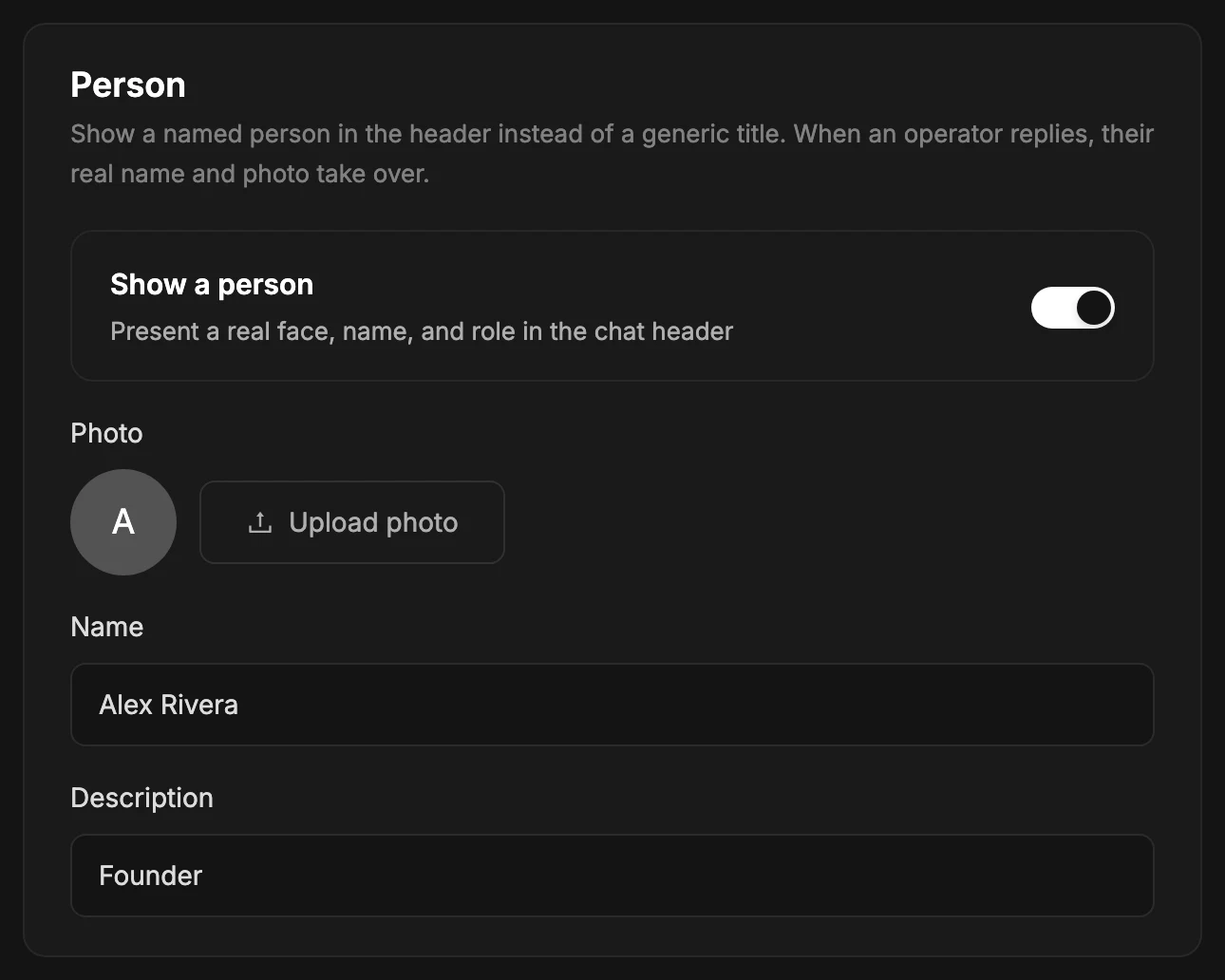
showAgentagentAvatar — square images work bestagentNameagentBioBehavior#
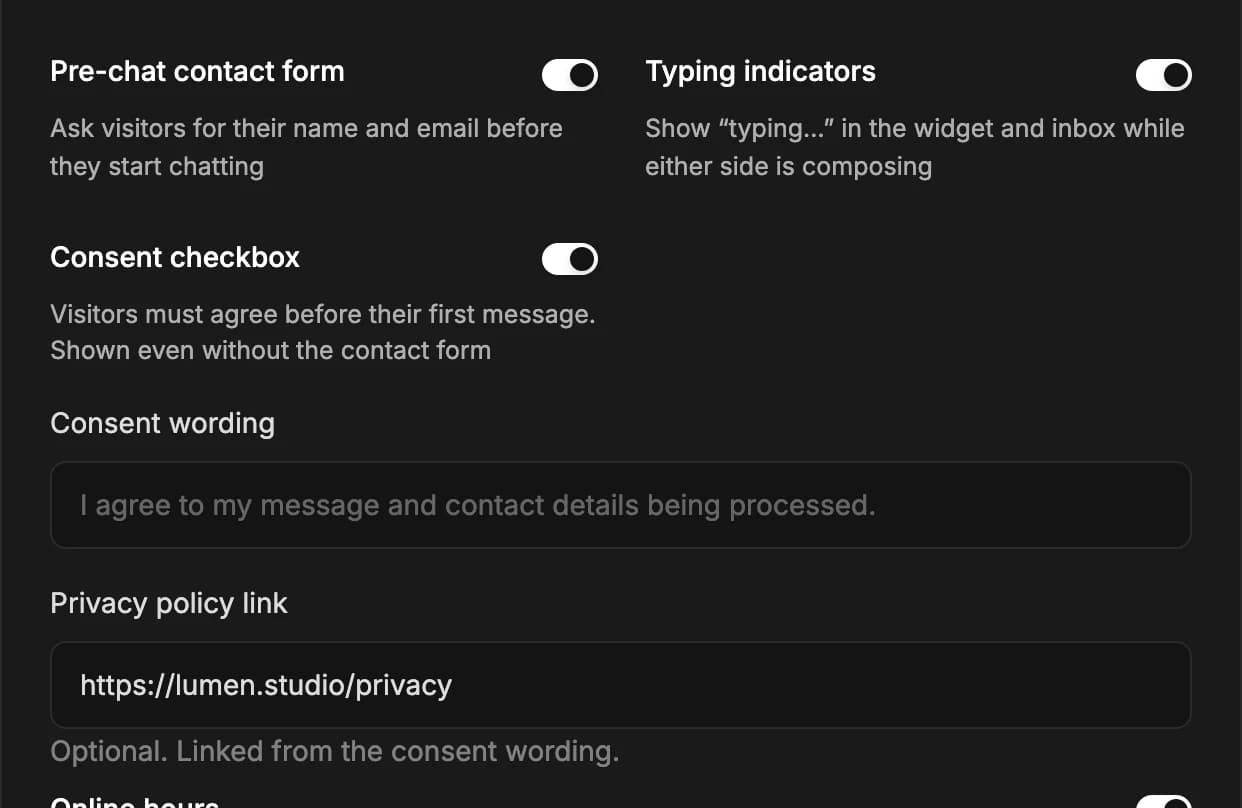
collectVisitorInfoshowTypingIndicatorrequireConsentconsentText — blank shows the default wordingprivacyPolicyUrlOnline hours#
By default the widget behaves the same at 3am as at 3pm. Turn on Online hours to set when you're actually reachable: pick the days, a start and end time, and the timezone those times are in — your timezone, not the visitor's.
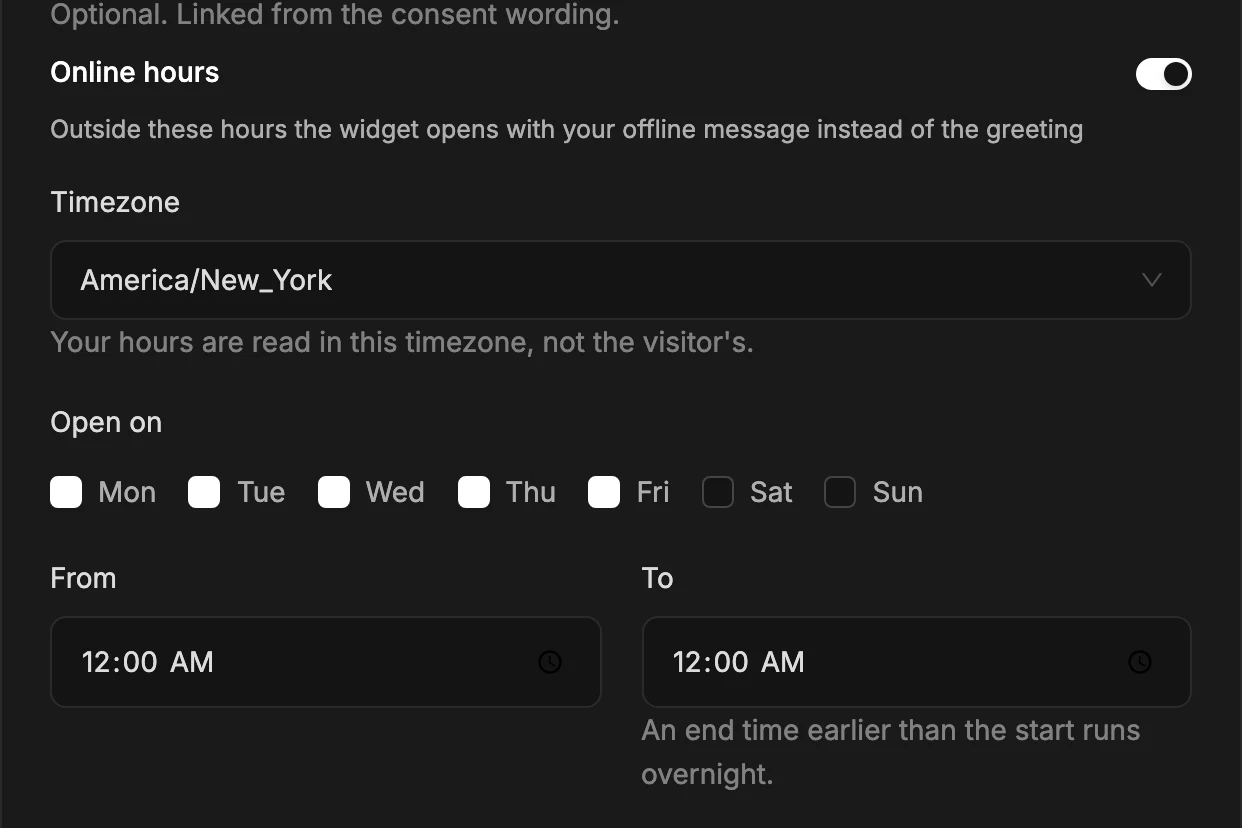
businessHours.enabledtimezone — yours, not the visitor’sdaysfrom / to — 00:00 to 00:00 means all dayOutside those hours the panel opens with your offlineMessage in place of the usual greeting. Everything else keeps working: visitors can still write to you, and the message reaches your Telegram exactly as it would in hours. The point is to set expectations about a reply, not to turn chat off.
An end time earlier than the start runs overnight — 22:00 to 02:00 on Friday covers Friday night into Saturday morning. Whether you're open is decided when the widget loads, and that response is cached for a minute, so the switch at an opening or closing time can lag by up to 60 seconds.
Consent#
Turn on Consent checkbox and visitors must agree before they can send their first message. You can set your own wording and link your privacy policy.
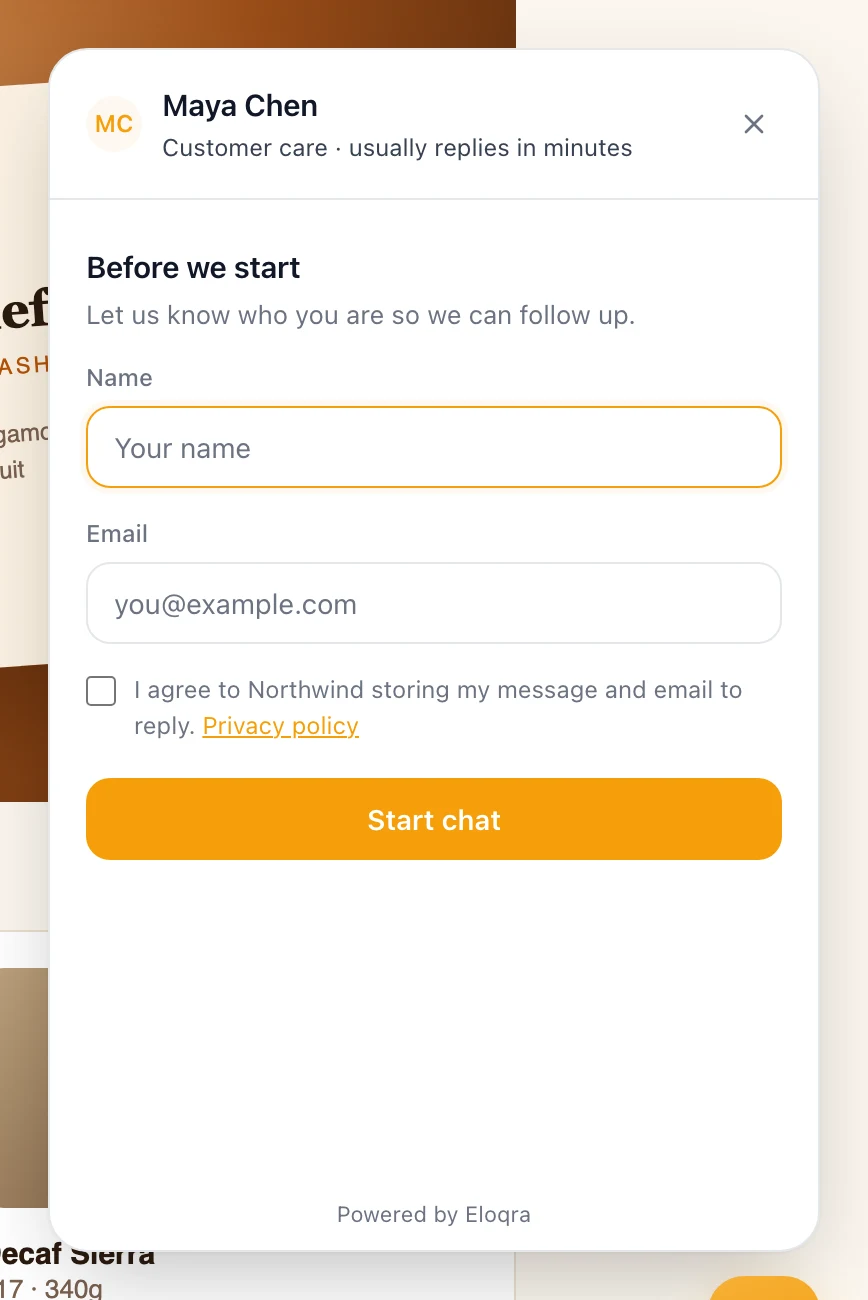
It works with or without the pre-chat contact form. With the form off, the visitor sees just the checkbox; with it on, the checkbox sits below the name and email fields and the button stays disabled until it is ticked.
Nothing is recorded until they agree. Opening the panel does not start a conversation, so no IP address, location or device information is captured while the consent prompt is on screen. When the visitor agrees, the moment of consent is stored alongside the conversation as evidence, and their browser remembers it so they are not asked again on that site.
Unanswered reminders#
Chat arrives in Telegram, and Telegram is easy to scroll past. Turn on Unanswered reminders and Eloqra pings you again if a visitor's message hasn't been answered after the number of minutes you choose.
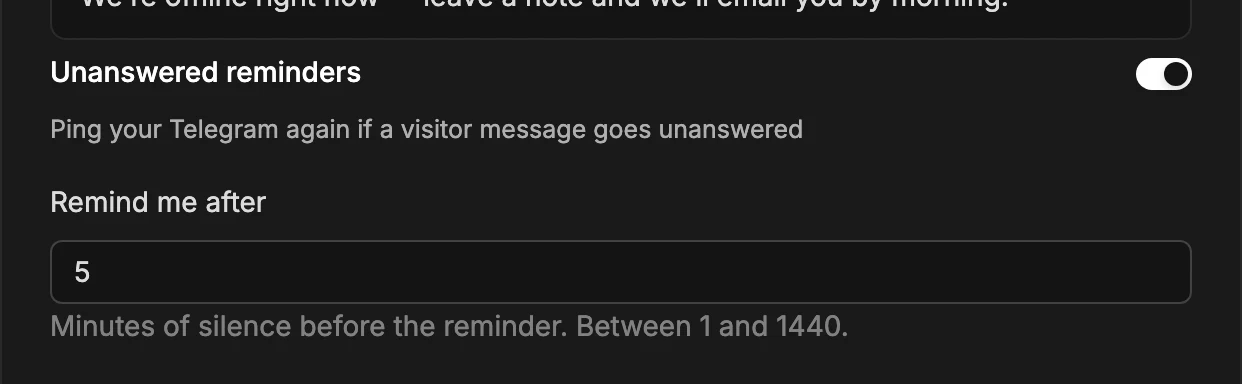
escalation.enabledescalation.afterMinutes — 1 to 1440The reminder is cancelled by anything that happens in the meantime — your reply (from Telegram, the dashboard or the Mini App), resolving the conversation, or the visitor sending another message (which schedules its own reminder instead). Turning the setting off also stops reminders that were already scheduled, so you won't get a tail of them.
Reminders only go out if your Telegram is connected, and they carry a link straight to the conversation in the Mini App.
Choosing pages#
By default the bubble appears on every page the snippet is on. Under Behavior you can narrow that down by path, and turn it off for desktop or mobile independently.
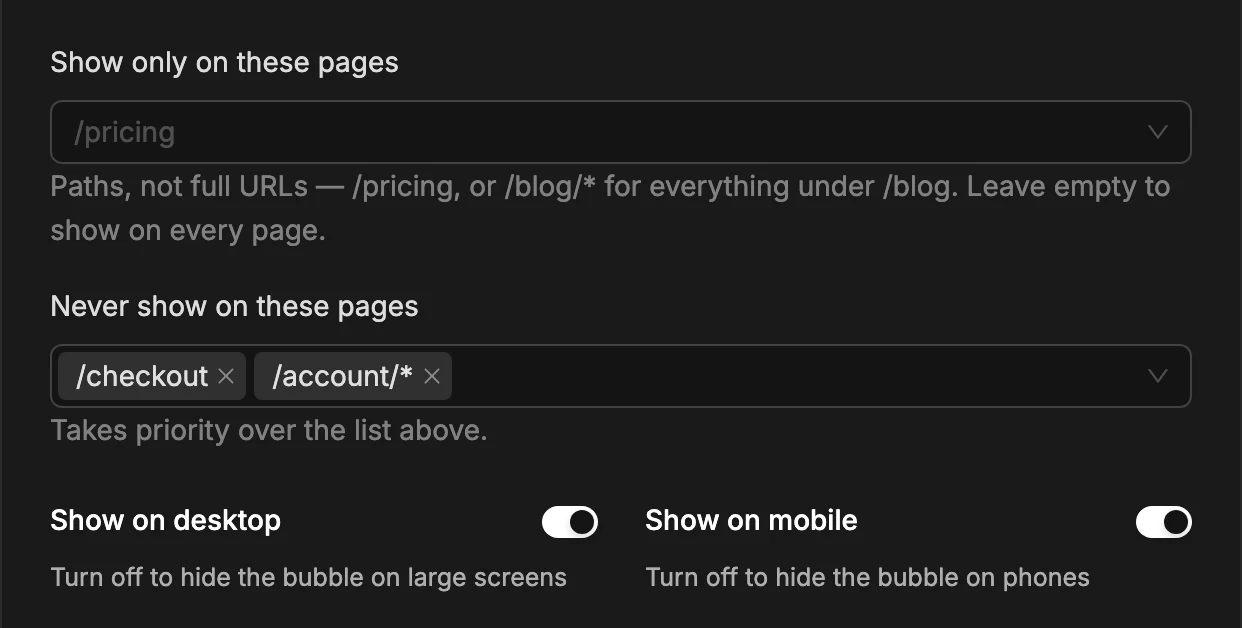
visibility.include — empty means every pagevisibility.exclude — always winsvisibility.desktop / visibility.mobileShow only on these pages is an allowlist — leave it empty for every page. Never show on these pages always wins over it, so you can include /* and carve out /checkout.
Rules are re-checked when the URL changes, so they work in single-page apps (Next.js, Vite, Astro) where navigating doesn't reload the page. A direct eloqra('show') from your own code overrides them — an explicit call is an instruction, a rule is only a default. And a bubble hidden by a rule can still be opened with eloqra('open'), which is exactly how you drive chat from your own button on selected pages.
One caveat: the rules are applied by the widget script, so a visitor whose browser still has an older cached copy will keep seeing the bubble everywhere until that copy expires.
Restricting domains#
By default your snippet works on any site it is pasted into. If you'd rather it only ran on your own domains, list them under Allowed domains in the Chat widget settings. Once the list is non-empty, the widget loads on those domains and quietly does nothing anywhere else.
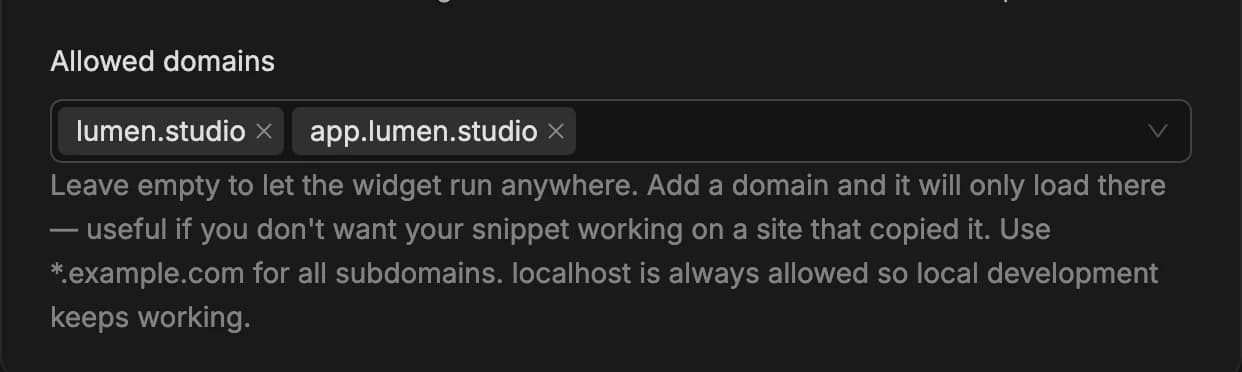
allowedDomains — one entry per domainPaste whatever is easiest — a full URL, a bare hostname, with or without www. — it is reduced to the bare hostname when saved.
What this is and isn't. It stops your snippet working if someone copies it onto their own site, which is what it is for. It is not a security boundary: the chat endpoints are public by design, so someone willing to forge requests can still reach them. Rate limiting, not this list, is what bounds abuse.
What visitors see#
The same widget looks different depending on your settings and on what is happening in the conversation. These are the states a visitor can run into.
Outside online hours. With Online hours on, the panel opens with your offlineMessage where the greeting would be. The default wording promises a reply by email, so if the pre-chat contact form is off, write your own message that doesn't.
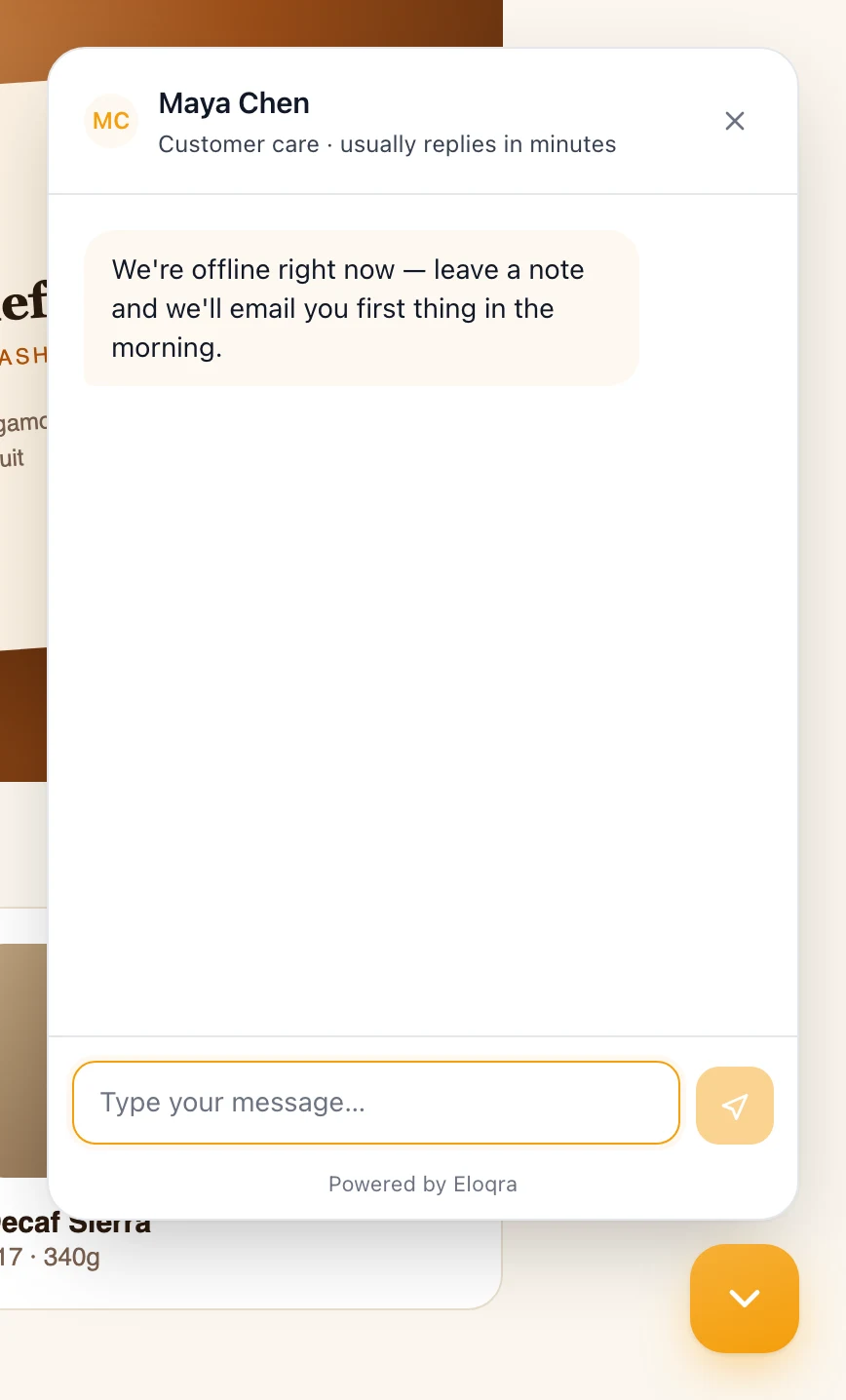
offlineMessage replaces the greetingConsent without a contact form. With requireConsent on and collectVisitorInfo off, the pre-chat step is just the checkbox — headed Before we start (or your header title) with Just one thing before we begin. — and a Start chat button.
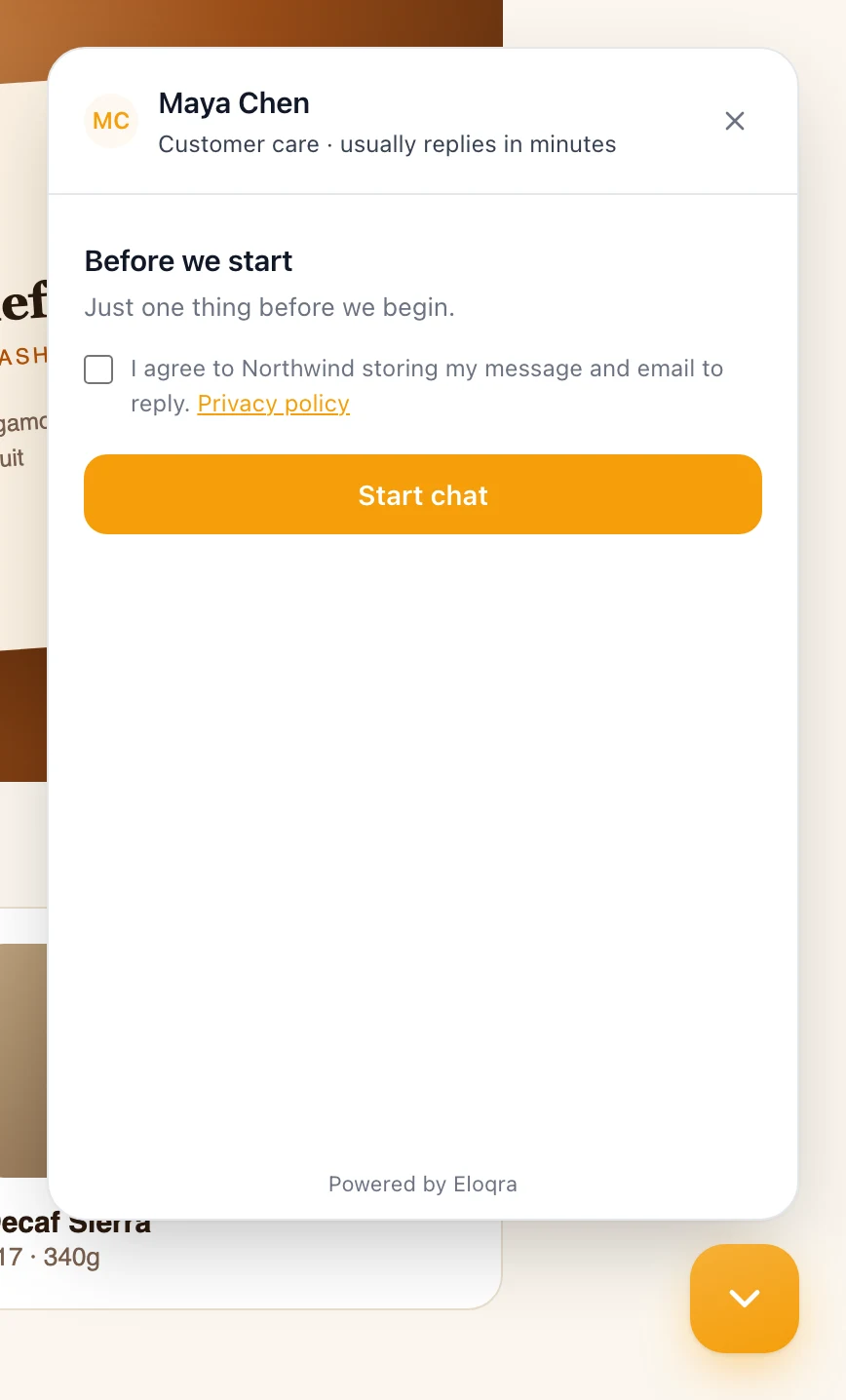
consentTextprivacyPolicyUrlNo person configured. With Show a person off (or no name set), the header shows your headerTitle with a small dot beside it. As soon as an operator answers, their name and photo (or initials) replace it for that visitor.
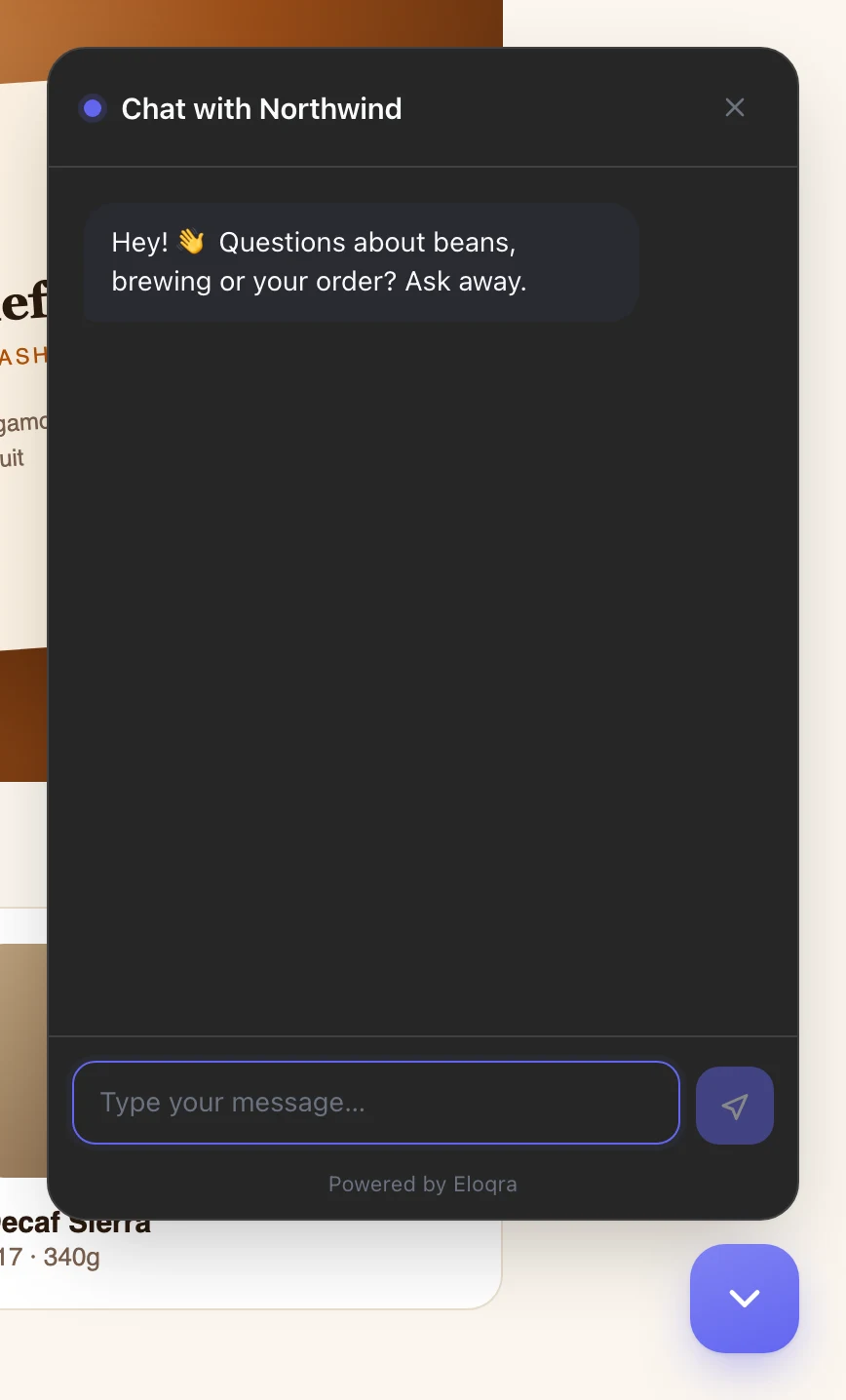
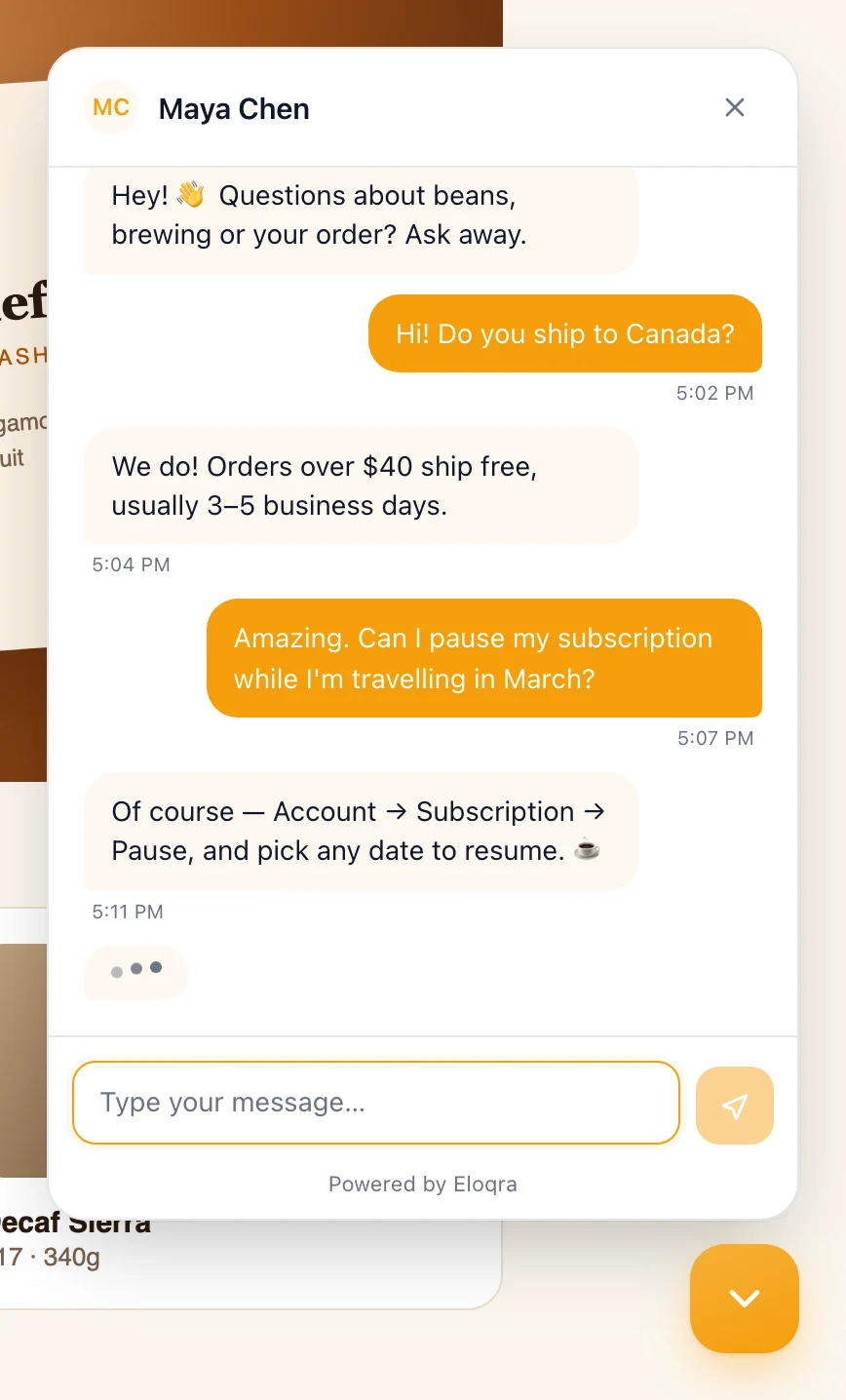
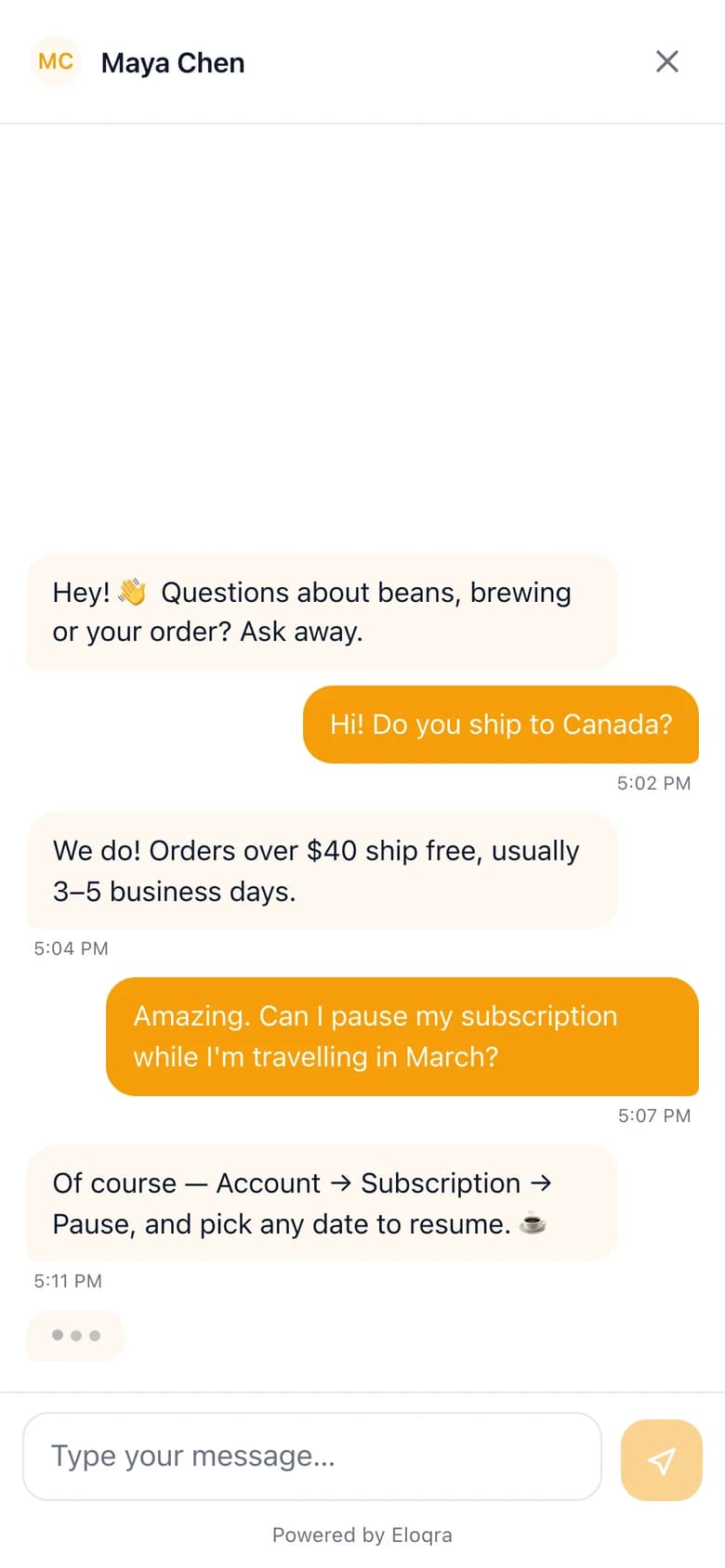
headerTitle, no personYou're typing. With showTypingIndicator on, a three-dot bubble appears at the bottom of the conversation while you type a reply in the web dashboard or the Mini App, and disappears when your reply lands. Telegram doesn't tell bots when you're typing, so replies written in the Telegram chat arrive without it.
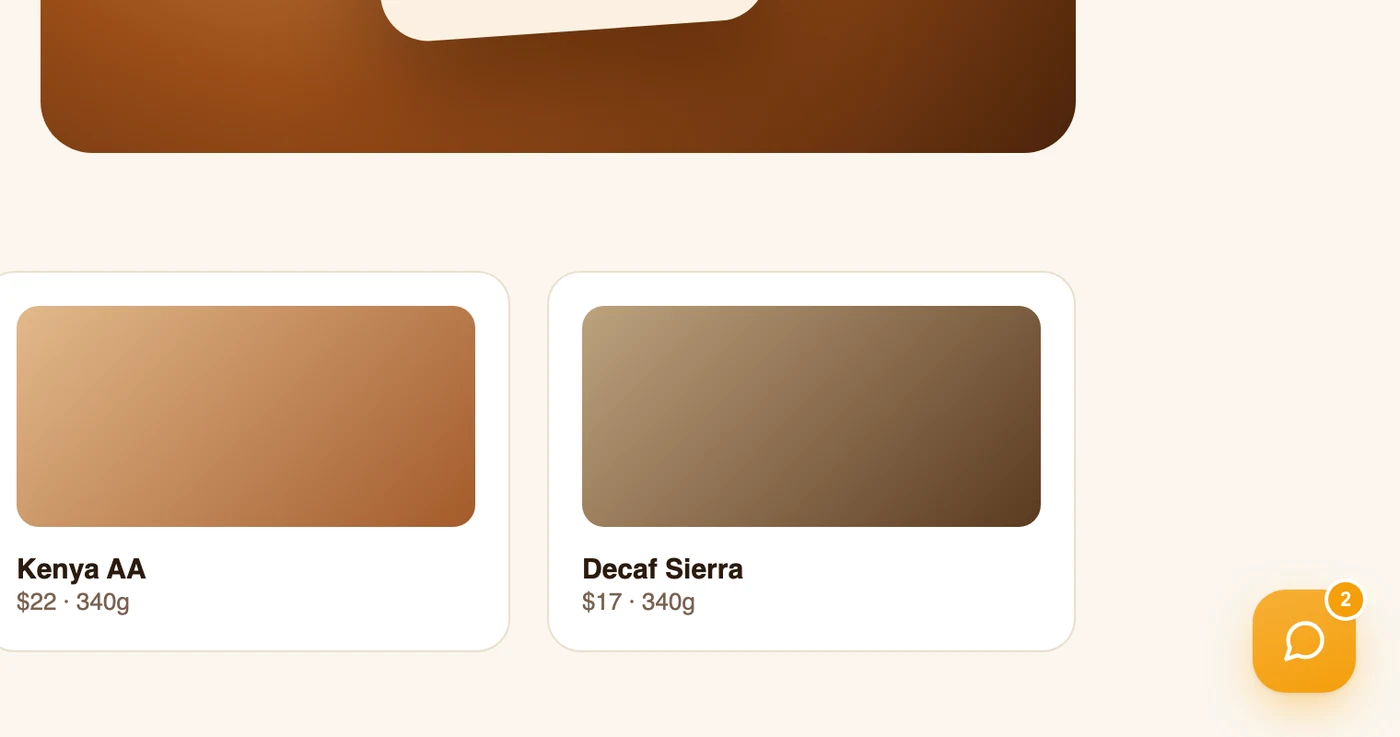
Unread replies on the launcher. When you reply while the panel is closed, the launcher shows a count of your unread messages (up to 9+). It also works across visits: a returning visitor with replies they haven't seen gets the count on page load, before they open anything. Opening the panel clears it.
Launcher position and icon. position moves the bubble to the bottom-left corner (the panel opens from that side too), and launcherIcon swaps the chat glyph for a question mark or a smile.
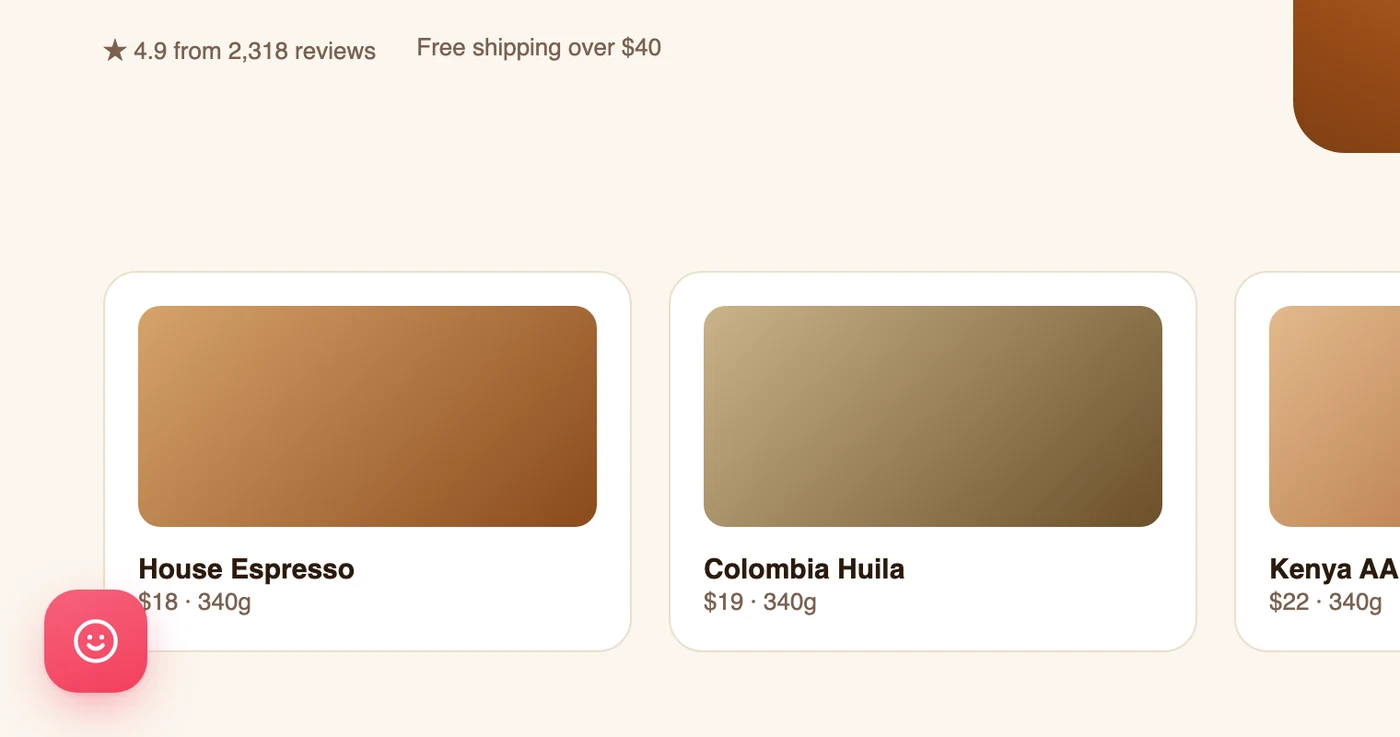
position: "bottom-left" with another launcherIconOn phones. On small screens (up to 600px wide, or a landscape phone) the panel opens as a full-height sheet. It shrinks to stay above the on-screen keyboard, the page behind it stops scrolling, and the launcher steps aside while it's open — the close button in the header dismisses it. The keyboard isn't opened for the visitor; they tap the message box when they're ready.
Built-in behaviour#
None of this needs configuring:
- Escape closes the panel. On desktop, keyboard focus returns to the launcher if it was inside the panel.
- Reduced motion is respected. If the visitor's system asks for reduced motion, the panel, messages, launcher and typing dots appear without animation, whatever
animationis set to. - Failed sends retry. A message that doesn't go through is retried automatically a few times, and again when the browser comes back online. If it still fails, the bubble is dimmed and marked Not sent; tapping it tries again. Retries can never post the same message twice. If the chat can't reach Eloqra at all, the panel says Connection lost — retrying… and keeps trying while it is open.
- Returning visitors keep their conversation. The browser remembers the visitor, so coming back — on another page or another day — reopens the same conversation with its history, as long as you haven't resolved it. After you resolve it, their next message starts a new conversation. Details they typed into the pre-chat form and their consent are remembered too, so they aren't asked again.
- Just loading a page records nothing. A conversation only starts when the visitor opens the panel (after the pre-chat step, if you have one).
Snippet options#
The install snippet sets window.ELOQRA_CHAT_CONFIG before loading the script. It must be set before eloqra-chat.js runs:
Everything else about the widget — its look, text and behaviour — is set in the dashboard, not in the snippet. The script's source also mentions a development flag: that points the widget at Eloqra's own local test server and is not for use on your site.
Control it from JavaScript#
The snippet installs a single function on your page, window.eloqra (also available as window.Eloqra), which takes one of four commands:
The bubble and the panel are separate, and that is the point. hide only hides the launcher, so you can take our bubble off the page and open the chat from a button of your own:
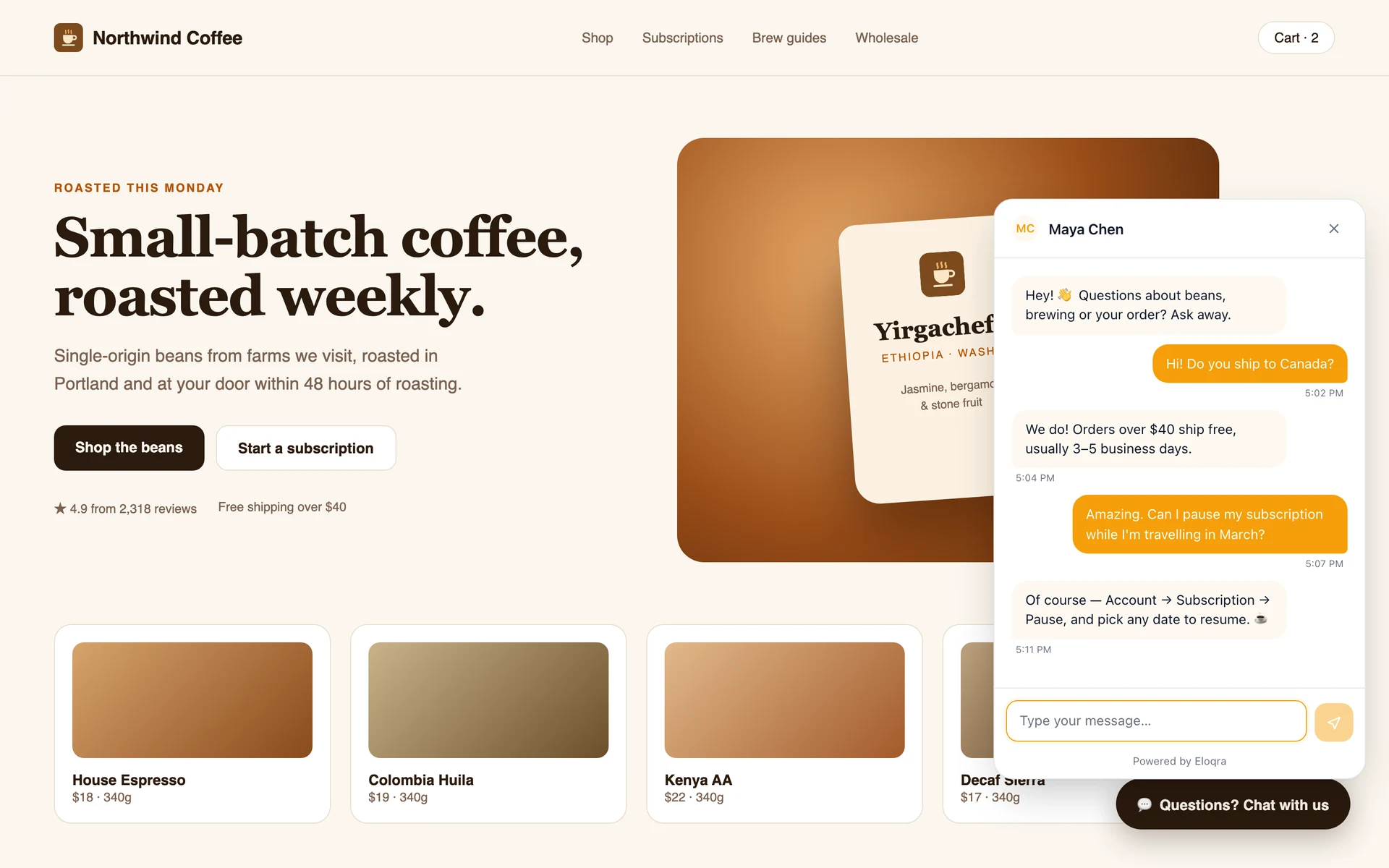
eloqra('open')Hiding is per page load, not a saved setting — it is not the same as the enabled switch above. To turn chat off everywhere, use enabled; to keep the bubble off a few pages, call eloqra('hide') on those pages.
Calling it before the script has loaded#
The snippet loads asynchronously, so your code may run first. Commands issued after the script has parsed but before the widget has finished mounting are remembered and replayed automatically — you do not need to wait for anything.
To also cover calls made before the script itself arrives, add this one line above the snippet. It queues commands until the widget takes over:
Keep the || — it is what stops a second copy of the line from throwing away commands the first one collected.
In frameworks that defer the script (Next.js' strategy="afterInteractive", for example), either add that line or call the function optionally, so a component that renders early doesn't crash:
Good to know#
- It never throws. If chat is switched off for the project, or the widget fails to load, commands are ignored and a single explanatory warning is logged to the console. You don't need to check whether the widget exists before calling it.
- Unknown commands are ignored with a console warning naming the four valid ones. Commands are case-insensitive.
- Repeat calls are free. Opening an already-open panel won't re-scroll or re-focus it, and hiding an already-hidden bubble does nothing.
- Existing installs pick this up on their own. The widget script is cached by the browser, so a site that installed Eloqra a while ago gets the API once its cached copy expires — a hard refresh brings it in immediately.
Not configurable (yet)#
- "Powered by Eloqra" badge — always shown on the free tier.