August 27, 2026
·
10 min read
Crisp vs Eloqra for customer messaging and support
A side-by-side comparison of Crisp and a Telegram-first alternative for customer messaging and support—clarify inbox vs Telegram workflows, install/compatibility paths, reply speed and context, capture/qualification options, and channel/integration trade-offs before you pick a setup.

If your support tool takes longer to manage than the conversations themselves, the “right” chat widget can start feeling like another dashboard you have to babysit.
This comparison breaks down Crisp vs Eloqra in the places that actually change day-to-day outcomes: how replies happen (inbox app vs Telegram), how fast you can go live, what visitor context you see at reply time, how you capture and qualify leads, which channels you can connect, and how pricing and seats work once your team grows.
Decision snapshot
Eloqra and Crisp both handle website chat, but they optimize for different working styles. Eloqra is built around replying from Telegram fast, while Crisp is built around a shared inbox and broader channel coverage.
If you want the fastest path to “site chat on my phone,” lean Eloqra. If you need a team inbox with lots of native integrations and a flat per-workspace plan, Crisp is the steadier pick.
What each is
Eloqra is a Telegram-first live chat widget for your website. Visitor messages land in your Telegram, and you reply there.
Crisp is shared inbox customer messaging software with a website chatbox, contact forms, and team workflows. It also offers web and mobile apps, plus integrations like Telegram and Slack.
The real split is workflow: Telegram as the inbox versus an inbox that can connect to Telegram.
Best fit signals
Pick Eloqra when speed and simplicity matter most. Pick Crisp when the inbox itself is the product.
- Choose Eloqra if you reply mainly from Telegram
- Choose Eloqra if you want one-script install
- Choose Eloqra if you run solo or stay lean
- Choose Crisp if you need a shared team inbox
- Choose Crisp if you need many channels in one place
If you’re already living in Telegram all day, Eloqra keeps support from becoming “another dashboard.”
Non-negotiables
Decide on a few hard requirements before you compare features. Otherwise you’ll optimize for the wrong convenience.
- Reply workflow: Telegram-first or inbox-first
- Install method: script snippet or platform plugin
- Integrations: which channels are required
- Pricing model: flat workspace or lean setup
Write these down first, then the “right” tool usually becomes obvious.
Quick verdict map
Solo/founder: Pick Eloqra if you want Telegram as your two-way inbox with a single-script install and visitor context. Pick Crisp if you want a full shared inbox from day one, even with the Free plan.
Agency: Pick Eloqra if you want a lightweight widget you can drop onto most site stacks fast. Pick Crisp if you need a workspace-style inbox with integrations like Slack and Telegram (Telegram starts on Mini at USD 45/mo).
Small support team: Pick Eloqra if fast Telegram replies beat process, and you want optional pre-chat capture. Pick Crisp if you need a true shared inbox and predictable flat per-workspace pricing.
Multi-channel team: Pick Crisp if you must centralize channels like Instagram and Discord (available on Essentials at USD 95/mo). Pick Eloqra if your “multi-channel” reality is mostly website chat plus Telegram speed.
If your top constraint is response speed without overhead, Eloqra is the cleanest default—Crisp wins when inbox coordination and channel breadth are non-negotiable.
Core approach differences
Inbox vs Telegram
Crisp is built around a shared team inbox you log into, triage, and route. It’s great when the inbox is the “home base” for support.
Eloqra flips that: the inbox lives in Telegram, and replies happen from Telegram on your phone. You still get key visitor context alongside the message, so the chat feels less blind.
If your fastest responder lives on mobile, the channel you reply from becomes the product.
Setup philosophy
Crisp often starts with choosing an integration path that matches your stack and channels. That’s powerful when you want a wider customer service platform, not just a widget.
Eloqra leans on a single-script install with no backend build step. It tends to fit most site stacks, from plain HTML to Webflow or Next.js.
Your setup path decides whether “adding chat” is a five-minute task or a small project.
Support scope
Customer messaging can mean one channel, or a whole front door. The scope changes how you staff, route, and measure work.
When it matters
Crisp shines when multiple agents need one place to coordinate, with a flat per-workspace model and defined seats. It’s also strong when you want channel integrations like Telegram or Slack inside that shared workflow.
There are tradeoffs: Telegram integration starts on the Mini plan at USD 45/mo, and Slack integration also starts on Mini. If you want replies to happen inside Telegram itself, that “inbox-first” vs “messenger-first” choice shows up every day.
Count how many tabs you keep open during peak support; that’s the real cost center.
Installation and compatibility
Eloqra install
You add a single script snippet to your site and you’re live. No backend work. No build step.
It’s a fit for common stacks:
- Next.js: drop the snippet into your layout or a custom document
- Webflow: paste into site custom code
- WordPress: add via header/footer injection or a simple snippet plugin
- Plain HTML: include before the closing
If you can paste a script, you can ship support chat today.
Crisp install paths
Crisp gives you a few ways to get the widget onto your site, depending on your stack.
- Paste the widget embed code into your site
- Install the Webflow integration
- Install the WordPress plugin
- Install the Shopify integration
- Install the Wix integration
If you’re already on a supported platform, the integration route is usually the cleanest.
Known platform constraints
Most friction comes from your site builder, not the chat tool. Plan limits block custom code first.
Webflow custom code requires an active Site plan or an eligible Workspace plan. Wix custom code requires a published site with a connected domain, and Squarespace Code Injection depends on your Squarespace plan.
Check your platform plan before you troubleshoot the widget.
Winner: speed to live
Fastest reliable launch comes from the simplest path: paste one script and move on. That tends to win on Next.js, plain HTML, and any site where you control the layout.
Crisp can be just as quick on Webflow, WordPress, Shopify, and Wix when you use the native integration. It slows down when you’re forced into platform plan upgrades for custom code.
Decide based on where you’ll paste code and who owns that permission.
Reply workflow and speed
Subsections: [
{
“subheading”: “Eloqra on Telegram”,
“content”: “You reply where you already are: Telegram. The flow is two-way, so you can answer visitor messages from Telegram without opening a support dashboard.\n\nThat changes the \u201ctime-to-first-reply\u201d math. If Telegram is always on, support is always on.”,
“description”: “Explain two-way inbox in Telegram: receive visitor messages and reply from Telegram without a dashboard.”
},
{
“subheading”: “Crisp apps”,
“content”: “Crisp gives you multiple places to reply, depending on how you like to work.\n\n- Web app shared inbox\n- iOS app for on-the-go replies\n- Android app for on-the-go replies\n- Contact form messages in the inbox\n- Chat widget conversations in the inbox\n\nThat\u2019s great when you want a dedicated workspace, not just notifications.”,
“description”: “List Crisp reply surfaces: web app inbox plus iOS/Android apps for on-the-go responses.”
},
{
“subheading”: “Context at reply time”,
“content”: “Speed is useless if you answer blind. You need enough context to respond once, correctly.\n\nEloqra pushes useful visitor context alongside the message, like page, device, browser, and country. Crisp keeps context and history centered in its inbox, so the conversation thread stays the system of record.\n\nIf you live in chat threads all day, the inbox model reduces \u201cwait, what happened?\u201d moments.”,
“description”: “Compare what you see with the message: Eloqra visitor context (page, device, browser, country) vs Crisp\u2019s conversation-in-inbox model.”
},
{
“subheading”: “Winner: fastest replies”,
“content”: “For immediate responsiveness, replying directly from Telegram usually wins. You\u2019re already there, so the distance to \u201csend\u201d is near zero.\n\nCrisp can be just as quick once your team camps in the inbox, and it\u2019s stronger for multi-agent collaboration and long-term conversation history. The trade-off is more surface area to manage, plus some channel integrations (including Telegram) only start on the Mini plan at USD 45/mo. For a checklist of common setup pitfalls that quietly slow teams down, see <a href="https://eloqra.app/blog/11-intercom-alternative-mistakes-that-slow-reply-times">mistakes that slow reply times.\n\nPick based on where your attention actually lives, not where you wish it lived.”,
“description”: “Pick a winner for immediate responsiveness and explain the trade-off in collaboration/history.”
}
]
Capture and qualification
Lead capture happens before anyone types a real question. Get it right and routing feels effortless.
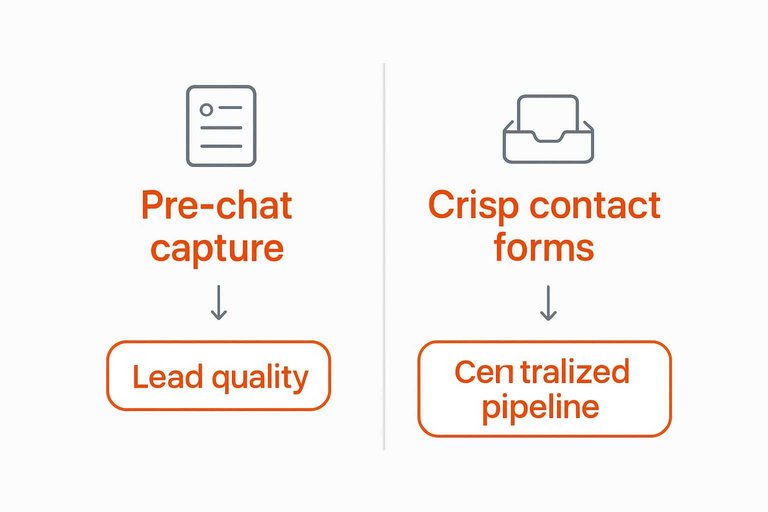
Pre-chat capture
A pre-chat form is your first filter. It trades a tiny bit of friction for cleaner follow-ups.
Some teams keep it optional and enable it only when:
- You need a name and email for SLA follow-up.
- You expect lots of anonymous “quick questions.”
- You route by customer type, not by topic.
Turn it off for high-intent flows like checkout help, where speed wins. Turn it on when the next step is a tracked thread, not a one-off reply.
Crisp contact forms
Crisp can collect questions through contact forms, even when nobody is online. Those messages land directly in the Crisp Inbox for triage and assignment.
That setup works well when you want one place for chat and offline inquiries, plus multiple agents working a queue. The catch is the channel experience can feel more like ticket intake than a live handoff.
If your team runs support like an inbox, not a back-and-forth chat, Crisp’s approach fits the muscle memory.
Qualification checklist
Use a short checklist before you add fields or automation. Each choice changes conversion and workload.
- Required fields: name, email, company, or none
- Spam friction: captcha, rate limits, blocked domains
- Handoff needs: assign owner, label intent, set priority
- Follow-up process: where replies happen, and who sees context
Optimize for the next action, not the perfect form.
Winner: lead quality
If you prioritize simplicity, lean toward the flow that asks less and starts the conversation faster. If you prioritize centralized pipeline handling, Crisp’s inbox-first model is strong for teams triaging volume.
Pick based on who must act next: the same responder now, or a routed owner later.
Integrations and channels
Channel support decides whether you need a real omnichannel inbox or just faster replies. The trade-off is simple: breadth adds coordination, but also plan gates and setup friction — and for many small teams, the “right” channel is simply the one you already live in every day.
Crisp channel breadth
If you want to meet customers where they already message, Crisp covers a lot beyond website chat.
- Telegram integration
- Slack integration
- Facebook Messenger integration
- X (Twitter) Direct Messages
- Instagram DMs and Discord
It also plugs into popular site stacks like WordPress, Shopify, Webflow, Squarespace, and Wix.
More channels helps when your customers choose the channel, not you.
Crisp plan gates
Crisp’s channel story is strong, but it’s not “all channels on day one.” Some key integrations are explicitly plan-gated.
Slack and Telegram integrations start on the Mini plan (USD 45/mo). Instagram and Discord are available from the Essentials plan (USD 95/mo). X (Twitter) DMs require the X Enterprise plan.
If your support motion depends on a specific channel, price that channel first — especially if “replying from Telegram” is the core workflow you’re trying to protect.
Eloqra focus
Eloqra takes a deliberately narrower approach: website chat that routes messages into Telegram, so you reply from Telegram.
That focus shows up in the ergonomics: one script install, visitor context attached (page, device, browser, country), and an optional pre-chat form for name and email.
If Telegram is already your team’s inbox, you can skip the multi-channel overhead — and avoid paying for breadth you won’t actually use.
Winner: omnichannel
For teams that truly need multiple inbound channels in one place, Crisp is the stronger fit.
Pick Crisp when you’re consolidating DMs and chat for a multi-agent team, and you’re fine living with the plan gates.
But if your practical goal is simply “website chat that lands in Telegram so you can answer quickly from your phone,” a focused setup like Eloqra’s Telegram-first live chat can be the more direct fit than an omnichannel suite.
Pricing and seats
Crisp publishes clear, flat per-workspace pricing with seats included, plus a per-agent add-on at the top tier. Eloqra stays simpler: one script snippet installs it anywhere, and your “seats” are your Telegram access.
Crisp tiers and included agents:
| Tool | Plan | Price (USD/mo) | Agents included |
|---|---|---|---|
| Crisp | Free | 0 | 2 |
| Crisp | Mini | 45 | 4 |
| Crisp | Essentials | 95 | 10 |
| Crisp | Plus | 295 | 20+ |
| Crisp | Plus add-on | +10 per agent | (adds seats) |
Crisp’s catch is tier gates: Telegram and Slack start at Mini, and Free skips Hugo credits and AI workflows. If your team lives in Telegram and you want two-way replies with no dashboard, Eloqra is usually the cleaner fit; pick Crisp when you need a shared inbox suite with many agents under one flat workspace price and broader channel integrations (and you’re fine paying from Mini up).
Choose the workflow you’ll actually use every day
If your priority is fastest time-to-live, replying from your phone without keeping a helpdesk open, and getting essential visitor context (page, device, browser, country) plus optional pre-chat capture with a single script install, Eloqra is the stronger fit for solo founders, small SaaS teams, and agencies.
Pick Crisp when you want a full shared inbox with broad channel integrations and a flat per-workspace model that includes multiple agent seats—just note real plan gates like Telegram and Slack integrations starting on Mini (USD 45/mo) and that the Free plan excludes Hugo credits, AI workflows, and advanced automation features; see details at https://crisp.chat/en/pricing/ (rel=“nofollow”).
Frequently Asked Questions
- Can I use Crisp or Eloqra if I don’t want another support dashboard open all day?
- Yes—choose a setup that routes messages where you already work. If you prefer replying from your phone in Telegram instead of a web inbox, Eloqra is built specifically for that workflow.
- Does Crisp vs Eloqra affect how much customer context I see while replying?
- Yes; the key is whether you get page URL, device/browser, and basic location alongside each message. Verify each tool’s conversation view includes those context fields and that they’re available in the channel you’ll actually reply from (in-app inbox vs a forwarded chat).
- What should I use if my “support” is mostly sales leads and pre-qualification, not tickets?
- Use the tool that gives you a pre-chat form, flexible fields (name/email/company), and routing rules that match how you follow up. If you need formal ticketing and SLAs, you’ll usually want a helpdesk-style workflow rather than a lightweight live chat.
- Can I run Crisp or Eloqra on multiple websites with one team inbox?
- Most teams can, but you should check how each product handles multi-site separation, permissions, and whether conversations clearly show which site they came from. Also confirm whether adding sites or teammates changes your plan limits.
- How do I measure whether Crisp or Eloqra is improving customer messaging and support?
- Track first response time, resolution time, missed conversations, and lead-to-reply speed using your chat logs plus a simple spreadsheet or analytics export. Also watch qualitative signals like fewer “I couldn’t reach you” complaints and clearer handoffs across the team.
Reply Faster, Keep It Simple
Comparing setup, workflow speed, channels, and seat-based pricing makes the trade-offs clear—but implementing the simplest support flow is what saves you time daily.
Eloqra routes every website message straight to Telegram with a lightweight widget and quick install, so you can respond from your phone. Get started on the Free Forever plan.
Written by
Eloqra
Notes from the Eloqra team on collecting testimonials and building authentic social proof.
Share: